Domain pointing to external MX on Plesk
If you are using an external MX record and also using a Linux environment for…

In this article, you will learn how to insert a PDF in WordPress without the need for a plugin. Without the need for a plugin, inserting a PDF in WordPress gives you more control over the functionality of your website and less dependence on extra third-party apps.
Follow these steps:

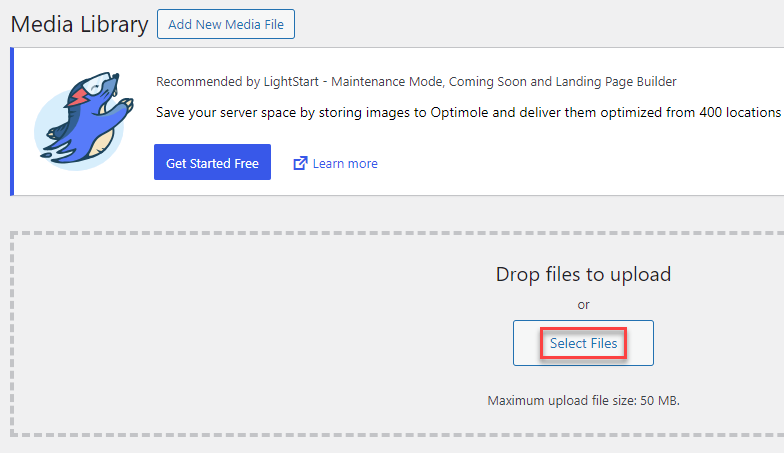
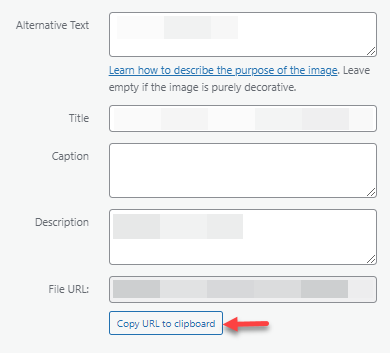
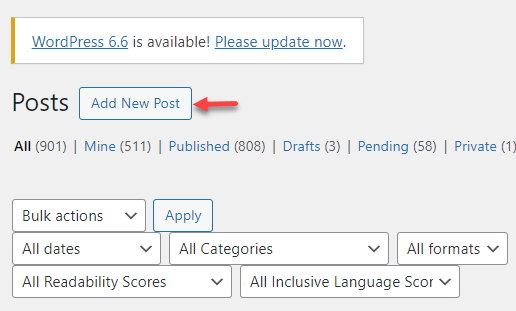
<iframe src=”https://yoursitename.com/wp-content/uploads/2024/01/your-pdf-file.pdf”
width=”100%” height=”600px”></iframe>
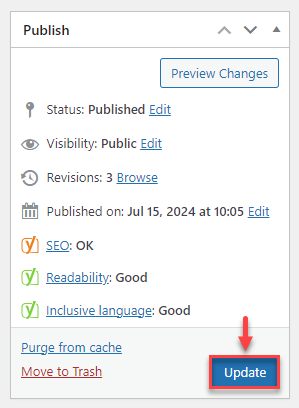
You can use these instructions to insert a PDF on your WordPress website without the need for a plugin. If the content of the PDF is not your own, just make sure you have permission to use and distribute it.
You can learn more about how to incorporate a new link into the WordPress sidebar!

Explore more hosting insights, tips and industry updates.
If you are using an external MX record and also using a Linux environment for…
GlobalSign is seen as one of the world’s first providers of SSL certificates, having been…
This article explains how to use the DIG (Domain Information Groper) command, an essential tool…