Why WAN Optimization Still Matters in Modern Cloud Infrastructure
Building a reliable cloud environment is not just about servers and storage. The network that…

 Paul Lopez
When a website feels slow, storage is easy to overlook. We usually check bandwidth, CPU, or the page code first. Yet the server also has to read files, fetch database records, process uploads, and save changes before it can return a response. If those disk operations keep the server waiting, the storage technology matters.
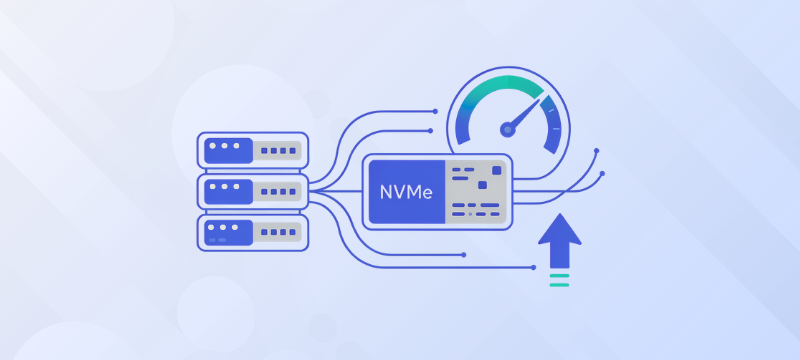
NVMe VPS hosting uses solid-state drives connected through PCIe instead of the older SATA interface used by many SSDs. That gives the storage system more room to handle concurrent and random read/write requests, something that matters on busy, database-driven sites.
There is an important catch: moving to NVMe does not magically speed up every website. Caching, database queries, application code, RAM, and network distance may be the real cause of a slow page. The useful question is not “Is NVMe faster?” but “Is my site waiting on storage?”
NVMe VPS hosting is a virtual private server that uses NVMe drives as its underlying storage. NVMe stands for Non-Volatile Memory Express. It is a storage protocol created for solid-state media and is commonly connected to the server through PCIe.
A VPS is an isolated virtual environment running on physical server hardware. Its operating system, website files, databases, applications, and logs use allocated CPU, RAM, and storage resources. NVMe describes the storage technology; it does not, by itself, indicate whether the VPS is managed or unmanaged.
The main advantage of NVMe is the way it communicates with storage. It supports multiple queues and parallel commands, which helps the server handle many storage requests efficiently. This is useful for websites with active databases, frequent file operations, busy control panels, or several applications running at once.
NVMe drives and SATA SSDs are both solid-state storage devices. Neither uses the moving parts found in traditional hard disk drives. Their main difference is the interface and command system used to communicate with the server.
SATA SSDs connect through the SATA interface and commonly use AHCI, a standard originally designed around older storage technology. NVMe drives use PCIe and a protocol designed for flash storage. NVMe can therefore provide higher throughput, lower latency, and better parallel request handling.
In practical terms, the difference is most noticeable when a VPS is handling many small or simultaneous storage operations. Examples include database queries, e-commerce transactions, WordPress plugin activity, log writing, application builds, and file processing.
However, storage is only one part of the hosting environment. An NVMe VPS will not fix a slow theme, inefficient code, inadequate RAM, an overloaded CPU, or poorly optimized database queries. It gives the server faster storage capability, but the application must be able to use it.
VPS comparison pages often show several storage numbers. They are useful, but only if you know what they describe.
Sequential figures are relevant when downloading a large backup or reading a large media file. Random IOPS and latency are often more relevant to databases and application workloads, where the server accesses many small pieces of data.
A drive’s headline speed is not the same as a website’s response time. Manufacturer figures usually come from controlled tests on one drive. Inside a VPS, virtualization, resource allocation, filesystem settings, workload, and platform contention all affect the result. Test the requests that matter to your site before judging an upgrade.
Storage can affect Time to First Byte (TTFB) when the server must read files, query a database, or write information before sending a response. TTFB measures the time between starting a request and receiving the first byte of the response. It also includes connection and server-processing time, so it is not a storage-only measurement.
Consider a product page that needs current inventory, pricing, a customer session, and several template files. If the server is waiting on disk during those steps, faster storage can shorten the wait. The improvement is more likely when the site makes many small, random requests rather than reading one large file.
Caching can change the result. A cached public page may be served without repeating the same database work, making the storage upgrade less visible.
Personalized pages, shopping carts, account areas, and checkout processes usually require fresh processing and may reveal storage bottlenecks more clearly.
Total page load time includes much more than TTFB. Images, JavaScript, CSS, third-party scripts, browser rendering, and network distance all contribute. For this reason, test both server response time and the complete page experience before deciding that storage is the main problem.
NVMe VPS hosting is most useful when the application generates frequent storage activity or several requests at the same time. It can be a strong choice for:
A small brochure site with good page caching may notice little difference after the move. Compressing images, removing unnecessary scripts, or fixing a slow plugin could deliver a larger improvement for less money.
NVMe is not an SEO switch. Search engines consider page experience among many other signals, and storage helps only when it improves the work happening behind the page. A faster drive cannot compensate for a poor mobile layout or a page overloaded with scripts.
A lower storage delay can contribute to better TTFB and help the browser begin receiving content sooner. That may support a better experience, particularly on dynamic websites. However, NVMe alone will not improve search visibility if the site still has oversized images, render-blocking scripts, slow third-party services, or poor mobile design.
Use NVMe as one part of a broader performance plan. Check real-user data and Core Web Vitals, keep database queries efficient, use sensible caching, and reduce heavy frontend assets. The goal is a faster experience for visitors, not an impressive specification on a hosting page.
Managed and unmanaged hosting can both use NVMe storage. The difference is who handles server administration.
With managed NVMe VPS hosting, the provider may assist with server setup, updates, monitoring, security, backups, and troubleshooting. This option suits businesses that want performance benefits without managing every operating system and server task themselves.
With unmanaged NVMe VPS hosting, the customer normally handles updates, security hardening, software installation, optimization, and recovery. It provides more hands-on control and may suit developers or system administrators with the necessary experience.
Choose management level separately from storage type. An unmanaged NVMe VPS is not automatically faster than a managed one. The underlying hardware, resource allocation, configuration, and application workload determine the actual result.
Before upgrading, look at what the server is actually doing. Compare TTFB with database response time, disk latency, I/O wait, CPU usage, memory pressure, cache hits, and application logs. High I/O wait can point to a storage problem, but it should not be read in isolation.
Before upgrading, check whether the problem is caused by:
If the evidence points to storage, compare plans on the whole package. Look at CPU and RAM allocation, capacity, backups, upgrade options, support, uptime, and data center location. A provider with steady resources may deliver a better result than one advertising a faster drive on an oversold platform.
bodHOST Linux VPS hosting provides a configurable environment for websites, databases, and custom applications. Its current VPS information lists NVMe SSD storage, dedicated resources, full root access, multiple Linux distributions, custom software support, automated backup options, enterprise-grade hardware, global data centers, and 24/7 expert support.
That setup gives developers room to install the software stack they need and tune the server around the application. NVMe can reduce storage-related waiting, while dedicated resources help make performance more predictable.
bodHOST also states a 99.9% uptime guarantee and offers scalable VPS plans. This can make the service suitable for growing WordPress websites, ecommerce stores, databases, SaaS applications, and other workloads that need more control than shared hosting.
The right plan will still depend on the site. Check expected traffic, storage growth, CPU and RAM use, backup needs, and who will manage the server. If your team does not want to handle administration, confirm exactly what managed support includes before ordering.
NVMe VPS hosting can make a real difference when a site spends time waiting for storage, particularly on dynamic websites, online stores, and database-heavy applications. Its advantage comes from lower latency and better handling of concurrent read/write work, not from the word “NVMe” alone.
Still, storage should be diagnosed rather than assumed. Check CPU, RAM, caching, queries, page weight, and network conditions before paying for an upgrade.
For businesses that need faster storage, dedicated resources, root access, backups, scalable plans, and technical support, bodHOST NVMe VPS hosting offers a practical environment for growing websites and applications.
For more information, read the blog: The Ultimate NVMe Web Hosting Guide for 2026: Maximizing Benefits

Explore more hosting insights, tips and industry updates.
Building a reliable cloud environment is not just about servers and storage. The network that…
Being a small business owner, you’ll always have your business website that is not expensive…
Cloud clusters can manage various types of different cluster infrastructure depending upon the cloud environment.…