How to Verify if an SSL Certificate Matches its Private Key
Applicable For the Following Parallels Plesk Panel: * Plesk Panel 11. x for Linux* Plesk…

 Paul Lopez
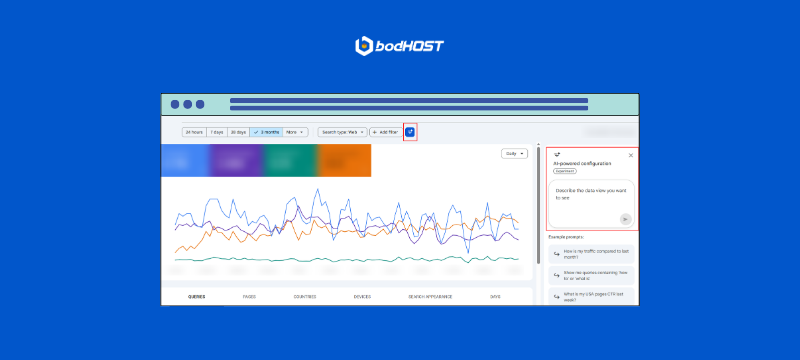
Google Search Console AI Powered Configuration helps website owners leverage intelligent automation inside Search Console to improve indexing, crawl efficiency, and search performance insights. As Google continues to refine its AI driven ranking systems, configuring and monitoring these enhancements properly ensures your website remains technically strong and search ready.
If you manage a business website, ecommerce platform, SaaS application, or blog, understanding how AI works inside Search Console is no longer optional. It is part of modern SEO infrastructure.
Google Search Console AI Powered Configuration refers to the intelligent enhancements built into Google Search Console that automatically analyze crawl data, indexing signals, search queries, and technical SEO patterns. These AI driven insights prioritize critical issues, highlight optimization opportunities, and help website owners improve visibility in Google Search results without requiring manual data interpretation.
What Is Google Search Console AI Powered Configuration
Search Console has always provided raw performance data. However, recent enhancements powered by Google’s machine learning systems now interpret that data for you.
Instead of only showing impressions and clicks, AI evaluates patterns such as:
These insights align with Google’s AI ranking systems such as RankBrain, which rely on machine learning to interpret search intent and relevance.
The result is smarter diagnostics, faster issue detection, and clearer SEO prioritization.
Follow these steps to configure and use AI Powered insights effectively.
Visit the official dashboard and sign in.
Select your Domain Property for complete data tracking.
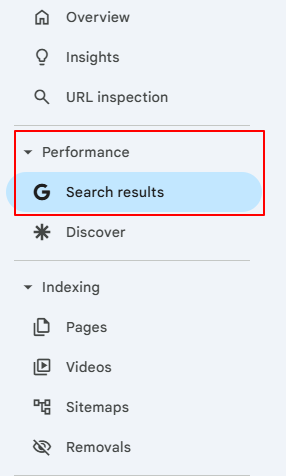
Navigate to:
Performance >> Search Results
 AI analyzes:
Look for sudden CTR drops or high impressions with low engagement.
Go to:
Indexing >> Pages
AI automatically classifies URLs into:
Resolve critical exclusions first to improve crawl efficiency.
Enter any important page URL.
AI displays:
Request indexing only after correcting issues.
Navigate to:
Experience >> Page Experience
Review:
Optimizing these improves ranking stability.
AI inside Search Console evaluates patterns in crawl frequency, content duplication, query intent, and internal linking signals.
It aligns with machine learning ranking systems such as RankBrain to interpret search behavior and relevance.
Instead of manually analyzing spreadsheets, AI highlights priority actions that impact visibility.
Google Search Console AI Powered Configuration simplifies technical SEO monitoring by intelligently analyzing crawl and indexing data.
By regularly reviewing AI insights and implementing recommended improvements, you strengthen search visibility and maintain long term SEO performance.
If you need assistance configuring Search Console or resolving indexing issues, bodHOST technical experts are available to guide you.
You can read more information about: How Google Search Console Adds Annotation Feature for SEO Reports

Explore more hosting insights, tips and industry updates.
Applicable For the Following Parallels Plesk Panel: * Plesk Panel 11. x for Linux* Plesk…
FTP (File Transfer Protocol) programs allow you to upload, download, and manage files between your…
Horde helps you establish multiple address books, but you must first learn how to create…