What is Nucleus?
Through Nucleus, developers can create and develop highly complex and versatile applications for large organizations…

cPanel is a widely used web hosting control panel that helps you manage your website, emails, files, databases, and other hosting resources through an easy graphical interface. It is designed for website owners, resellers, and server administrators.
If you prefer to use cPanel in a different language, you can change the interface language in just a few steps.
Steps to Change the cPanel Language
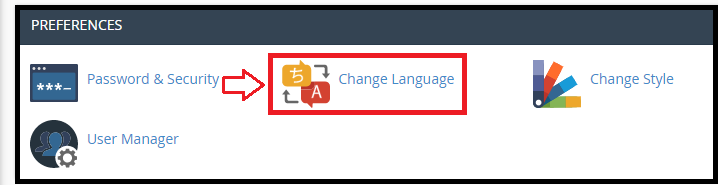
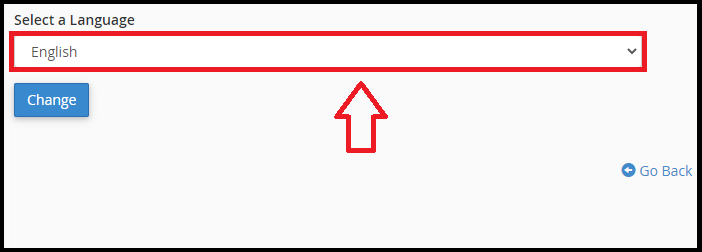
That’s it! Your cPanel account will now display in the new language. If you face any issues while changing the language, feel free to contact the bodHOST support team for assistance.
Learn more in the knowledge base: How to Access Web Disk in cPanel.

Explore more hosting insights, tips and industry updates.
Through Nucleus, developers can create and develop highly complex and versatile applications for large organizations…
The my.cnf file is the main configuration file for MySQL. It defines server parameters, client…
Have you ever attempted migration? It is simple and straightforward to carry out. Check out…