How to Import Email Accounts in cPanel
In this article, we will explain to you the process of importing a list of…


 Vincer
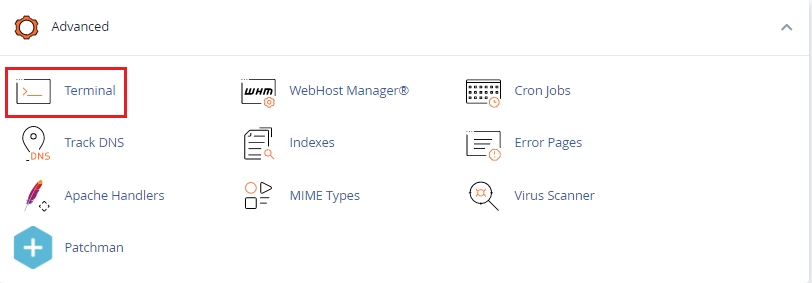
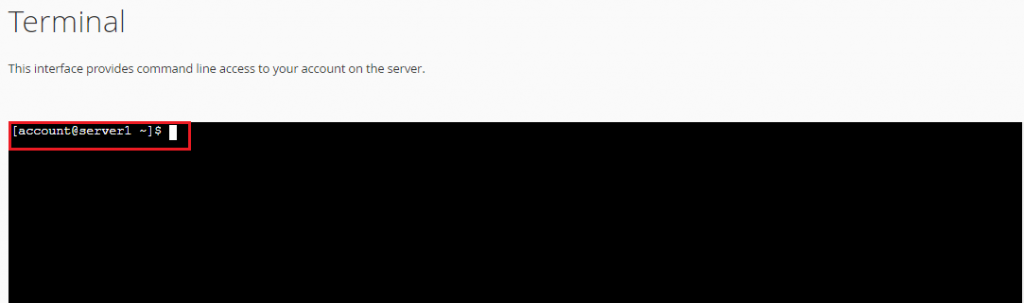
In this article, we will explain how to use the command line in cPanel. Before we start the article some Important information
If instructions are input incorrectly, or inadequately, permissions and files may be permanently modified or removed. So, if you aren’t familiar with the command line, seek other ways to access the server.
So, isn’t it very easy? But still, if you face any problem, you can anytime contact the bodHOST support team via live chat, ticketing system, or directly call. Also, check out the latest Linux VPS Hosting plans.

Explore more hosting insights, tips and industry updates.
In this article, we will explain to you the process of importing a list of…
A business disaster occurs when the essential elements of a business are unable to function…
With a newer version of MySQL (MySQL 5.6), you get improved processing speed, replication, instrumentation,…