How to Find the Missing htaccess File?
What is an .htaccess file? A .htaccess (Hypertext Access) file is a directory-level configuration file…

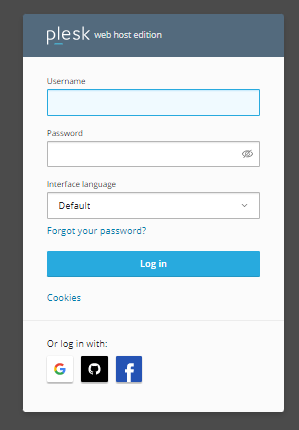
In this article, we will show you how Plesk allows you to customize your account. To create, manage, and remove a user, follow the instructions below.
Follow the steps to create a user in Plesk.
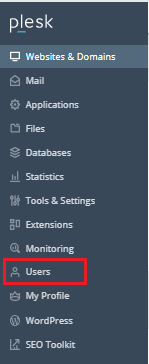

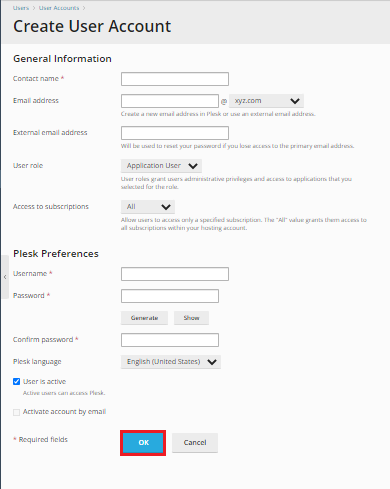
Note - Once you have filled all the details then click the OK button.
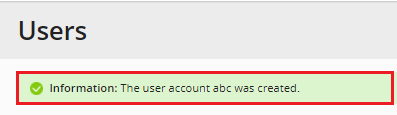
So these are the process for creating users in the Plesk control panel.
Follow the steps to Manage your user account.

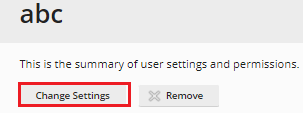
Note – You can adjust the settings after clicking on the change settings button. When you’re finished, click the OK button.
Follow the steps to Remove your user account
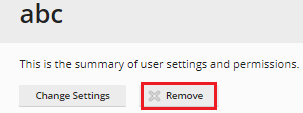
Note - You have now successfully removed your user from Plesk.
You can use this method to create, manage, and delete your Plesk user account.
We hope that you now have a good understanding of How can you manage users in Plesk. If you continue to have problems with the protocol outlined above, please get in touch with the bodHOST Team for constructive assistance 24×7.
Learn more about How to Create a Plesk Subscription Package.

Explore more hosting insights, tips and industry updates.
What is an .htaccess file? A .htaccess (Hypertext Access) file is a directory-level configuration file…
Localhost is the name your own computer uses to refer to itself. Whenever you type…
We’ll go over the basics of editing your cPanel contact information and preferences in this…