
How to select Domain Name?
Domain Name: Domain name represents the unique name of your website in the World Wide…

In this article, We’ll explain to you how to enable or disable the PHP-FPM option in WHM.
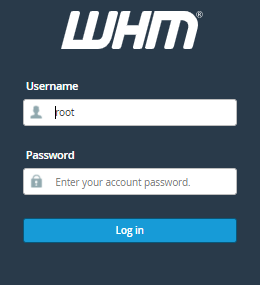
1. Log in to your “WHM account as root user”
2. Now, Search for the “Software section”
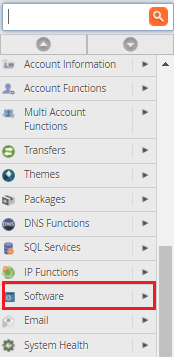
3. Click on the “MultiPHP Manager”

4. Now, Click on the “User Domain Settings” Option.
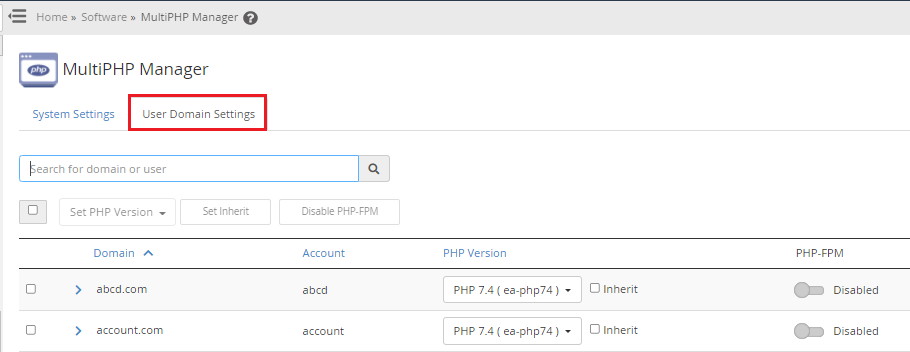
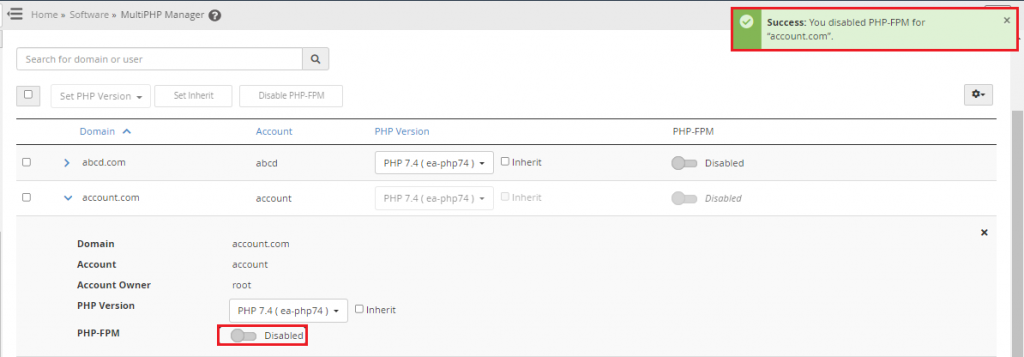
5. Select the domain and swipe on the right to “Enable”
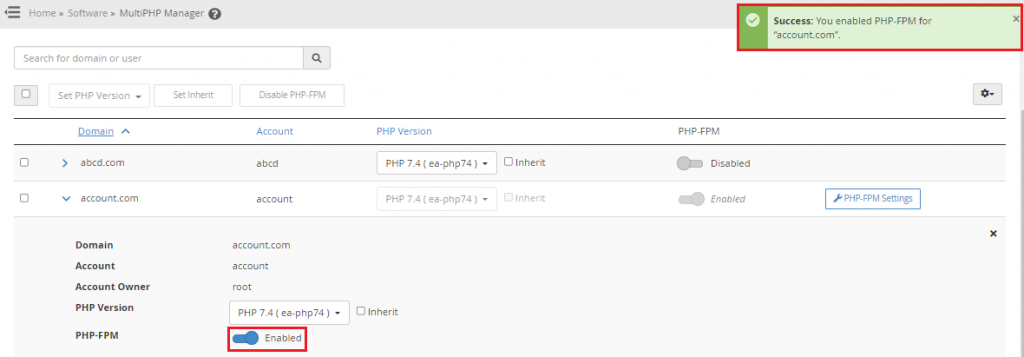
6. You can also disable the option by clicking on it again. And you’ll get a message congratulating you on your success.
We hope that you now have a good understanding of How to use enable or disable Option PHP-FPM in WHM. If you continue to have problems with the protocol outlined above, please contact the bodHOST Team for constructive assistance 24×7.
Read Also: How to Use WHM to Remove the cPanel Accounts

Explore more hosting insights, tips and industry updates.
Domain Name: Domain name represents the unique name of your website in the World Wide…
What are VoIP Servers? VoIP is an abbreviation for Voice Over IP, ie. the transmission…
The Intel Xeon E5-2600 server is powerful and scalable to adapt to the requirements of…