

How to Install .deb Files in Ubuntu Using Four Methods
Although the landscape of software distribution is always changing, .deb files are still essential for…

This article is about HTT2 and how you can enable HTT2 in WHM
HTTP 2 is known as Hypertext Transfer Protocol Version 2. It is the latest version of the HTTP protocol, which is published as an IETF standard in RFC 7540 in 2015. The protocol focuses on performance, network, and server resource usage. It allows the connection from browsers to a website.
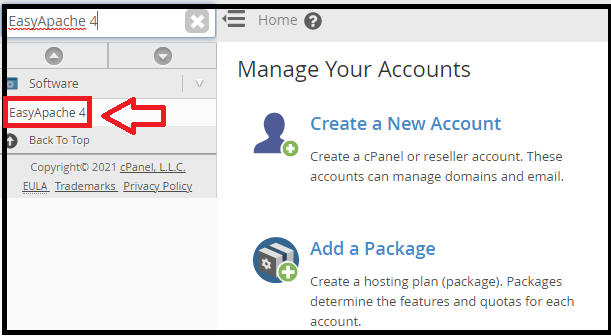
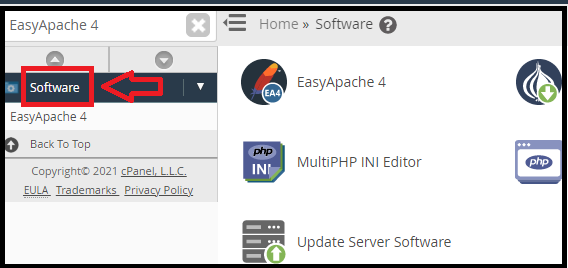
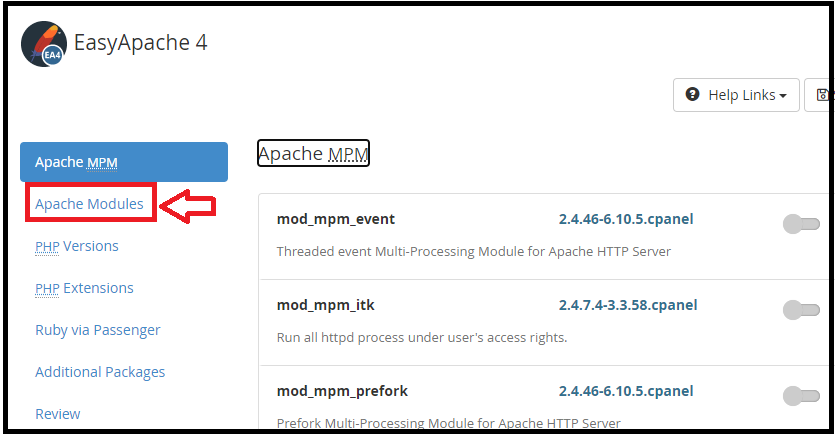
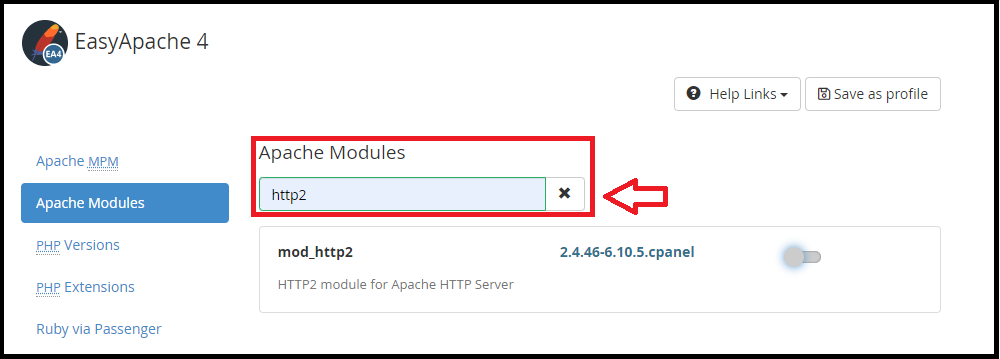
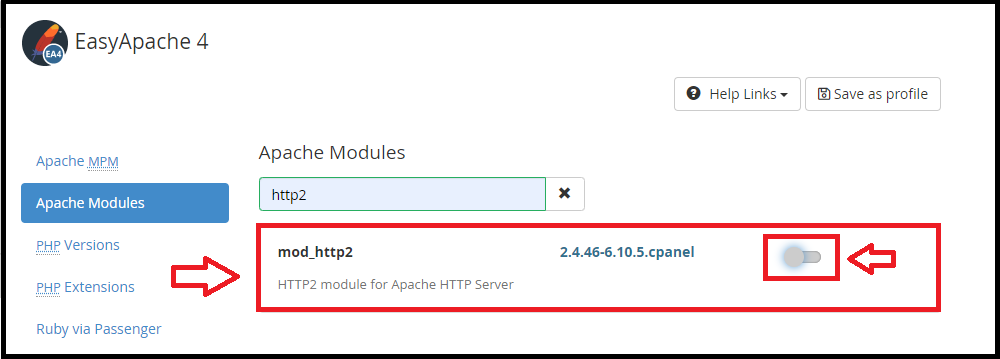
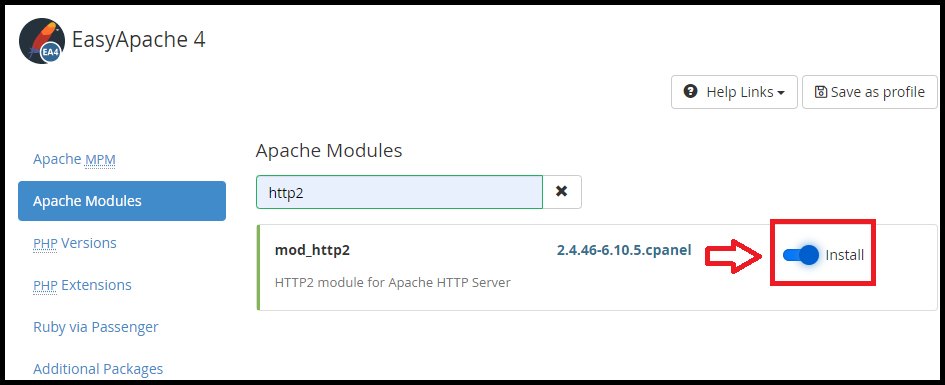
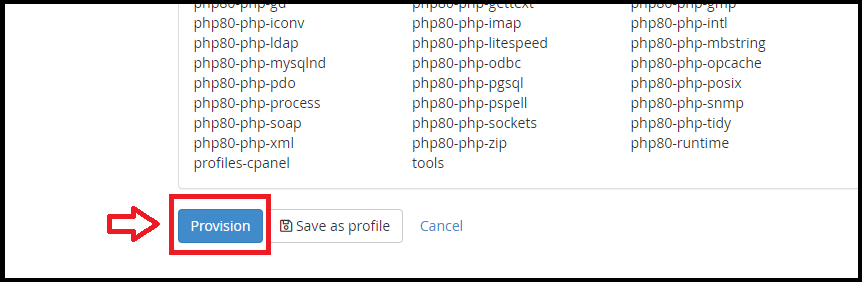
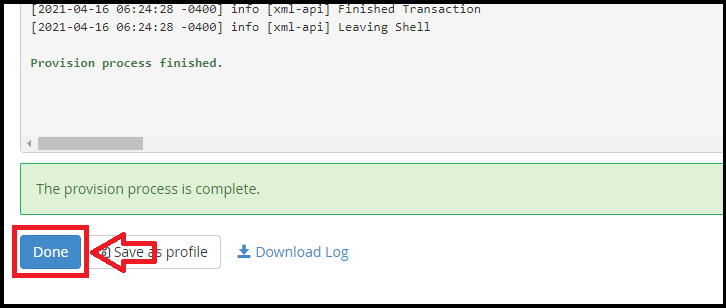
To get HTTP 2 working in the modules section on WHM. Use the following procedure

We hope you’ve gained a clear understanding of How do you enable HTTP 2? after reading this tutorial. If you continue to have issues with the above-mentioned protocol, please contact the bodHOST Team for help 24×7.

Explore more hosting insights, tips and industry updates.
Although the landscape of software distribution is always changing, .deb files are still essential for…
Log processing is an important part of server monitoring. To get the most out of…
Security and protection of the server has become one of the major issues for online…