PHP Script to Test MySQL Database Connectivity
A test for MySQL database connectivity is done using the PHP script mentioned below. It…

 Jeremy Calvey
Web Disk is a utility offered with cPanel which can be used to manage files using one’s operating system interface.
Accessing the Web Disk application uses your computer’s operating system for manipulating the files. Allowing you to add, delete or move files to the server just as you would do on your computer. You can easily drag and drop files from your computer to the server. And also navigate files on the server the way you can on your computer.
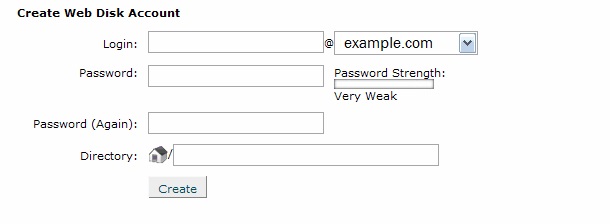
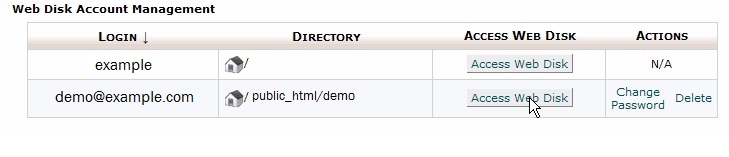
After the configuration is complete you would see a window open up on your computer which would list the files on your server. You can use this window to manage the files of your website.
Once the Web Disk account is created. You can use it for future purposes by clicking on the Access Web Disk button (See screenshot above).
For taking advantage of the Web Disk application get cPanel web hosting. And handle your files with ease and manage your website efficiently.

Explore more hosting insights, tips and industry updates.
A test for MySQL database connectivity is done using the PHP script mentioned below. It…
Setting up an FTP storage backup solution using Plesk ensures off-site, scalable, and accessible backups…
Web server software (WebServerX) is not supported. Sorry This is one of the errors that…