Intel Xeon E3-1230V2 3.3 GHz Server Specifications and Features
Intel Xeon processor E3-1230V2 3.3 GHz server platform for Intel Ivy Bridge offers a professional…

 Paul Lopez
The below post explains how to change the Document Root of an Addon Domain or Subdomain in cPanel.
The document root is a folder that is unique to a domain. Even the addon domains or subdomains in cPanel have their personal document root folder. cPanel allows users to change the document root for their addon domains and subdomains.
The technique is nearly identical for both Addon Domains and Subdomains.
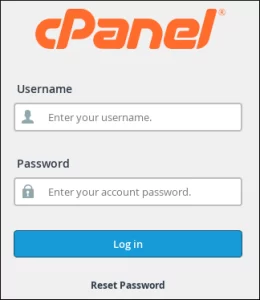
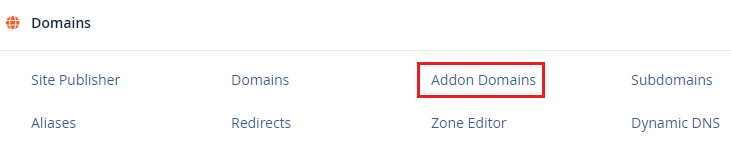
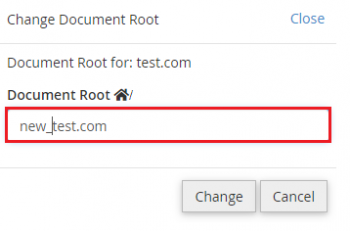
Follow these procedures to modify the Document Root of the Addon Domain:


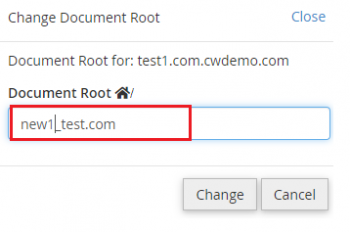
Follow these procedures to modify the Document Root of the Subdomain:



Note of importance: Changing the document root might sometimes cause the site to malfunction. It occurs when the web application or database’s linkages and paths are missing. If this happens, contact the system administrator or developer.
Change the Document Root of an Addon Domain or Subdomain in cPanel in this manner. I hope you have truly understood everything, but if you have any questions, please contact our bodHOST team. Also, you Check out our web hosting plans right now.

Explore more hosting insights, tips and industry updates.
Intel Xeon processor E3-1230V2 3.3 GHz server platform for Intel Ivy Bridge offers a professional…
Cause: CDP 3.0 does not support running more than one backup at a time. You…
This article provides systematic instructions on how to install Frog CMS on your bodhost hosting…