In this way, you can create a table in cPanel in phpMyAdmin. Don’t hesitate to reach out to the bodHOST support team anytime you require assistance. Read on for More How Do you Change Table Columns in phpMyAdmin Using cPanel.

-
Paul Lopez
- 09 Nov, 2023
In this article, we will explain how to create a table in cPanel in phpMyAdmin.
Follow these steps to create a table in cPanel in phpMyAdmin.
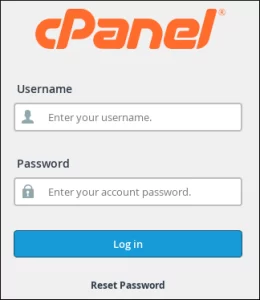
- Log into your cPanel Account.
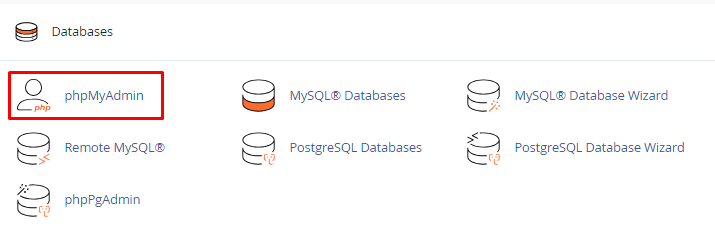
- Click on “phpMyAdmin“, from the “Database” tool.
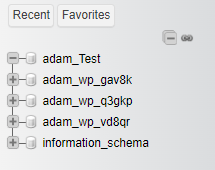
- Choose the preferred database from phpMyAdmin’s left-hand menu.
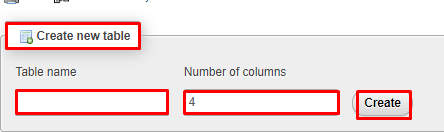
- Scroll down to the “create table” section, input the MySQL table’s “Name” in the designated field, and specify the “Number of columns” in the adjacent box.
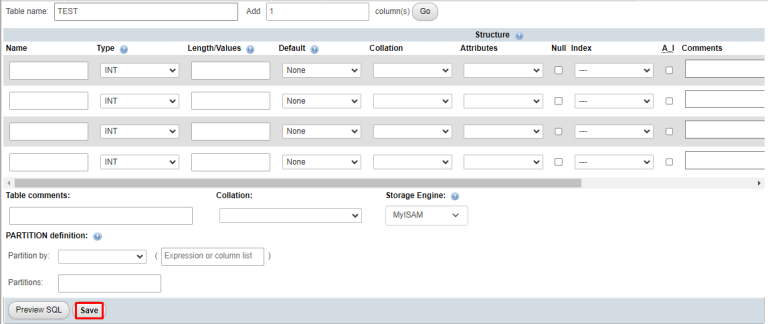
- Next, a table will appear on the screen. Fill in the relevant data within the designated boxes and click on “Save”.

Popular Posts You May Read
Explore more hosting insights, tips and industry updates.
Process of Creation of account using WHM (WebHostManager)
Here is a more detailed explanation of the process for adding a new domain account…

How to Check the Ubuntu Version
In this article, you will learn how to check the Ubuntu version. When managing a…
Windows CMD Commands Cheat Sheet
Windows Command Prompt (CMD) offers a variety of powerful tools. Since it’s easy to forget…