
5 Benefits of Hosting Emails on VPS
Once you have your business website ready and running with a VPS hosting, it’s the…

 Paul Lopez
What sets dedicated servers apart from enterprise-level hosting? Dedicated servers give complete access to physical hardware, which eliminates resource sharing and improves performance, security, and control. The operation of dedicated servers and the reasons they are trusted for heavy workloads are explained in this guide.
A dedicated server is a single physical computer that is used only by one person or group. A single workload uses all of the server’s hardware resources, unlike shared or virtual hosting systems, guaranteeing reliable performance, increased security, and total control over the hosting environment. Dedicated servers are frequently utilized for resource-intensive workloads that need scalability and dependability, as well as high-traffic websites and specialized applications.
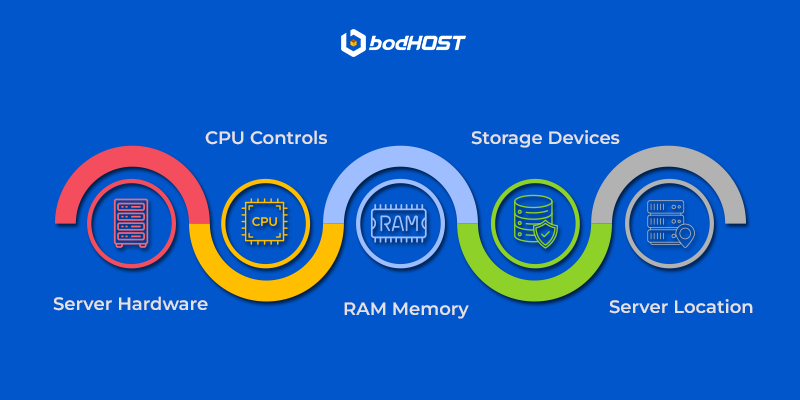
Dedicated servers are built using enterprise-grade hardware designed for performance and stability. The CPU handles processing tasks and directly affects how rapidly applications respond, RAM supports active processes and concurrent users, and storage (HDD or NVMe SSD) determines data access speed and reliability. Choosing the right combination of these components is essential for maintaining optimal server performance.
One of the biggest advantages of a dedicated server is full resource isolation. Since no other users share the server, there is no competition for CPU, memory, or storage, resulting in predictable performance and improved security. Dedicated hosting also provides full root-level access, letting administrators install custom software, configure system settings, apply security policies, and manage the server environment according to specific requirements.
This section explains the behind-the-scenes process of how dedicated servers are deployed, configured, and maintained. From physical hardware setup in a data center to operating system installation, network configuration, and ongoing management, the steps below show how a dedicated server is prepared for reliable, high-performance use.
Step 1: A Physical Server Housed in a Data Center
Dedicated servers are built on enterprise-grade hardware and installed in secure data centers designed for reliability. These facilities provide redundant power, cooling systems, and 24/7 monitoring. Once the server is racked and tested, it is assigned to a single customer, guaranteeing complete resource isolation and stable performance.
Step 2: Operating System Installation and Setup
After hardware provisioning, an operating system is installed based on user requirements, such as Linux or Windows Server. The setup includes disk configuration, security updates, and administrative access. This process prepares the server to run applications, databases, or hosting control panels efficiently.
Step 3: Network Connectivity and Dedicated IP Configuration
The server is then connected to a high-speed network and assigned a dedicated IP address. Network settings such as firewall rules, bandwidth allocation, and routing are configured to guarantee fast connectivity, low latency, and secure data transfer.
Step 4: Server Management and Ongoing Maintenance
Once live, the server requires ongoing monitoring and maintenance to ensure security and performance. This includes applying updates, managing resources, and resolving issues, with responsibilities varying based on the hosting model.
In self-managed hosting, the provider maintains the hardware and network, while the customer handles operating system updates, security, software installation, and backups. This option suits users with technical expertise who want full control.
With fully managed hosting, the provider takes care of server administration, including updates, monitoring, security, and backups. This allows businesses to use dedicated infrastructure without managing day-to-day server operations.
Choosing the right dedicated server involves more than just pricing. Hardware specifications and server location play a critical role in performance, reliability, and the overall user experience.
1. How much does a dedicated server cost?
Hardware specs, bandwidth, administration level, and data center location all affect dedicated server costs. Although prices are more than for shared or VPS hosting, they are consistent with the premium resources offered.
2. What is a bare metal server? Is it different from a dedicated server?
A bare metal server is basically the same as a dedicated server; both refer to single-tenant physical machines without virtualization overhead.
3. How long does it take to deploy a dedicated server?
Deployment typically ranges from a few hours to a couple of days, depending on customization and availability.
4. Can dedicated server resources be upgraded later?
Yes, most providers allow hardware upgrades such as additional RAM, storage, or bandwidth.
5. Do I need a control panel (like cPanel or Plesk) with my dedicated server?
A control panel is optional. It simplifies server and website management, but is not required if you are comfortable managing the server via the command line.
With dedicated servers, businesses gain expected performance, enhanced security, and full control over their hosting environment. This makes them a strong choice for high-traffic sites and resource-intensive applications. Understanding the working of dedicated servers helps you evaluate whether Dedicated Server Hosting or Managed Dedicated Servers align with your technical and business goals.
Learn more in our detailed article: How Managed Dedicated Servers Can Transform Your Website’s ROI

Explore more hosting insights, tips and industry updates.
Once you have your business website ready and running with a VPS hosting, it’s the…
cPanel 2026 updates bring a noticeable change to the way users manage websites and hosting…
Note: StatCounter is not fully representative because not all websites use StatCounter. Wondering whether you…