What is Hadoop? The Key to Managing Big Data
The Hadoop is an open-source platform developed especially for processing and analyzing large volumes of…

 Paul Lopez
Choosing a Linux distribution affects more than the look of your desktop. It determines how software is installed, how often the system changes, how long releases receive updates, and how much community or commercial support is available when something goes wrong.
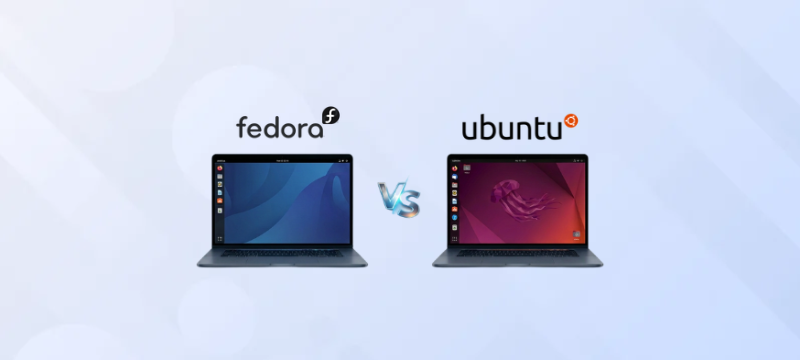
Fedora and Ubuntu are two of the most widely used Linux distributions, but they serve slightly different preferences. Fedora is known for newer technologies and a close relationship with the upstream Linux and Red Hat ecosystem. Ubuntu is known for its broad hardware support, large user community, and long-term support releases.
There is no universal winner. Ubuntu is usually the easier choice for beginners, long-running servers, and users who prefer predictable maintenance. Fedora is often a better fit for developers, Linux enthusiasts, and users who want newer tools without waiting for a longer release cycle.
Ubuntu is a Linux distribution developed by Canonical and supported by a global open-source community. It is available in desktop, server, cloud, and other editions. Ubuntu began as a desktop-focused operating system but is now widely used for web servers, development environments, cloud instances, and enterprise workloads.
Ubuntu is built around the Debian package ecosystem and commonly uses the Advanced Package Tool, or APT, for installing and updating software. Its large user base means that users can find extensive documentation, tutorials, community discussions, and software guidance.
One of Ubuntu’s biggest advantages is its release choice. Ubuntu publishes regular releases every six months. Long-Term Support, or LTS, releases arrive every two years and receive five years of standard security maintenance. Canonical recommends LTS releases for production environments and long-running projects that value stability.
Ubuntu also takes a practical approach to hardware and software compatibility. Many users can enable proprietary graphics or wireless drivers during installation when their hardware requires them. This can make the first setup less demanding for people moving from Windows or macOS.
Fedora is a community-driven Linux distribution sponsored by Red Hat. It is available in several editions, including Workstation for desktop users, Server for server workloads, Cloud images, and specialized Atomic Desktops and CoreOS variants.
Fedora places strong emphasis on current open-source technologies. It often introduces newer kernels, desktop environments, programming tools, and system components before they appear in more conservative distributions. This makes it useful for developers and users who want to work with recent Linux capabilities.
Fedora uses the RPM package format and the DNF package manager. Its default software repositories follow a stricter free and open-source software approach than Ubuntu’s default installation. Users who need certain proprietary codecs, drivers, or applications may need to enable additional repositories or install them manually.
Fedora also has a shorter support window than Ubuntu LTS. That means users need to plan upgrades more regularly. This is not a weakness for everyone. Developers may prefer the faster pace because it provides earlier access to new tools and platform changes.
Both distributions provide a complete Linux operating system, but their priorities are different. Ubuntu focuses on accessibility, compatibility, and predictable long-term maintenance. Fedora focuses on innovation, current software, and close alignment with upstream projects.
| Factor | Ubuntu | Fedora |
|---|---|---|
| Package format | DEB packages managed mainly through APT | RPM packages managed mainly through DNF |
| Release approach | Six-month releases with an LTS option every two years | Two major releases each year with a shorter support period |
| Long-term maintenance | LTS releases provide five years of standard security maintenance | More frequent upgrades are normally required |
| Default software approach | Includes practical options for some proprietary drivers and components | Emphasizes free and open-source software by default |
| Hardware setup | Often convenient for common consumer hardware | Strong modern hardware support, but some proprietary components need extra setup |
| Best-known strength | Stability, documentation, and broad compatibility | Newer technologies and developer-focused workflows |
| Common desktop environment | GNOME in the main edition, with many official flavors | GNOME in Workstation, plus official spins and Atomic Desktops |
| Typical server choice | LTS is common for stable production deployments | Useful for development, testing, and workloads that need newer components |
Ubuntu is often attractive to new Linux users because its installer and documentation cover a wide range of common laptops, desktops, Wi-Fi adapters, and graphics hardware. If a system needs proprietary drivers, Ubuntu commonly gives users a straightforward way to install them.
Fedora works well with modern hardware and provides a clean, current platform. However, its default commitment to open-source software means that some proprietary graphics drivers, wireless firmware, or multimedia components may require additional steps. This is manageable for an experienced user but can surprise someone expecting every device to work immediately.
Before installing either distribution, check the support page for your laptop or graphics card. Hardware compatibility depends on the exact device, firmware, kernel version, and driver rather than the distribution name alone.
Ubuntu’s APT ecosystem is familiar to a large number of Linux users. Many application tutorials are written specifically for Ubuntu or Debian-based systems, which can make it easier to follow setup instructions. Ubuntu also supports Snap packages, while traditional DEB packages remain an important part of the system.
Fedora uses DNF and RPM packages. DNF provides dependency handling, repository management, and system updates through the command line. Fedora is also closely associated with newer packaging and container workflows, which can be useful for developers building modern applications.
The difference is mostly practical rather than absolute. Most popular developer tools are available for both systems. The commands, package names, repository locations, and troubleshooting steps may differ.
Ubuntu LTS is generally the safer option when you want to install a system and keep it running with minimal major changes. It is a common choice for business desktops, web servers, and applications that need a stable base.
Fedora moves faster. Fedora publishes two major releases each year, and the project’s official site describes Workstation as a platform featuring current GNOME desktop technology. This faster cycle helps users access new features sooner, but it also means more frequent testing and upgrade planning.
A newer package is not automatically better for every task. A developer working with a new language runtime may benefit from it. A business running a critical application may prefer an older, well-tested version with a longer maintenance window.
Both Fedora and Ubuntu provide regular security updates and tools for managing system permissions, services, and firewalls. The main difference is often the default policy and the way each project introduces changes.
Fedora commonly enables security-focused technologies such as SELinux by default. SELinux applies access-control policies that can limit what services are allowed to do, even when a process is compromised. It adds protection, but administrators may need to learn how to interpret and adjust its policies.
Ubuntu commonly uses AppArmor for application confinement and provides a familiar set of server and desktop administration tools. Ubuntu’s LTS model also makes it easier to plan security maintenance over a longer period. The secure choice still depends on correct updates, account controls, backups, firewall rules, and application configuration.
The best distribution becomes easier to identify when you start with the work you need to complete rather than with general popularity.
Ubuntu is a good starting point for people who are new to Linux. Its installer is approachable, its documentation is extensive, and many common fixes can be found through a simple search. The availability of different desktop flavors also lets users choose an interface that suits older or lower-powered hardware.
It is also a practical choice for users who need proprietary graphics drivers, common business applications through web browsers, or a system that behaves predictably between major upgrades.
Fedora is a strong option for developers who want newer language versions, libraries, compilers, container tools, and kernel features. It is also useful for users who want to learn technologies that may later appear in Red Hat Enterprise Linux or related enterprise environments.
Fedora’s current software can reduce the need to install third-party repositories just to obtain a recent development tool. The trade-off is that newer components may require more frequent updates or occasional troubleshooting.
Ubuntu LTS is widely available in VPS and cloud control panels. Its long security-maintenance period and large administration community make it convenient for websites, application servers, and development environments that need a stable operating system.
If a hosting provider offers both operating systems, compare the available images, backup tools, control panels, support coverage, and upgrade process. The provider’s environment can matter as much as the distribution itself.
Fedora can be a good choice for a test server, a development workstation, or a project that depends on current Linux components. It lets teams evaluate newer software before adopting it in a more conservative production environment.
For a customer-facing server, make sure the team has a clear update and rollback process. A short support window can become a problem if nobody has time to schedule upgrades.
For server use, the question is not simply whether Fedora or Ubuntu is more powerful. Both can run web servers, databases, containers, monitoring tools, and development platforms. The decision should be based on lifecycle planning, support requirements, security controls, and application compatibility.
Ubuntu LTS is usually easier to operate when a team wants fewer major upgrades and a longer standard security period. Canonical lists five years of standard security maintenance for LTS releases, with longer coverage available through Ubuntu Pro options.
Fedora is better suited to teams that can update more often and want access to newer technologies. It can also be a useful staging platform for testing changes before they reach a longer-lived enterprise system.
Before selecting a distribution for a VPS, confirm that your hosting control panel, web server, database, backup system, monitoring agent, and security tools support it. A software vendor may officially support Ubuntu LTS but offer limited guidance for Fedora.
Also check the available server images. Some providers offer Ubuntu and Fedora in specific versions only. Your preferred distribution may not be available with the control panel or managed-support package you need.
A fresh operating system is not a complete server-security plan. Disable unnecessary services, restrict administrative access, apply security updates, use key-based authentication where appropriate, and monitor system logs.
Backups should be stored separately from the server and tested through an actual restore process. If an upgrade fails, you should know whether you can restore the full server, rebuild the system, or roll back only the affected application.
Businesses may need more than community documentation. They may require vendor support, compliance guidance, certified software, predictable patching, or integration with identity and monitoring systems.
Ubuntu LTS is commonly selected when teams want a widely documented platform with a long support path. Fedora is valuable when the organization wants early exposure to upstream technologies or uses a workflow connected to the Red Hat ecosystem. Neither choice removes the need to verify the support policy for each application.
Ubuntu and Fedora can both support modern gaming and multimedia workflows, but the setup experience can differ depending on the graphics hardware and software involved.
Ubuntu is often convenient for gaming because users can more easily find instructions for proprietary NVIDIA drivers, Steam, game launchers, and common media tools. Its broad community also makes it easier to locate troubleshooting advice for a specific graphics card or laptop.
Fedora provides a clean and current desktop with newer kernels and graphics components. This can benefit recent hardware, but users may need to enable third-party repositories for proprietary drivers, codecs, or applications that are not included in Fedora’s default repositories.
For media production, check the exact applications you plan to use. Some tools are distributed as Flatpaks, AppImages, vendor packages, or container images, so the distribution may not be the deciding factor. Hardware acceleration, driver availability, and workflow support usually matter more.
Ubuntu and Fedora are both capable Linux distributions, but they are designed around different priorities. Ubuntu is generally the better choice for beginners, stable VPS deployments, long-running projects, and users who want broad documentation and a longer support cycle. Fedora is a better fit for developers, enthusiasts, and teams that want newer packages and closer contact with upstream Linux technologies.
For a production server, Ubuntu LTS is often the practical default because its maintenance timeline is easier to plan. For development, testing, modern desktop use, and Red Hat-oriented workflows, Fedora can offer a more current foundation. When comparing Linux Hosting options, match the distribution to your application requirements, support needs, and maintenance capacity.
The safest way to choose is to list your required applications, hardware, support period, update schedule, and hosting-provider options first. Then select the distribution that fits those requirements. The best Linux distribution is not the one with the loudest community; it is the one your team can run securely and maintain consistently.

Explore more hosting insights, tips and industry updates.
The Hadoop is an open-source platform developed especially for processing and analyzing large volumes of…
Artificial intelligence is changing how businesses handle data, automation, and customer experiences. From predictive analytics…
In recent times, Cloud has emerged to become the most apt for storing data online.…