Important Networking Terms Explained
Networking is full of acronyms and technical words, and not everyone is familiar with them.…

 Paul Lopez
To verify domain ownership in cPanel is an essential security measure. It confirms that the domain belongs to you and ensures it isn’t linked to multiple websites simultaneously.
If you registered your domain under one bodHOST account but want to use it with a website hosted on another bodHOST account, verify ownership by adding a TXT record to the domain’s DNS zone through cPanel.
Follow these easy steps to confirm domain ownership and ensure secure access to your website.
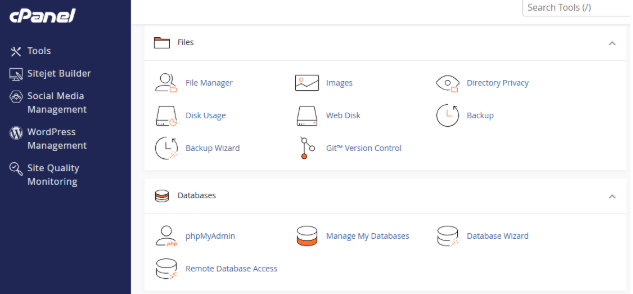
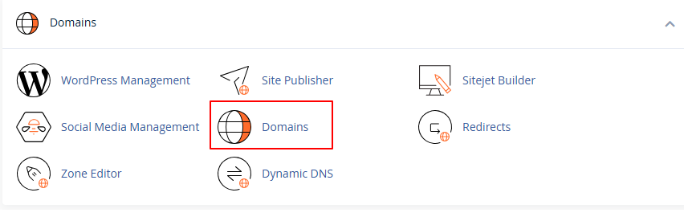
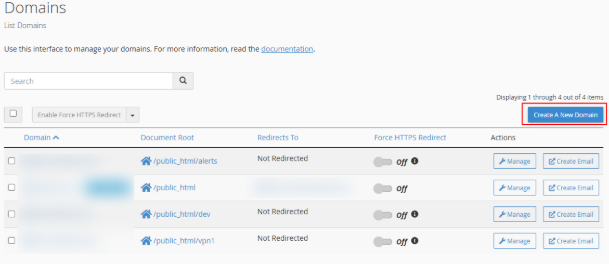
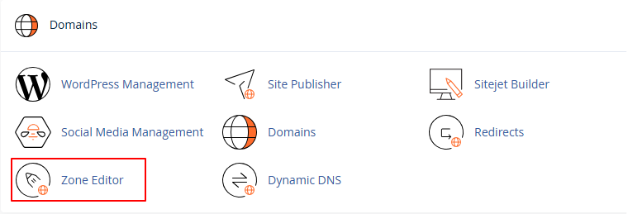
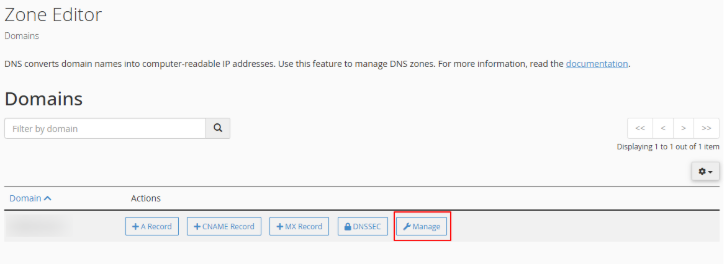
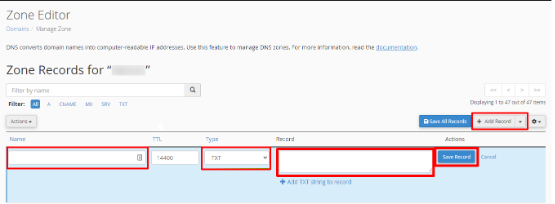
| Name (Host) | TXT Value | TTL |
| @ | Paste the copied value | 14400 |
Tip: If you haven’t registered your domain yet or already own a domain with another provider? You can explore our Domain Registration and Domain Transfer services for a smooth setup process.

Explore more hosting insights, tips and industry updates.
Networking is full of acronyms and technical words, and not everyone is familiar with them.…
Python is a popular open-source programming language that allows users to more efficiently integrate systems.…
How is a Virtual Private Server different than shared hosting? A VPS (Virtual Private Server)…