
How to Review the Log of Failed RDP Login Attempts on a Windows Server
In this guide, we will learn how to check the log of failed RDP login…

The following tutorial explains how to change the permission for a file in cPanel. The user, as well as other processes and files that require access to the file, may make requests to read, write, or execute.
Before knowing the process let us understand the levels of file permission:
a) Read permission: It allows a file to be read.
b) Write permission: It enables a file to be modified.
c) Execute permission: It allows a file to be executed.
Follow the steps to change file permissions in cPanel:
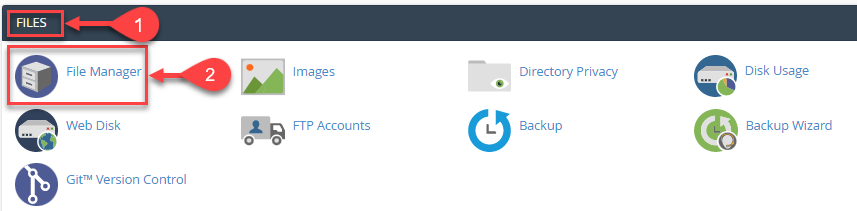
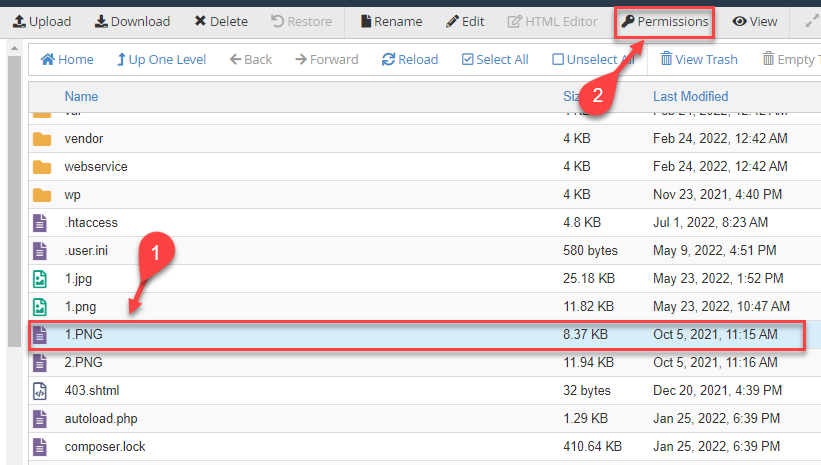
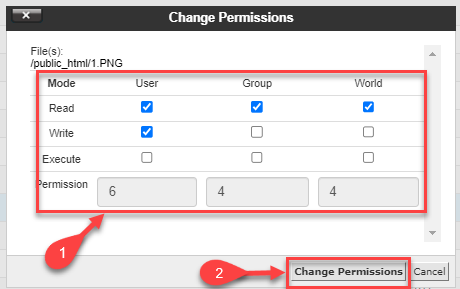
In this manner, you can change the permissions of the file in cPanel. For more informative KBs visit our website regularly. You can contact bodHOST support staff at any moment.

Explore more hosting insights, tips and industry updates.
In this guide, we will learn how to check the log of failed RDP login…
In this post, you’ll learn how to use WHM to access HTTP2-compatible EasyApache 4 profiles.…
What is OS Commerce? OS Commerce online shop e-commerce solution that offers a huge range…