
How to Create Table in cPanel in phpMyAdmin
In this article, we will explain how to create a table in cPanel in phpMyAdmin.…

This article explains how to install a Plesk license key. A license key is a data string that verifies legal software product access. For a new license key, you can visit an online store where you can select and purchase a license key. You will get an activation email with a code and license key file. By using the activation code or by uploading the file you can install the Plesk license key.
Follow the steps to install a Plesk License Key using an activation code:
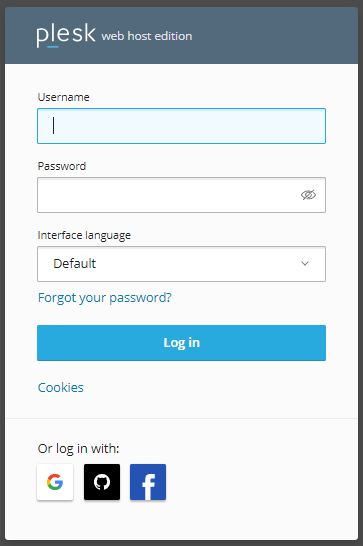
1) Log in to Plesk.
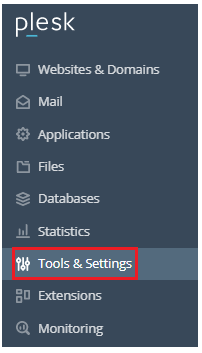
2) Select the “Tools & settings” option.
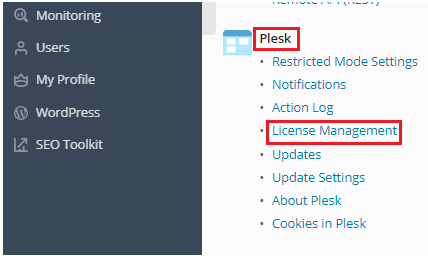
3) Find the “Plesk” category and click on the “License management” sub-option.
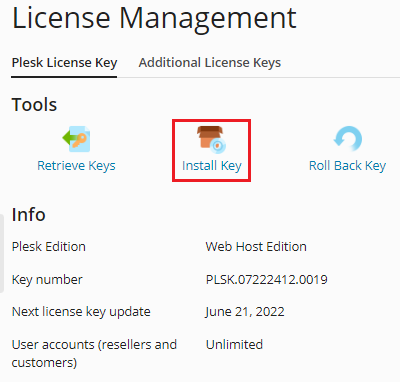
4) Click on the “Plesk License Key” tab.
5) Then click on the “Install Key” option.
6) You can enter the activation code.
7) Click on the “Ok” button.
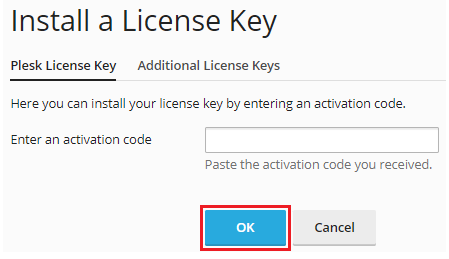
This way you can install a Plesk license key by using an activation code. Visit the bodHOST KB section regularly for the latest articles related to web hosting.

Explore more hosting insights, tips and industry updates.
In this article, we will explain how to create a table in cPanel in phpMyAdmin.…
If you have a website, whether for business or leisure. You may have found certain…
If you want to manage files/folders through WinSCP then you can follow the following steps.…