Public vs. Private IP Address: What’s the Difference
Every device on a network needs an IP address to communicate with other devices and…

A hosting service plan in Plesk is a predefined package of resources and features that you offer to your customers. It typically includes limits for disk space, bandwidth, number of domains, email accounts, databases, and other services. Creating well-structured hosting plans helps you manage customer subscriptions more efficiently and ensures consistent resource allocation.
Follow the steps below to create a new hosting plan in Plesk:
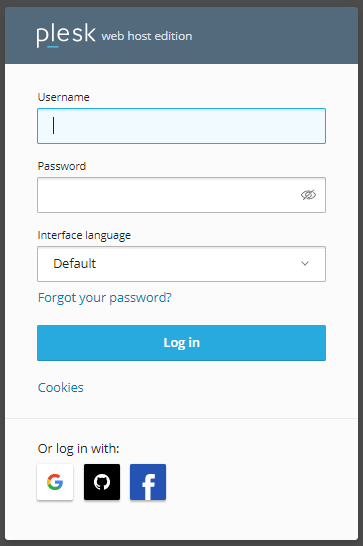
1) Log in to Plesk
Open your Plesk control panel and sign in with your administrator credentials.
2) Go to Service Plans
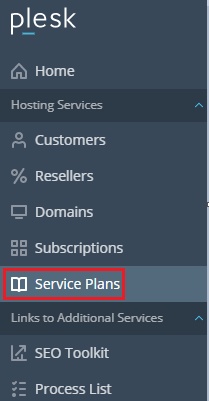
On the left-hand side of the screen, look under the Hosting Services section and click on Service Plans.
3) Select the Hosting Plans Tab
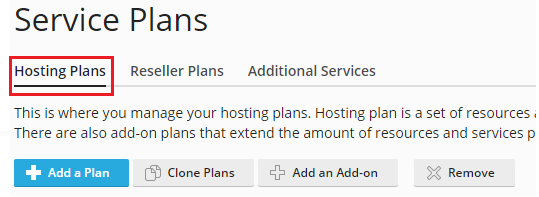
You will see three tabs: Hosting Plans, Reseller Plans, and Add-ons.
Click on the Hosting Plans tab to manage regular hosting packages.
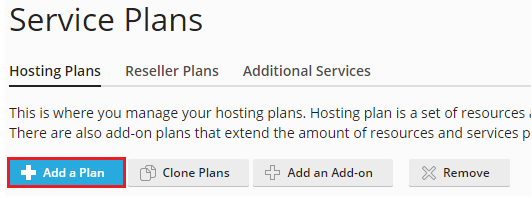
4) Enter the Plan Name
Provide a clear and recognizable name for the plan (for example: Basic, Business, or Premium). This name will be visible when assigning the plan to customers.
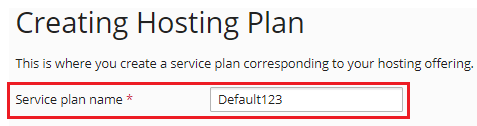
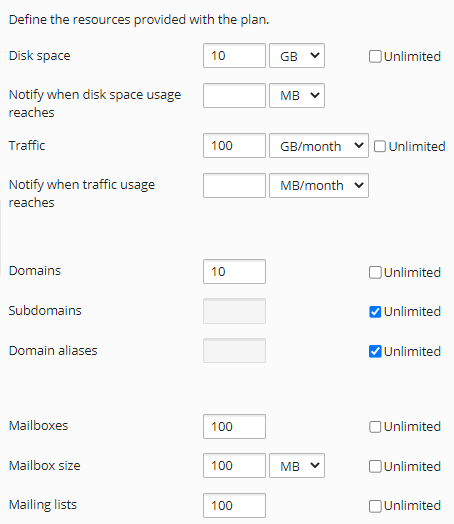
5) Configure the Plan Settings
Adjust the available resources and limits according to your needs. You can set values for disk space, traffic, number of websites, mailboxes, databases, and other features.
If the default settings already match what you want to offer, you can leave them unchanged.
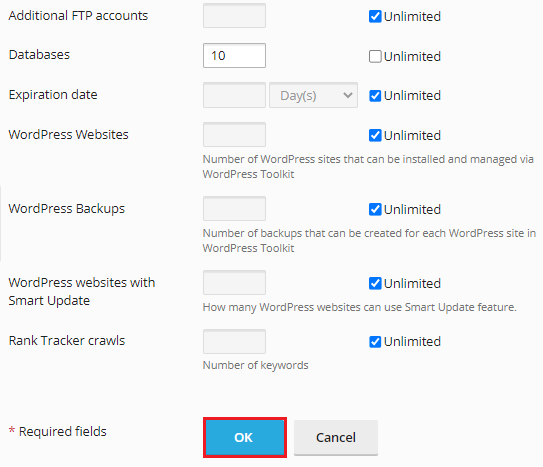
6) Save the Plan
Once you have finished configuring the settings, click the OK button to create the plan.
7) Confirmation
After saving, Plesk will display a success message confirming that the new hosting service plan has been created successfully.
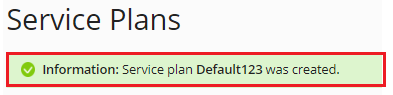
Your new plan is now available and can be assigned to customer subscriptions whenever needed.
If you run into any issues while creating a hosting plan or need further assistance, feel free to contact our support team. You can also check out our latest web hosting plans for additional options.
Learn more in this detailed article: What to Know Before Choosing the Right Web Hosting

Explore more hosting insights, tips and industry updates.
Every device on a network needs an IP address to communicate with other devices and…
In this article, we will provide a detailed guide to using the track delivery function…
This guide will teach you how to see What Apps Are Installed In My Plesk…