How to setup requests for customer support in WHM
We’ll show you how to configure customer support requests in WHM in this article. bodHost…


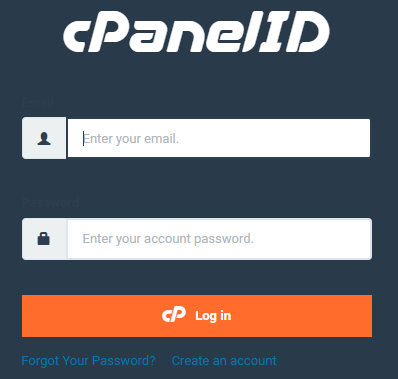
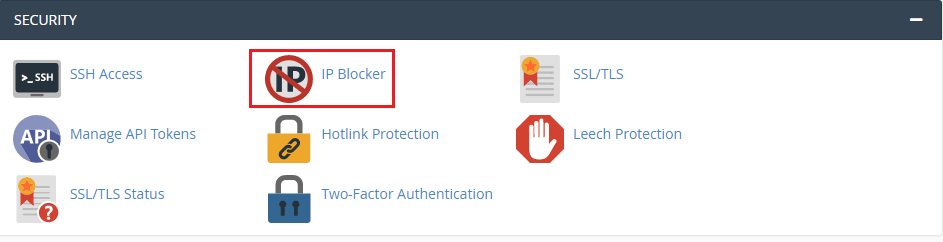
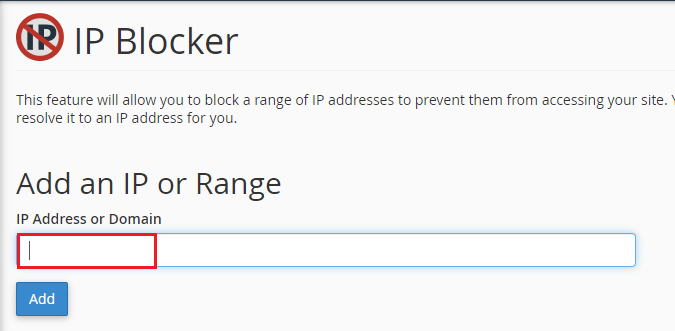
In this article, we will explain how to block IP addresses Via cPanel. Follow the following steps to block the IP Address in cPanel
Conclusion
That’s it! We’ve now blocked anyone using the IP address from accessing our website. We hope that you now have a good understanding of How to Block IP Addresses in cPanel. If you continue to have problems with the protocol outlined above, please get in touch with the bodHOST Team.
Learn How To Update cPanel’s IP Address with our detailed instructions.

Explore more hosting insights, tips and industry updates.
We’ll show you how to configure customer support requests in WHM in this article. bodHost…
Cloud Hosting PHP Bodhost offers several different levels of cloud hosting to meet the varying…
Want to make cool stuff for websites with ReactJS? Great! This guide will help you…