GreenSQL Application Firewall for SQL databases (MySQL)
Having already had to do with SQL injection, it is something very disturbing GreenSQL is…

 Vincer
In this article, we’ll go over the criteria your apache doesn’t listen to on your IP address. If Apache isn’t listening to your IP addresses, you can see if they’re reserved by doing the following steps:
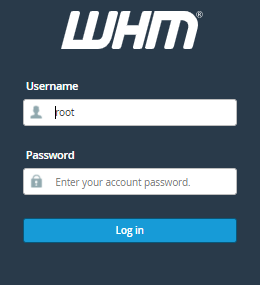
1. Log into your “WHM account as root user”
2. Now, Click on the Apache Configuration from the Search Bar
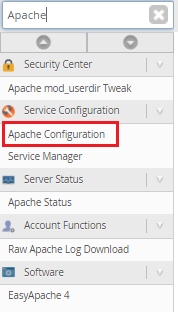
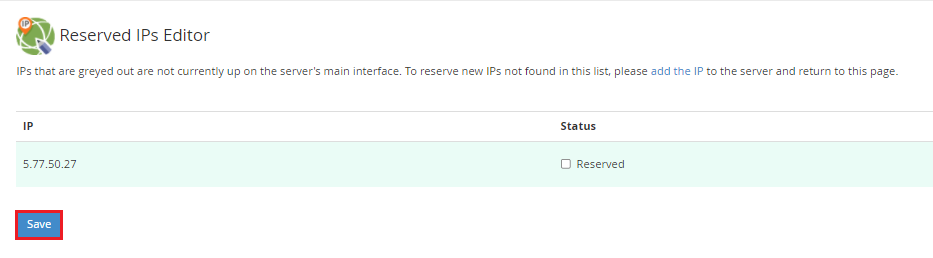
3. Click on the Reserved IPs Editor option

4. If the IP address has a checkbox next to it, remove it and click “Save”
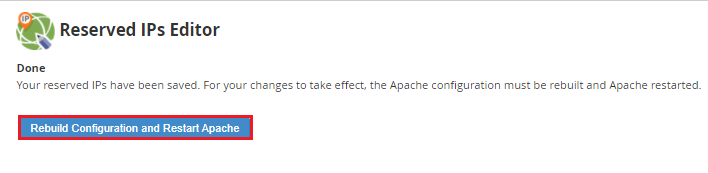
5. You must restart Apache after clicking the rebuild Apache configuration button
We hope that you now have a good understanding of Which factors does your apache ignores on your IP address. If you continue to have problems with the protocol outlined above, please contact the bodHOST Team for constructive assistance 24×7.
Read Also: How to Use WHM to Download a Domain’s Raw Apache Logs

Explore more hosting insights, tips and industry updates.
Having already had to do with SQL injection, it is something very disturbing GreenSQL is…
VPS is well known as a virtual private server. VPS has a server-splitting process. Each…
If you are thinking about launching a new e-commerce website with the hosting part then,…