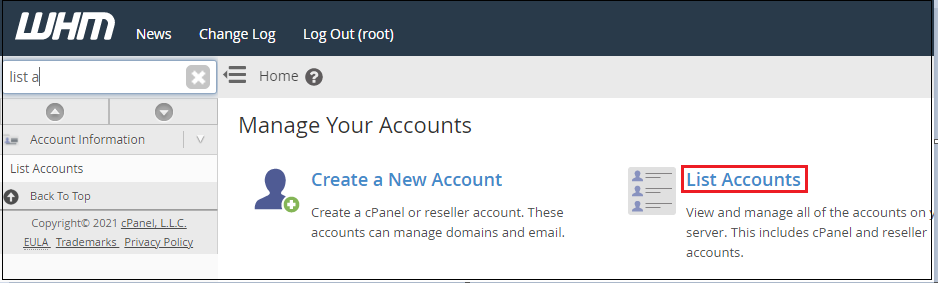
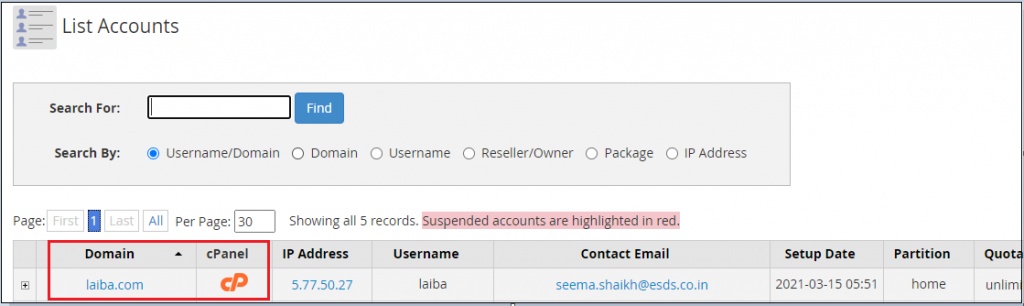
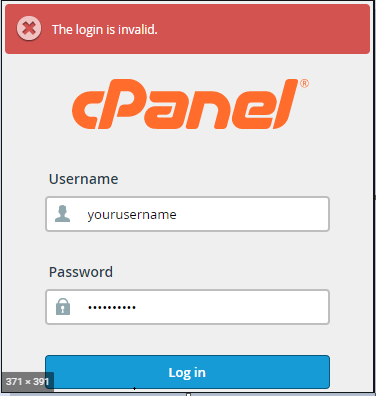
Sometimes when you use WHM’s “List Accounts” to log into a cPanel account, you can receive the following error.

The login is invalid.

The browser cache is often to blame for this mistake. So, let’s see few steps you can follow:

  1. Try reproducing the error in a different browser or in a “private/incognito” window to be sure. If the error isn’t there, try clearing the cache in the tab that’s giving you trouble.
  2. When you visit a website via your web browser, some data (such as images) are stored so that you don’t have to retrieve them again on subsequent page views. However, there are occasions when you want to see changes to a site (such as DNS changes or image/text modifications), which necessitate clearing the browser’s cache.

Let’s see how to clear browser for Chrome:

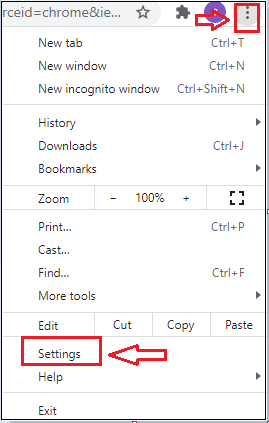
  1. Enter chrome. Go to the top left-hand corner of the tab, press the three dots, and then click “Settings”

  2. Scroll down the page to the bottom, and click “clear browser data” under privacy and security.

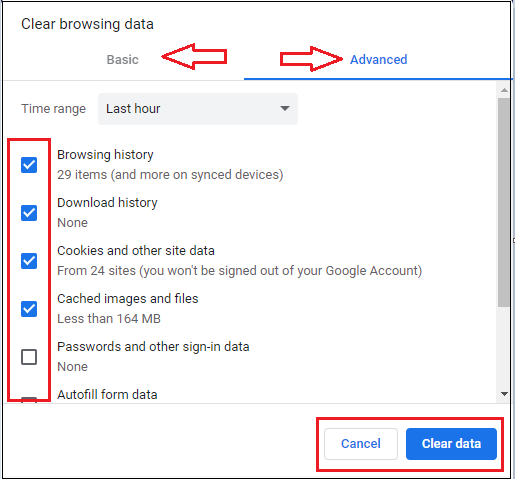
  3. After clicking on this tab you will find two options “basic” and “advanced ”. Then select the items you want to clear as shown in the image given below and hit the “Clear” button.

In this way you can clear the browsing data and again you can Log into a cPanel from WHM. This time the error “The login is invalid” will be gone.

Popular Posts You May Read

Explore more hosting insights, tips and industry updates.

How To Install A New Theme In WordPress

Installing a new theme in WordPress is a straightforward process. Here’s a step-by-step guide: Log…

SSL Certificate Installation, License on Dedicated Server

If you are looking for SSL ( Secure Socket Layer ) to installed on your…

Where can you find the MySQL Backups Storage Location?

In this tutorial, we’ll explain how to find your MySQL backup storage location. MySQL backups…