How to List Remote Branches in a Git Repository
A Git repository has multiple branches available both locally and remotely. Remote branches show the…

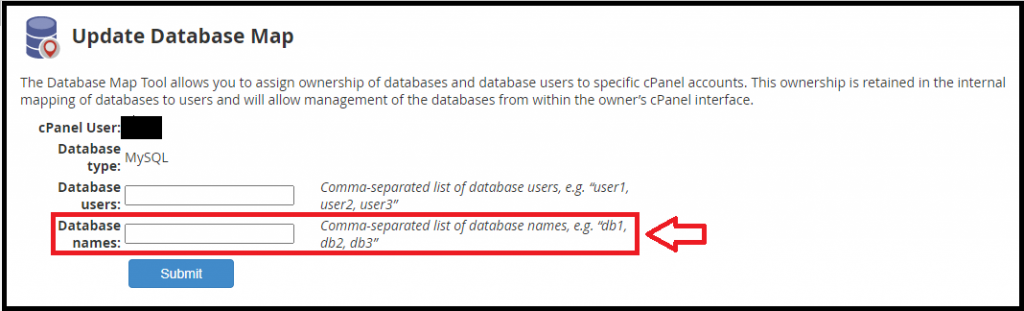
In this tutorial, we’ll explain how you can map MySQL databases and users to cPanel users.
MySQL doesn’t have any kind of concept of database ownership; for this reason, cPanel stores the database mappings in the /var/cpanel/databases folder.
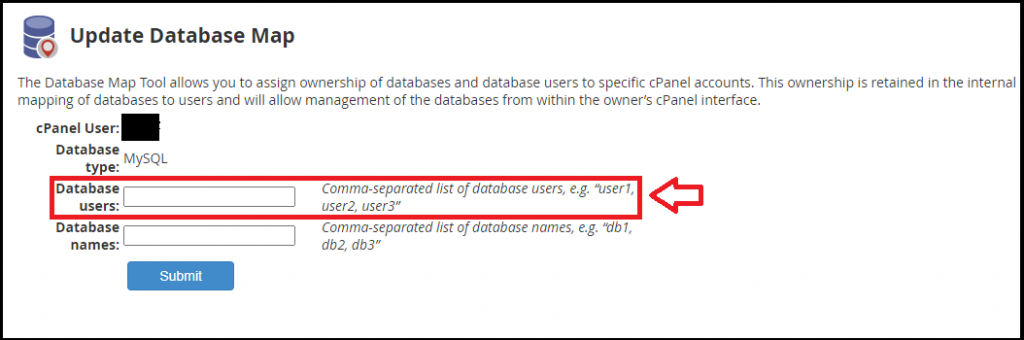
If you want to restore the database manually, you need to map the databases and the usernames to the cPanel accounts.
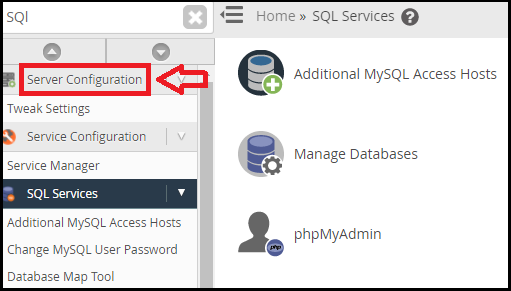
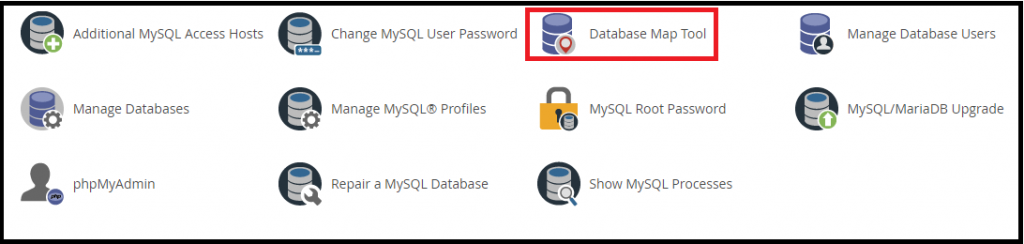
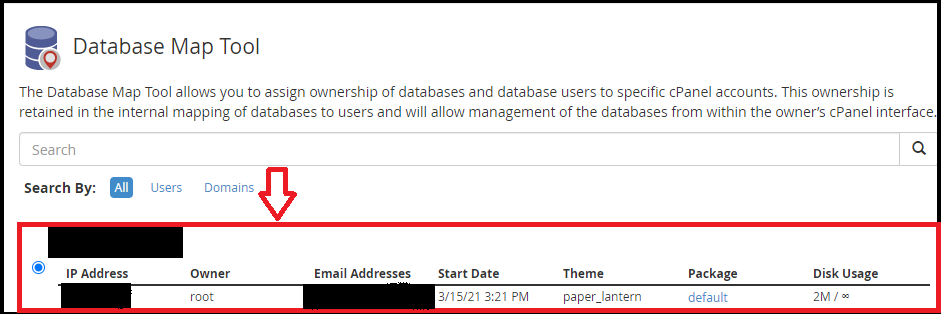
Follow the Procedure to map the database:
Mapping the MySQL databases can be done in WHM:
Related documentation: Database Map Tool
We sincerely hope that you now have a clear idea regarding How can you map MySQL databases and users to cPanel users. However, if you are still facing any difficulty in the procedure mentioned above, feel free to reach out to the bodHOST Team for proactive support 24×7. Additionally, find out more about How to Inspect the Sizes of MySQL Databases and Tables

Explore more hosting insights, tips and industry updates.
A Git repository has multiple branches available both locally and remotely. Remote branches show the…
The tar command is one of the most useful tools in Linux systems. It helps…
In this article, we will elaborate on how to utilize the track delivery function within…