Process of Creation of account using WHM (WebHostManager)
Here is a more detailed explanation of the process for adding a new domain account…


 Paul Lopez
The size of SQL Server Database can be reduced/shrunk using any of the following two methods-
Under this method, follow the steps given below for shrinking or reducing the size of SQL Server Database (.MDF and .LDF)-
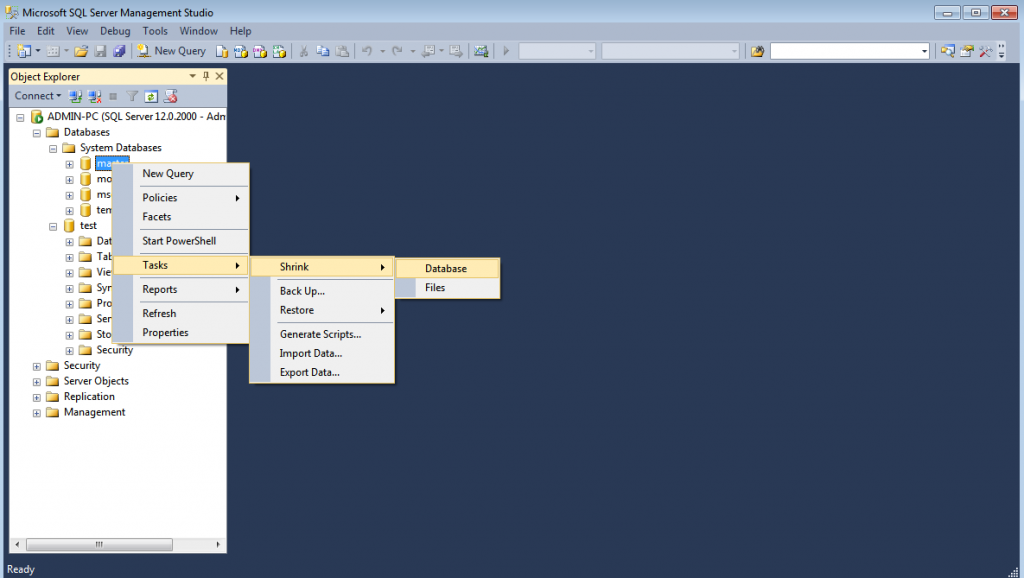
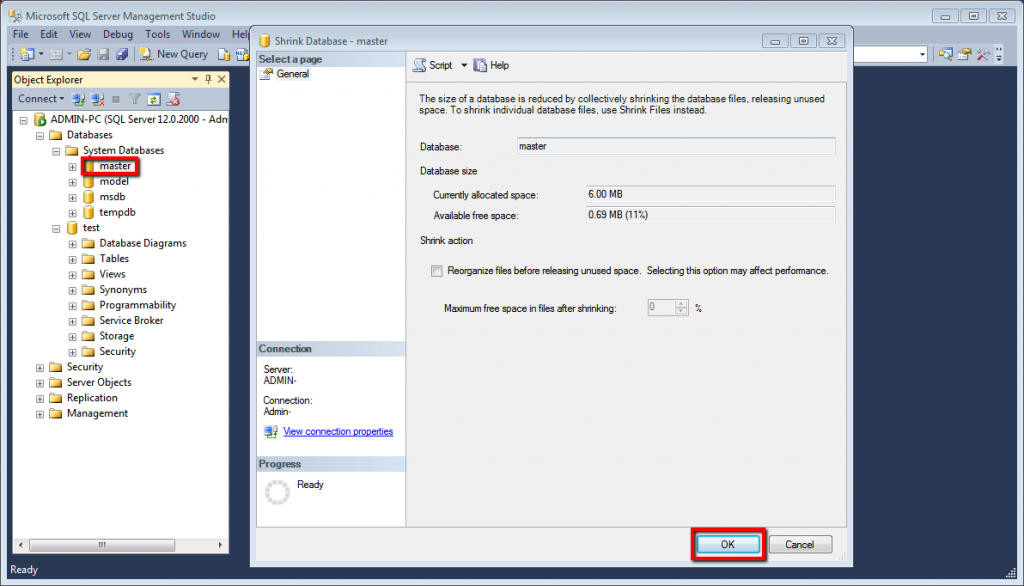
OR
Under this method, follow the steps given below for shrinking or reducing the size of the SQL Server database using the SQL Command-

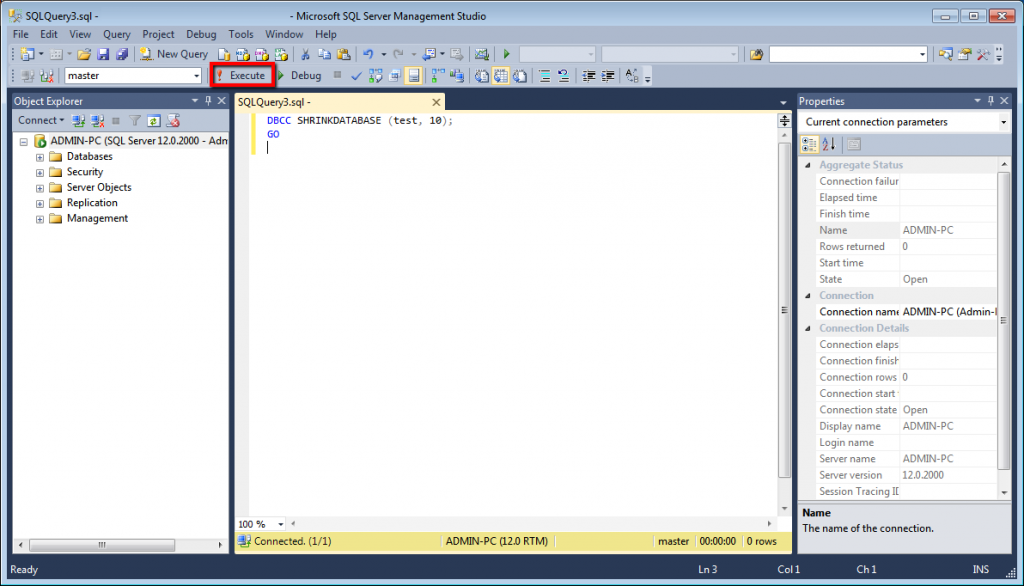
We hope that you must have understood how you can shrink/reduce the size of your database using any of the two methods discussed above. If you still face any difficulty, feel free to reach out to the bodHOST Team for an unmatched and proactive 24×7 tech support.

Explore more hosting insights, tips and industry updates.
Here is a more detailed explanation of the process for adding a new domain account…
With the help several handy steps we can make a Zen Cart website secure. The…
In this article, we will explore the process of renaming a MySQL database through cPanel.…