How to Configure Spam Assassin to Tag Emails as SPAM
By configuring Spam Assassin, you can automatically detect unwanted emails and tag them with a…

 Paul Lopez
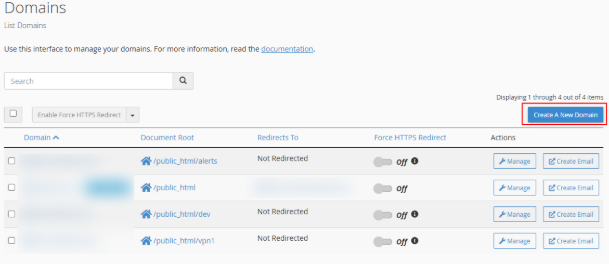
To verify domain ownership in cPanel is an essential security measure. It confirms that the domain belongs to you and ensures it isn’t linked to multiple websites simultaneously.
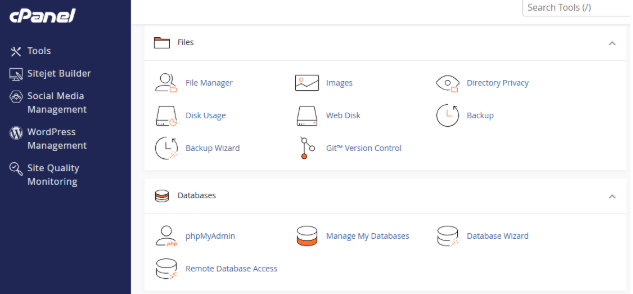
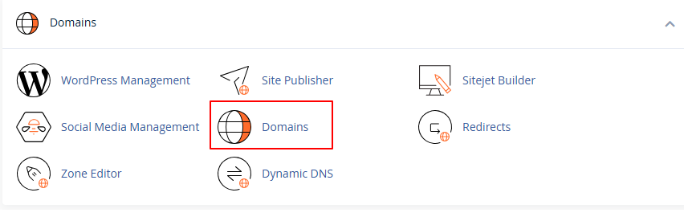
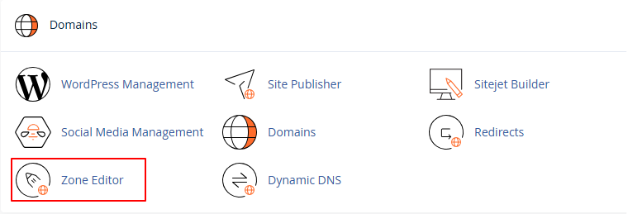
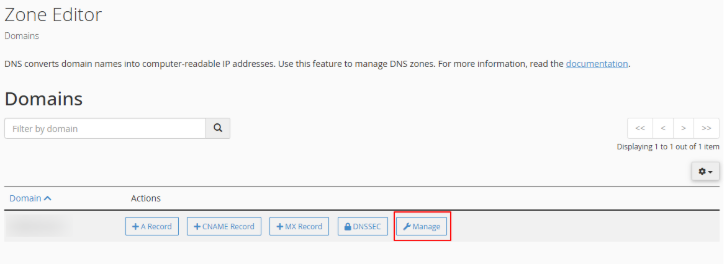
If you registered your domain under one bodHOST account but want to use it with a website hosted on another bodHOST account, verify ownership by adding a TXT record to the domain’s DNS zone through cPanel.
Follow these easy steps to confirm domain ownership and ensure secure access to your website.
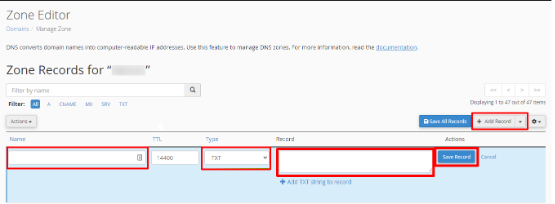
| Name (Host) | TXT Value | TTL |
| @ | Paste the copied value | 14400 |
Tip: If you haven’t registered your domain yet or already own a domain with another provider? You can explore our Domain Registration and Domain Transfer services for a smooth setup process.

Explore more hosting insights, tips and industry updates.
By configuring Spam Assassin, you can automatically detect unwanted emails and tag them with a…
In this article, we’ll go over the criteria your apache doesn’t listen to on your…
This guide explains step-by-step how to delete a MySQL database in cPanel. Steps to Wipe…