Steps To Manage Files/Folders in WinSCP
If you want to manage files/folders through WinSCP then you can follow the following steps.…

 Paul Lopez
A test for MySQL database connectivity is done using the PHP script mentioned below. It results in showing the tablet names that exist within the specified database.
Sample Script
    <!--?
$connect=mysql_connect("dbserver","dbuser","dbpassword") or die("Unable to Connect");
mysql_select_db("dbname") or die("Could not open the db");
$showtablequery="SHOW TABLES FROM dbname";
$query_result=mysql_query($showtablequery);
while($showtablerow = mysql_fetch_array($query_result))
{
echo $showtablerow[0]." ";
}
?-->
Here is some of the clarification of the variables used in the script above:
Step 1. dbserver: Linux hosting’s (cPanel) value as localhost needs to be noted. The MySQL Server IP should be added for windows hosting.
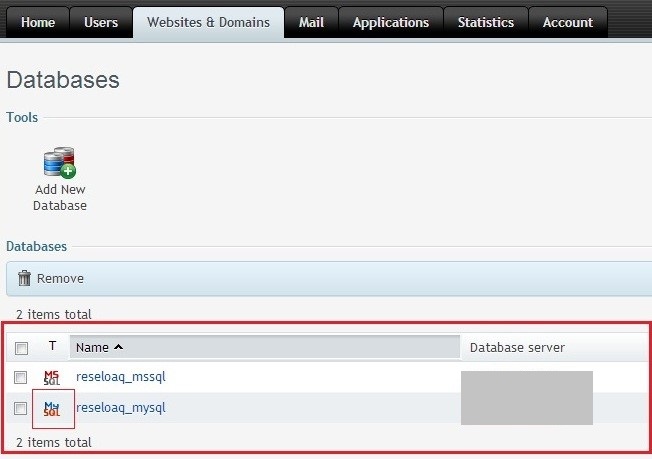
Step 2. dbname: mention the entire database name along with the prefix such as reseloaq_mysql.
Step 3. dbuser: Specify the database user as well.
Step 4. dbpassword: Specify the database user’s password.
I hope everything was clear and easy to understand. Please get in touch with the bodHOST support team as soon as possible with any questions.
Read Also: How to Connect Plesk with External Database Servers

Explore more hosting insights, tips and industry updates.
If you want to manage files/folders through WinSCP then you can follow the following steps.…
The Windows section of the forum needs some work, because we operate on both Linux…
In this article, we will explain to you the process of importing a list of…