Drupal Guide to Unpublish a Node After Certain Days
Here is a small howto that will show you how to unpublish a node after…

 Paul Lopez
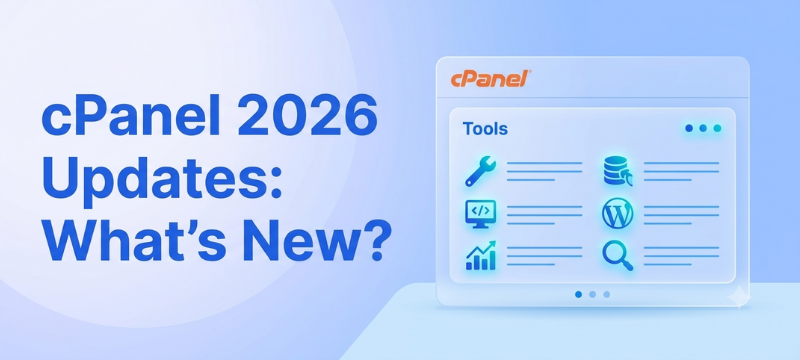
cPanel 2026 updates bring a noticeable change to the way users manage websites and hosting accounts. The latest major release, cPanel & WHM version 138, introduces the new Meridian interface, AI-powered tools, improved application workflows and additional domain management features. cPanel released version 138 on July 27, 2026.
For website owners, however, the important question is not simply what is new. It is whether these changes make website management easier, safer and more practical.
In this guide, we will look at the major cPanel updates in 2026, explain what they mean for beginners and developers, and discuss whether you need to upgrade to the latest version.
Quick Summary:
The biggest cPanel 2026 updates include the introduction of Meridian, cPanel AI Assistant, Nova, the AI-native Node.js Toolkit and Model Context Protocol (MCP) support.
Meridian provides a goal-based interface for managing websites, email, files, databases, security and performance. At the same time, cPanel’s new AI tools can help users understand account settings, create websites and work with AI-built applications.
However, not every user will automatically receive every feature. Availability depends on the hosting provider, enabled features, licensing and the cPanel release tier.
As of August 2026, cPanel & WHM version 138 is the latest major release. Version 136 was released earlier in April, while version 134 is the 2026 Long Term Support (LTS) release.
This distinction matters because the newest release and the LTS release serve different purposes. Version 138 focuses heavily on new functionality and the modernised user experience. In comparison, an LTS release is intended for users who prefer a longer-supported version and a more conservative update cycle.
Therefore, running cPanel 134 does not automatically mean that your server is outdated. Your hosting provider may choose a different release tier based on stability, compatibility and its server management strategy.
One of the biggest changes in cPanel 138 is Meridian, a new goal-based interface.
Instead of presenting users with a large collection of individual tools, Meridian groups common tasks into six main areas:
The dashboard can also highlight actions that need attention and suggest relevant next steps. Its Guided Setup lets users configure a domain, website and email through a single workflow. This approach can be especially useful for beginners.
For example, a new website owner may know that their website needs better security but may not know which cPanel tool to open. Meridian makes the starting point easier to understand.
No, Meridian is an opt-in alternative to Jupiter, not a replacement. Jupiter remains supported, particularly for advanced and less frequently used tools. Users can also switch back to Jupiter when required. So, existing cPanel users do not need to relearn the entire interface immediately.
The cPanel AI Assistant is another major addition in version 138. It works inside the Meridian interface and allows users to ask questions about their account in plain language. The assistant can explain cPanel features, guide users through tasks and help diagnose certain issues.
For example, it can work with read-only account information such as domains, email accounts, databases, SSL certificate status and AutoSSL error logs.
In some environments, the hosting provider can also enable AI Assistant Actions. These allow the assistant to complete simple account changes, but the user must approve the action first.
This is an important distinction. The AI Assistant is not an unrestricted server administrator. Instead, it acts as a guided helper with controlled capabilities. Also, availability depends on the hosting provider and enabled features.
cPanel 138 also introduces Nova, an AI website-building option available through Meridian’s Guided Setup.
Users can choose from website creation options such as Sitejet Builder, WordPress, Node.js applications or Nova. The AI-based option can generate a website based on the user’s requirements. This can save time when creating a basic website or initial design.
However, businesses should still review AI-generated websites before publishing them. Check the content, contact details, branding elements, forms, SEO configurations, and legal pages thoroughly. While AI can help start the process, human verification is still essential.
The newly introduced AI-native Node.js Toolkit is more suitable for developers than for regular website owners.
It is specifically crafted to deploy AI-developed Node.js applications using Podman. cPanel clearly distinguishes this option from the typical Node.js deployment found in Guided Setup. The initial release supports subdomain-based deployments.
For developers utilizing AI coding tools, this toolkit simplifies the process of moving from developing application code to hosting it on a server.
Nonetheless, developers should examine application needs before selecting shared hosting. Applications requiring exclusive resources or advanced server control may be better suited to VPS or dedicated hosting environments.
Model Context Protocol (MCP) is a notable addition in cPanel 138.
In short, MCP offers a method for AI tools that support it to connect with external services. cPanel’s implementation links an account to a WebPros MCP server, enabling compatible AI clients to handle automated deployment and account management tasks. This can be beneficial for developers who already use AI-assisted development tools.
Rather than manually performing each supported deployment step, users can interact with an AI client, allowing it to manage the available cPanel processes. However, MCP should not be seen as granting unrestricted AI access to the server. The integration operates within the limitations and permissions defined by the cPanel setup.
cPanel 136 introduced a unified SSL/TLS management interface and support for short-lived SSL certificates via the ACME protocol.
This can streamline certificate management and reduce the need for manual renewal tasks. Security was also improved through updates to API authentication and the cPanel-supported version of Config Server Security & Firewall. For website owners, these improvements emphasize a key point: maintaining the hosting environment with up-to-date software is essential for website security.
cPanel 136 added support for MariaDB 11.8. MariaDB is a common database system used by many web applications. However, administrators should verify application compatibility before updating database versions on a live server.
Database upgrades should always be carefully planned, not treated as a simple click.
Another useful change in cPanel 136 was combined PHP error logging. PHP errors from domains within a cPanel account can now be gathered in one centralized log location. This makes problem-solving more efficient as administrators can review relevant errors in a single place.
For WordPress and other PHP-based websites, clearer error logs can help developers identify and fix issues more quickly.
Not all updates are equally significant for every user.
For newcomers, Meridian and the AI Assistant can make routine tasks easier to understand.
For WordPress users, enhancements related to SSL, PHP logging, and AI-assisted website creation can make certain workflows simpler.
For developers, the AI-native Node.js Toolkit and MCP integration are likely the most appealing additions.
For server administrators, focus remains on release management, security, application compatibility, and backup procedures.
In other words, the 2026 updates enhance cPanel’s accessibility without eliminating the need for sound hosting practices.
While the latest version includes beneficial features, upgrading a production server should not be based solely on the availability of a newer release.
Before proceeding with an upgrade, administrators should evaluate:
If you use managed hosting, your provider will typically manage server updates according to their maintenance and release schedule.
If you operate your own VPS or dedicated server, you will have more responsibility for testing and planning the upgrade. You can also check your current cPanel version through the cPanel or WHM interface.
The newest features in cPanel can simplify website management, but the hosting environment remains a key factor in how well your website performs and stays dependable
For smaller websites, blogs, and growing business sites, BodHOST Linux Shared Hosting provides cPanel access along with features designed for everyday website management.
If your website needs more resources and greater control, BodHOST Linux VPS Hosting provides a more flexible environment for growing applications and resource-intensive websites.
The best plan for you will depend on your website’s traffic, the needs of your application, how many resources you use, and how much your website is expected to grow.
The cPanel 2026 updates show a clear move towards more user-friendly and smarter ways to manage hosting. Meridian makes common tasks easier to use, while the AI Assistant, Nova, Node.js tools, and MCP open up new opportunities for website owners and developers.
Nevertheless, new features are just one part of the picture. A dependable infrastructure, strong security, regular backups, and appropriate resources are still crucial for keeping your website stable and running smoothly.
As cPanel continues to develop, selecting a hosting environment that ensures your website stays secure, well-supported, and capable of growing will be just as important as the control panel itself.
You might also take a look at the official press release from cPanel: Major platform updates 2026

Explore more hosting insights, tips and industry updates.
Here is a small howto that will show you how to unpublish a node after…
The past decade has witnessed a huge technological leap in cloud computing resulting in advanced…
An open source bases e-commerce application which can be integrated with the latest technology of…