Virtuozzo Power panel: Backup / Restore
You have the ability within your Virtuozzo Power Panel to create a backup and restore…

 Paul Lopez
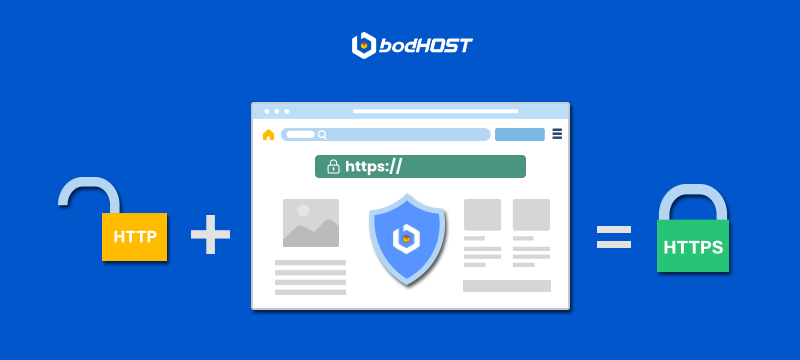
Create a Secure Website Using HTTPS to protect user data, improve search rankings, and build trust with your visitors. If your website still loads on HTTP, it is vulnerable to data interception and security warnings in browsers like Chrome and Firefox. In this guide, we will explain what HTTPS is, why it matters, and how you can enable it properly on your website hosted with bodHOST.
Quick Answer
To create a secure website using HTTPS, you need to install an SSL certificate on your domain, configure your server to enable HTTPS, redirect HTTP traffic to HTTPS, and update internal links. Once configured correctly, your website will show a padlock icon in the browser address bar, confirming encrypted communication between your server and users.
HTTPS stands for HyperText Transfer Protocol Secure. It is the secure version of HTTP and uses an SSL certificate to encrypt data transferred between the user’s browser and the web server.
When you install an SSL certificate, it enables encryption using the Transport Layer Security protocol. This prevents sensitive information such as login credentials, payment details, and personal data from being intercepted.
Why HTTPS is Important
Follow these structured steps to enable HTTPS properly.
You need a valid SSL certificate for your domain. bodHOST offers Domain Validated and Organization Validated SSL certificates based on your business requirements. After purchasing, the SSL certificate will be issued and ready for installation.
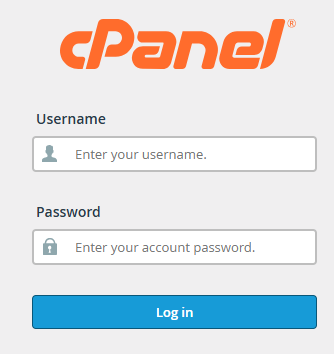
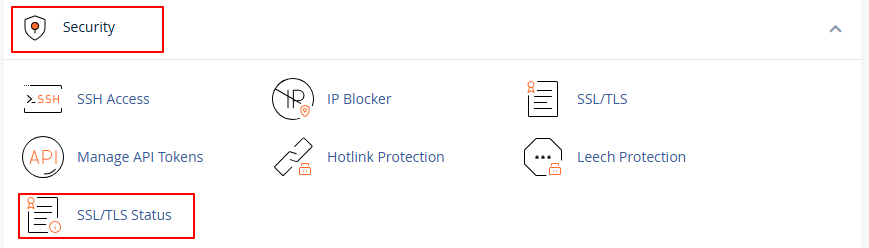
If you are using cPanel hosting, follow these steps:
For Dedicated Servers or VPS hosting, installation may require server level configuration depending on whether you are using Apache or NGINX.
After installation, configure redirection to ensure all traffic loads are secure. For Apache servers, add the following code inside the .htaccess file:
This ensures permanent redirection and prevents duplicate content issues.
Ensure that:
Mixed content warnings may appear if resources still load via HTTP.
Add the HTTPS version of your website in Google Search Console and resubmit your sitemap. This helps search engines re index your secure version faster.
At bodHOST, we design hosting infrastructure with security at the core.
Our hosting environments support stable SSL deployment across Shared Hosting, VPS, and Dedicated Servers.
Our support team assists with SSL installation, renewal, and troubleshooting.
Optimized server configurations ensure HTTPS performance without latency issues.
Along with HTTPS, we recommend additional layers such as firewall protection and secure server configuration for complete protection.
If you are unsure about SSL installation, you can also refer to our related guide on enabling SSL inside cPanel from our Knowledgebase.
Creating a secure website using HTTPS is a foundational step for protecting user data, improving SEO rankings, and establishing long term digital trust. By installing a valid SSL certificate, enabling server level encryption, and configuring proper redirects, you ensure your website meets modern security standards.
If you are hosting with bodHOST and need assistance, our team is available to help you enable HTTPS quickly and securely.

Explore more hosting insights, tips and industry updates.
You have the ability within your Virtuozzo Power Panel to create a backup and restore…
To update web stats on Plesk, use this command./usr/bin/webalizer-n domain name -o /home/httpd/vhosts/domain name/webstat/ /home/httpd/vhosts/domain…
The differences between Hyper V and VMware are important to understand when choosing the right virtualization platform for…