How Can You View Your Error Log in cPanel?
Error logs help you identify problems with your website, such as script errors, missing files,…

When troubleshooting a WordPress problem, you should disable all plugins and then reactivate them one by one. If you have access to the WordPress dashboard, this appears to be a simple task, however what if you don’t have access to wp-admin? Most of the time, when you’re told to deactivate all plugins, you’ve already locked yourself out of your WordPress dashboard.
In this article, We’ll show you how to deactivate all WordPress plugins when you don’t have access to the WordPress dashboard.
Using File Manager Disable All Plugins
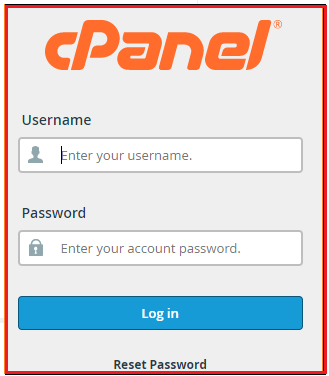
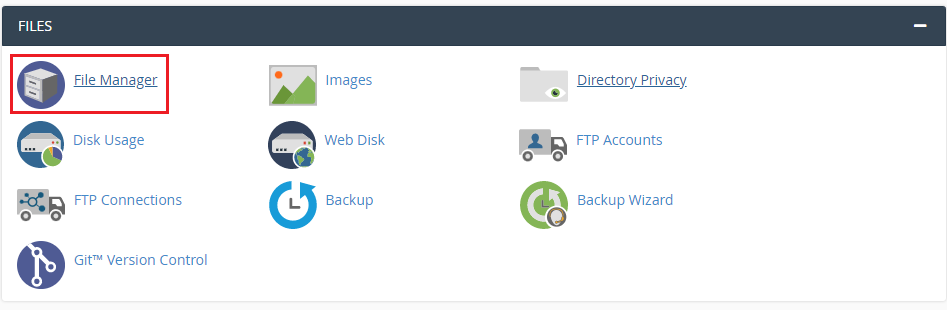
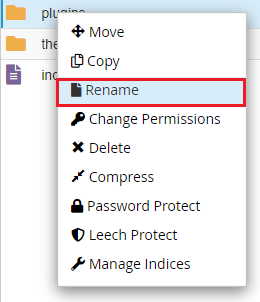
Using the cPanel file manager, you can disable all WordPress plugins. To rename the/wp-content/ folder in either scenario, simply navigate to it and rename it. The procedures for using the cPanel file manager are as follows:

Conclusion
We hope that you now have a good understanding of How To Disable WordPress Plugins Without Accessing WP-Admin. If you continue to have problems with the protocol outlined above, please contact the bodHOST Team for constructive assistance 24/7.
You can learn more about How Do you Change Your Profile in WordPress.

Explore more hosting insights, tips and industry updates.
Error logs help you identify problems with your website, such as script errors, missing files,…
Open ports show which services are accepting connections on your Linux host. Checking them helps…
Managing your domain’s DNS settings is critical for ensuring your website runs smoothly and emails…