
How to Install Linux Windows Subsystem on Windows 11: Easy Guide
This article explains how to install the Linux Windows subsystem on Windows 11. Follow the…

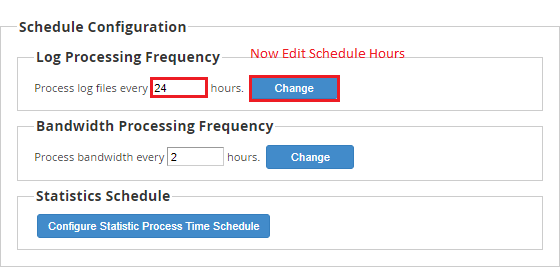
Log processing is an important part of server monitoring. To get the most out of the system’s log routine, administrators must configure it. In this article, you will learn how to adjust the process log file scheduling in WHM.
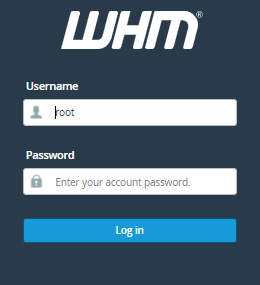
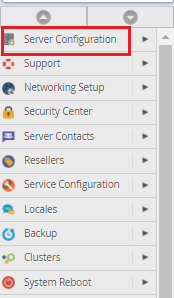
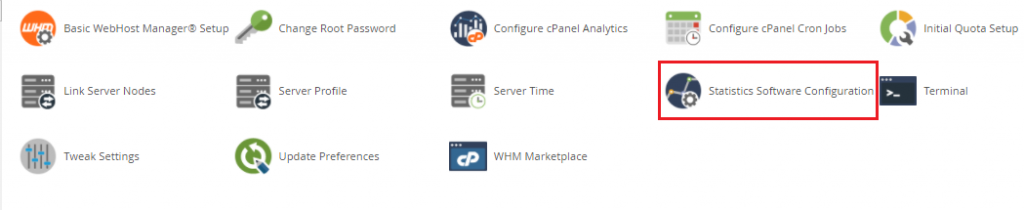
Follow the following steps to Change the Schedule to Process Log files
We hope that you now have a good understanding of How to Change the Schedule to Process Log Files Via WHM. If you continue to have problems with the protocol outlined above, please contact the bodHOST Team for constructive assistance 24/7.
Also Read: How to Change Site’s IP Address from WHM

Explore more hosting insights, tips and industry updates.
This article explains how to install the Linux Windows subsystem on Windows 11. Follow the…
Today we will see how to upgrade PHP to the latest version. FYI, PHP 5.5.8…
In this article, we will explain how to effectively control email deliverability settings in cPanel,…