Discover Steps to Sync Two Apache Web Servers Using Rsync
Do you have a mirrored server of your current server to take the backup when…

In WHM, you can suspend and unsuspend an account. This happens when one of your accounts reaches an overdue billing state. Once you suspend a cPanel account, all the traffic to the account’s domains routed to a generic account suspension page. If the account unsuspended it will redirect immediately and removed.
This article is all about WHM, a feature that is only available to VPS, Dedicated, and Reseller Hosting customers. As WHM access is not available to Shared Hosting customers.
Follow the following steps to Suspend or Unsuspend Account in WHM

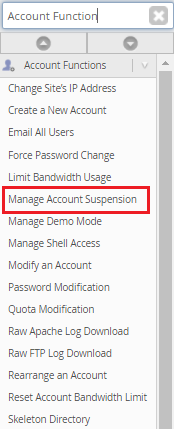
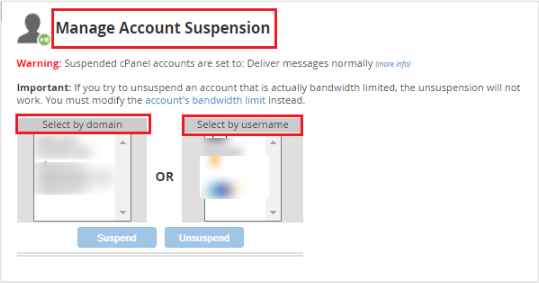
First we will see about "Suspension" account
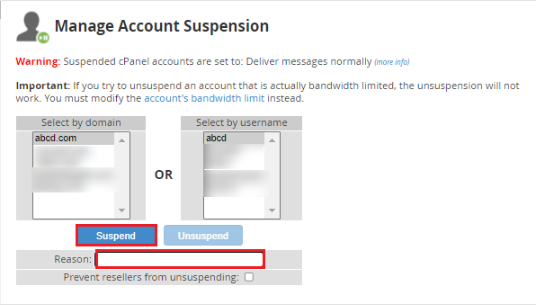
Note - You need give reason to Suspend the domain
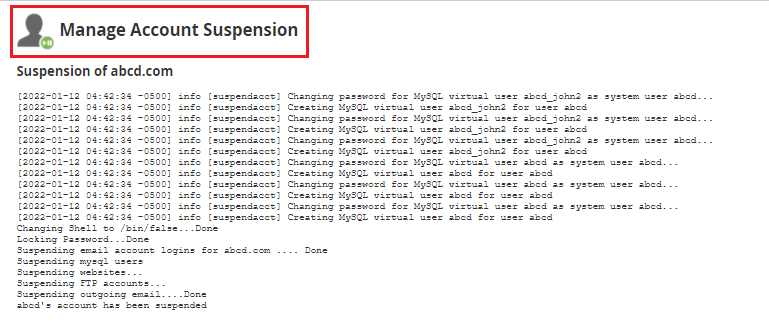
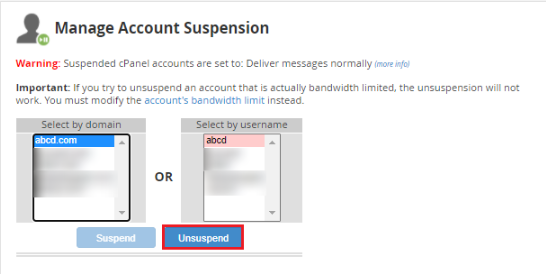
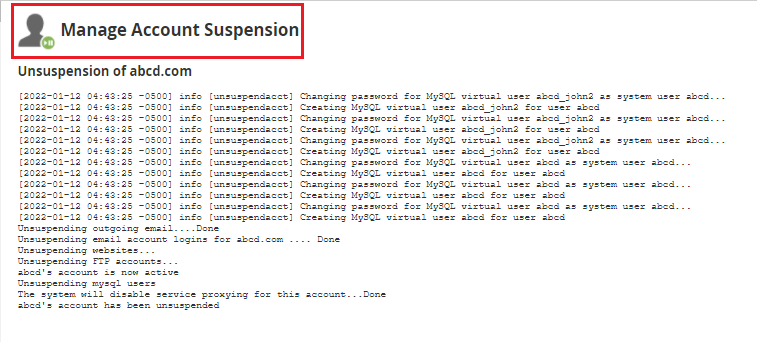
Congratulations, now you know how to suspend or un-suspend an account! We hope that you now have a good understanding of how to suspend or unsuspend accounts in WHM. If you continue to have problems with the protocol outlined above, please contact the bodHOST Team for constructive assistance 24×7.
Read Also: How to Use cPanel/WHM to Configure Email Notifications

Explore more hosting insights, tips and industry updates.
Do you have a mirrored server of your current server to take the backup when…
Are you finding any difficulties to update your cPanel& WHM version 88 then here is…
curl is a powerful command-line tool for transferring data using various protocols like HTTP, HTTPS,…