How to Fix DNS_PROBE_FINISHED_NXDOMAIN Error in Android
The DNS_PROBE_FINISHED_NXDOMAIN error on Android appears when your device is unable to resolve a domain…

In this article, we are going to explain to you how can you customize your cPanel server by using the WHM server profile
Do you know that the WHM panel contains a tool for simply modifying a server profile on cPanel’s nature? Setting up a server is a challenging operation, but a user’s understanding of hosting settings is critical.
Follow the following steps to customize a cPanel server with the help of the WHM server Profile
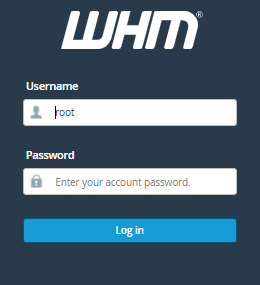
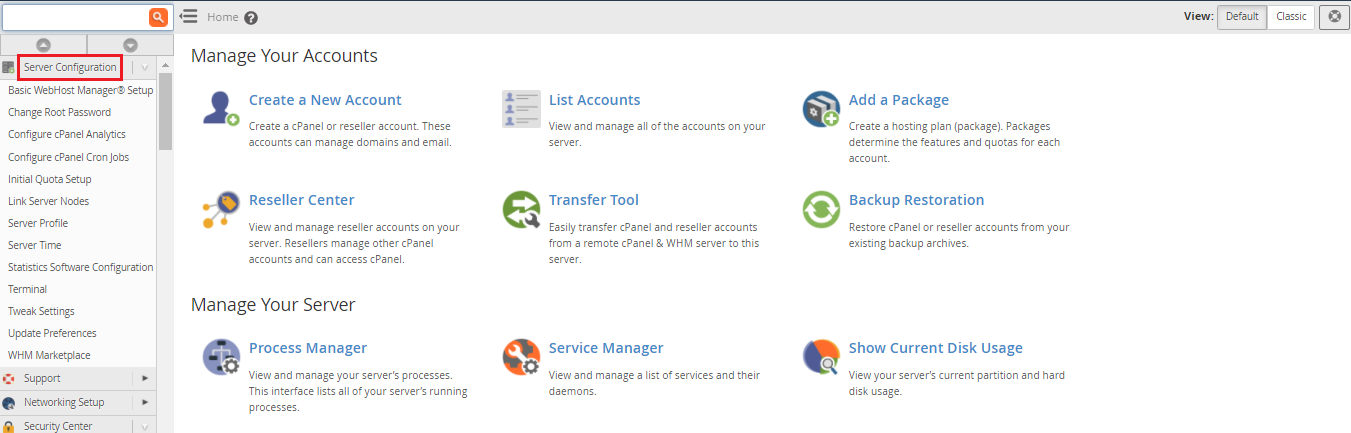
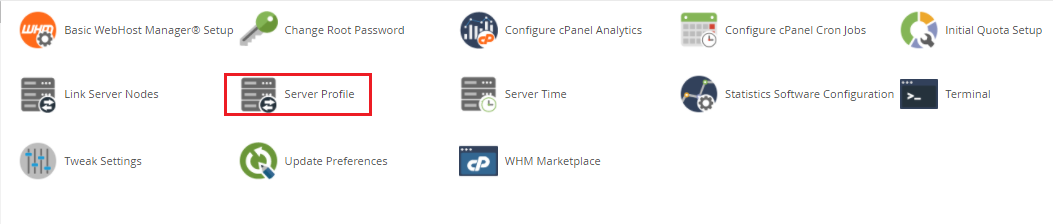
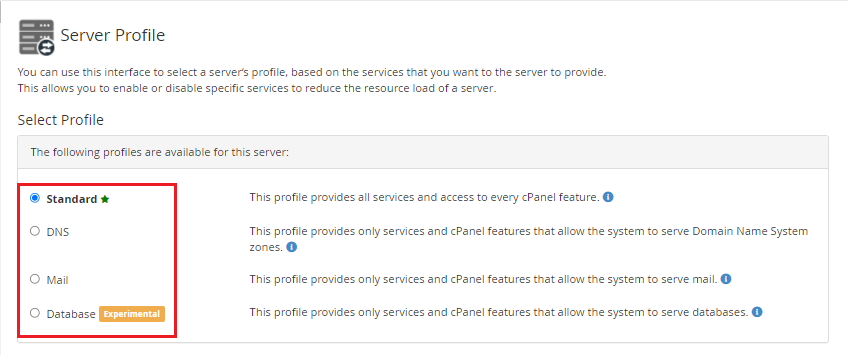
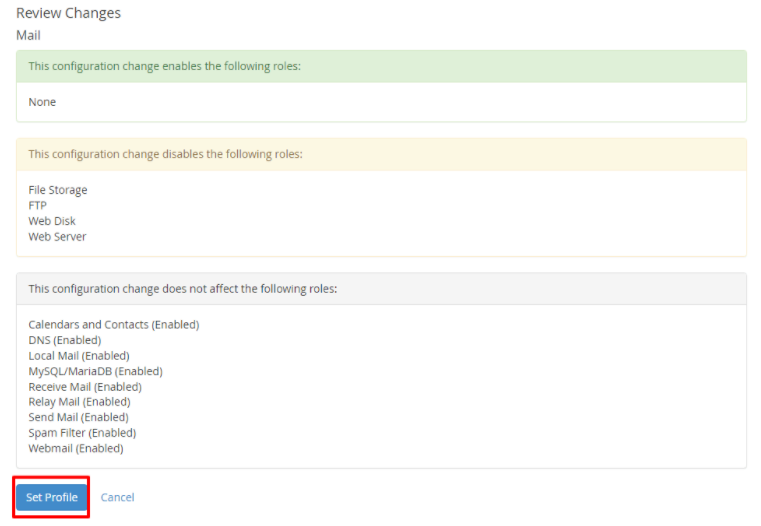
WHM will create a server profile for your cPanel hosting and apply the appropriate configurations.
We hope that you now have a good understanding of How can you customize a cPanel server Using WHM Server Profile. If you continue to have problems with the protocol outlined above, please contact the bodHOST Team for constructive assistance 24/7.
You can read more about How to Change the Hostname of Server in WHM.

Explore more hosting insights, tips and industry updates.
The DNS_PROBE_FINISHED_NXDOMAIN error on Android appears when your device is unable to resolve a domain…
Eliminating non-empty directories in Linux is necessary when you need to delete both the directory…
Introduction:If you encounter the Webalizer errors:Error: Unable to lock DNS cache file /usr/local/psa/var/webalizer.cachedon’t worry this…