
How to Fix the ‘Critical Error on Your Website’ in WordPress
The ‘There Has Been a Critical Error on Your Website’ message is a common WordPress…


In this post, we’ll show you how to set up Nginx as a reverse proxy on Plesk.
A standard proxy server is an intermediate server that may transmit requests from many clients to various servers via the internet, as well as offer private content on behalf of clients.
A reverse proxy server sits between internal applications and external clients, sending client requests to the appropriate backend Linux VPS server and ensuring that network traffic between clients and servers flows properly.
Nginx is a free, open-source reverse proxy, IMAP/POP3 proxy server that may increase performance by providing static content and sending dynamic content requests to the Apache server.
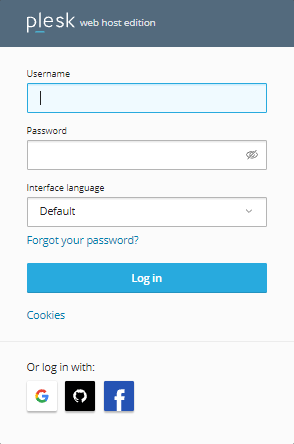
Step: 1 Login to “Plesk account as root user”
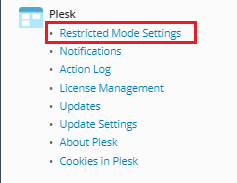
Step: 2 Search for “Tools & Settings” click on the “Plesk” option choose “Restricted Mode Settings”
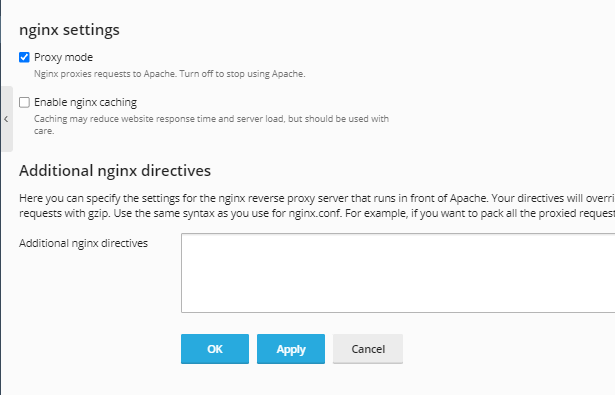
Step: 3 After selecting the webserver tab (as seen in the picture), scroll all the way down to the bottom to find the nginx configuration.
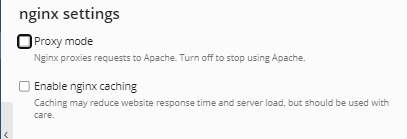
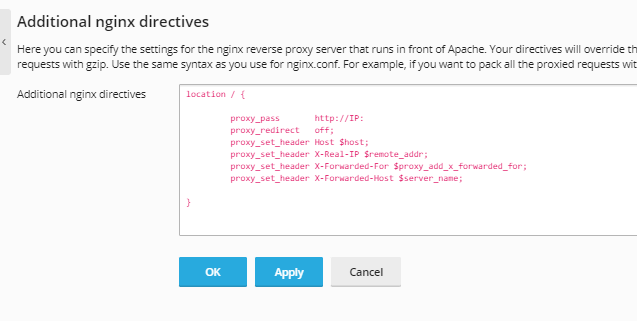
Step: 4 After that, deselect “proxy mode” and add this information to “Additional Nginx Directives” before clicking “Apply.”
location / {
proxy_pass http://server_IP:3000;
proxy_redirect off;
proxy_set_header Host $host;
proxy_set_header X-Real-IP $remote_addr;
proxy_set_header X-Forwarded-For $proxy_add_x_forwarded_for;
proxy_set_header X-Forwarded-Host $server_name;
}
Note: You may only edit the first line’s Server IP and the final line’s server name.
Do we sincerely hope that you must now have got a clear idea regarding How do to set up Nginx as a reverse proxy in Plesk? However, if you are still facing any difficulty in the procedure mentioned above, feel free to reach out to the bodHOST Team for proactive support 24×7

Explore more hosting insights, tips and industry updates.
The ‘There Has Been a Critical Error on Your Website’ message is a common WordPress…
Domain names have statuses also known as EPP status codes that determine their current state and…
In this article, we will explain to you how to add a TXT record in…