How to Troubleshoot R1soft backup policy Errors?
Here are the troubleshooting steps for R1soft Backup policy errors Agent shut down unexpectedly.-Restart the…


This section tells you how to manage cPanel’s email settings. These settings will be required when setting up your email account on your email client or mobile device.
Follow these steps to find your email settings:
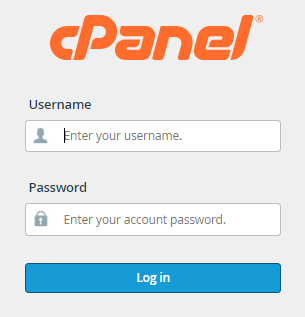
1. Log in to your cPanel account.
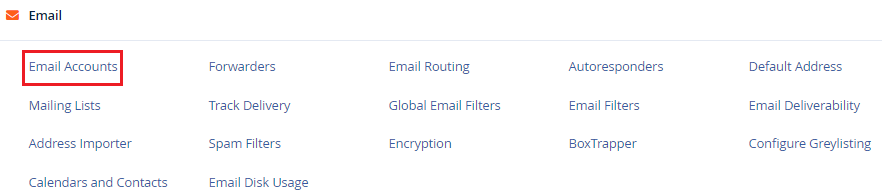
2. Select “Email” from the “Email Accounts” section from the drop-down menu.
3. Select “Connect devices” from the drop-down menu. If no email address is presented, you will need to create one.

4. All of the major settings may be found in the “Mail Client Manual Settings” section. When setting your email, it is recommended that you use the SSL/TLS settings.
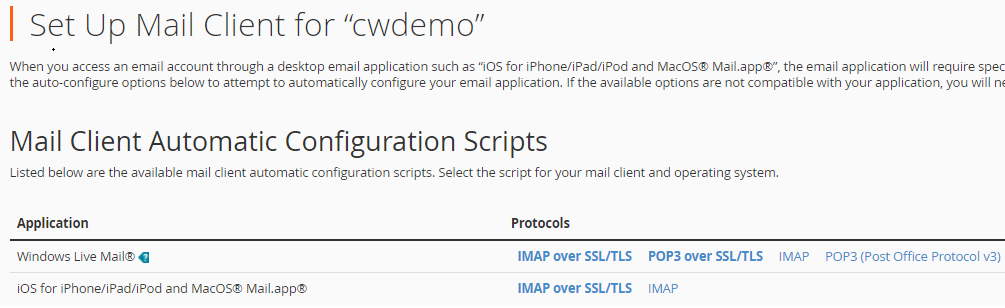
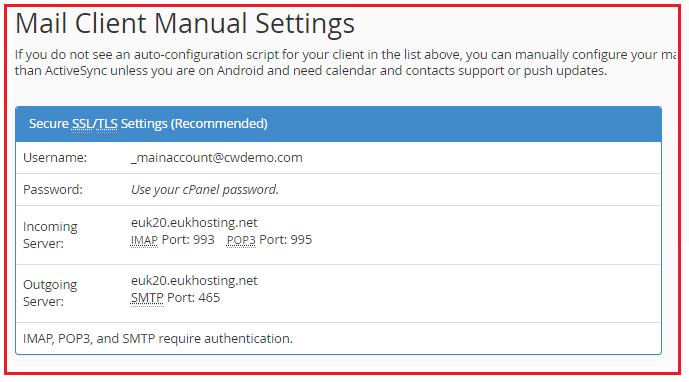
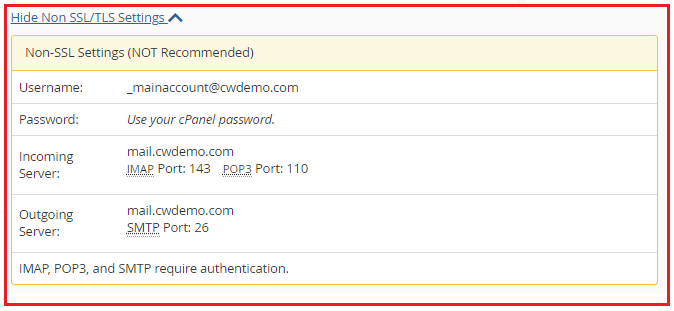
5. When viewing and checking your email settings in cPanel, you have the option of having all of your settings sent to you. Simply fill out the fields under “Email Instructions” to have the setup instructions delivered to the device of your choice.
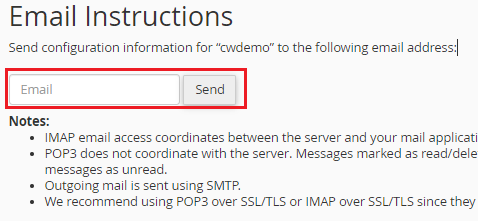
In this way, you can manage cPanel’s email settings. For more information regularly visit the bodHOST website’s KB section.

Explore more hosting insights, tips and industry updates.
Here are the troubleshooting steps for R1soft Backup policy errors Agent shut down unexpectedly.-Restart the…
What is a Hyper-V Server? Microsoft Hyper V Server 2008 is a virtualization product to…
In this article, we will explain how to install NPM on Windows. To install NPM…