
How to Access Web Disk in cPanel?
The web disk account allows you to easily navigate, upload and download files between the…

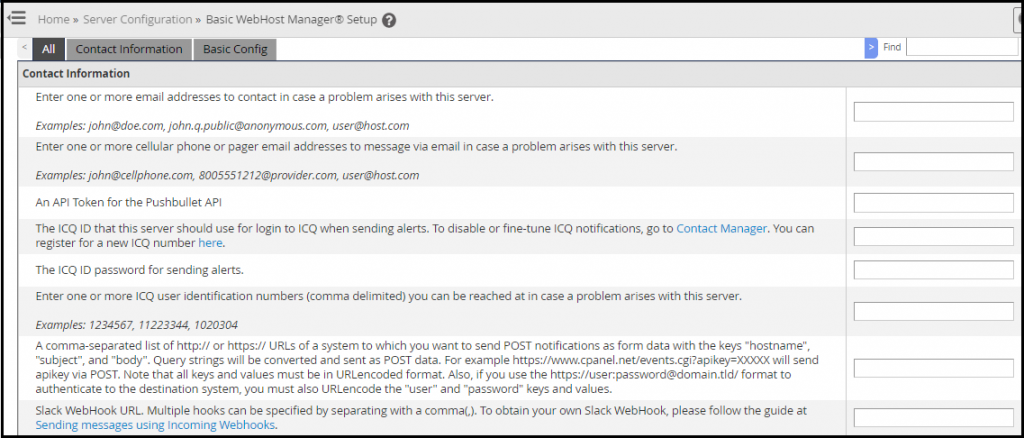
How to Update Contact Information from WHM is the topic of this post. You should update your contact information after your dedicated server is set up so that you receive essential server updates to your email address. It is critical to select an email address that you will check frequently.
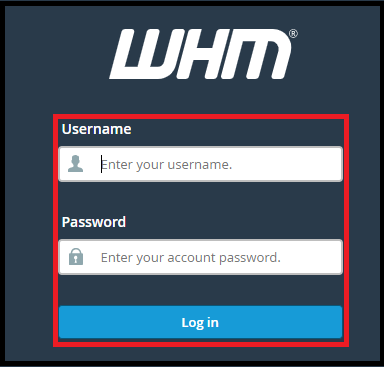
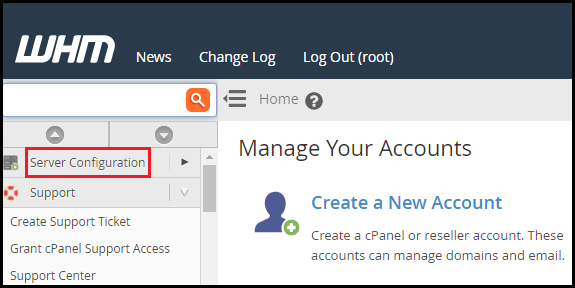
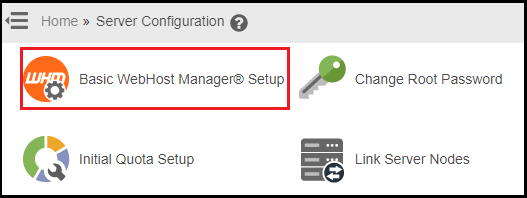
To update my contact information in WHM, follow these steps.
We sincerely hope that you must now have got a clear idea regarding How do you change your contact information in WHM. If you continue to have problems with the method outlined above, please contact the bodHOST Team for proactive help 24 hours a day, 7 days a week.

Explore more hosting insights, tips and industry updates.
The web disk account allows you to easily navigate, upload and download files between the…
ActiveX – Similar to Applets but given greater control to the client’s system to execute…
What is a VLAN?VLAN stands for Virtual Local Area Network. Technically, VLAN or virtual LAN…