

What Is Domain Privacy Protection? A Complete Guide
This guide will explain what domain privacy protection is, how it works, why it’s important,…


In this tutorial, we will show you how to blacklist an IP address in WHM using cPHulk.
Introduction:-This how-to guide is meant to show you how to use cPHulk to blacklist IP addresses to prevent them from accessing the following services:
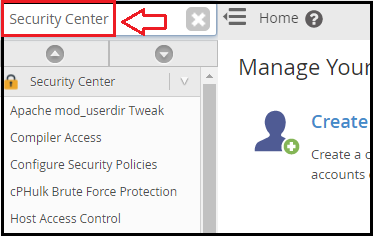
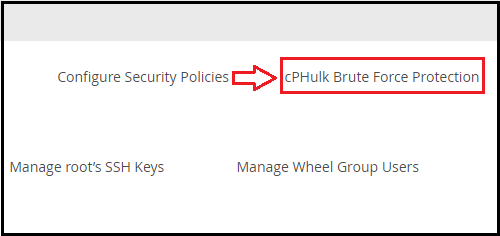
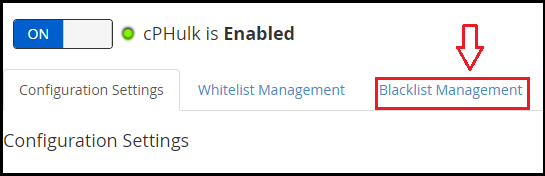
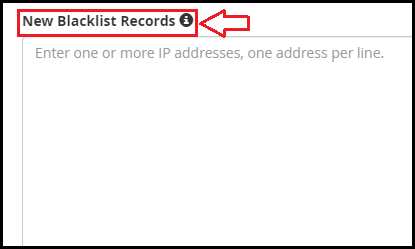
Follow the procedure:-
We sincerely hope that you must now have got a clear idea regarding how to blacklist an IP address in WHM using cPHulk If you continue to have problems with the above procedure, please contact the bodHOST Team for help.

Explore more hosting insights, tips and industry updates.
This guide will explain what domain privacy protection is, how it works, why it’s important,…
Virtuozzo VPS Hosting is one of the most widely used platforms for virtualization. Many hosting…
Encountering a “403 Forbidden” or “No Permission to Access” error can be frustrating, especially when…