

How To Transfer WHM Backup to a Remote Destination Via FTP
In this article, we have explained how to store backups on a remote server via…

In this article, we are going to learn about what is FTP account is and how can you set up your FTP account in cPanel.
What is FTP account?
FTP accounts are used to manage and upload files to your website. Users are given FTP accounts to link to the server via FTP. Users access files using a special username and password for each FTP account.
When you sign up for a hosting cPanel account or create an addon domain, an FTP account is automatically created in cPanel. This indicates that your cPanel already has an FTP account set up. Enter your cPanel username and password to gain access to this account.
However, you can build a new FTP account to give access to other users without giving them cPanel login credentials. For each additional FTP account created, you can also assign different levels of access to each user by assigning the user to a specific directory.
Now, let’s look at the steps for setting up FTP account in cPanel.
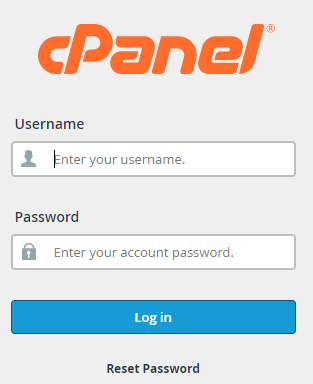
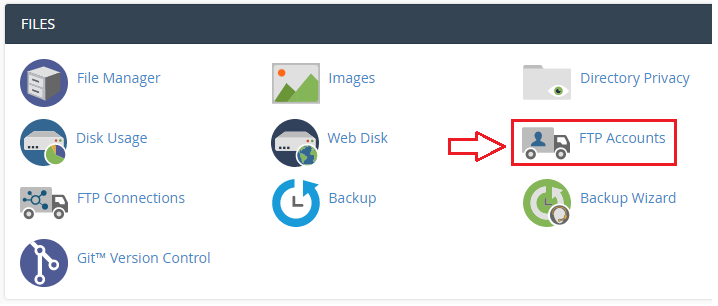
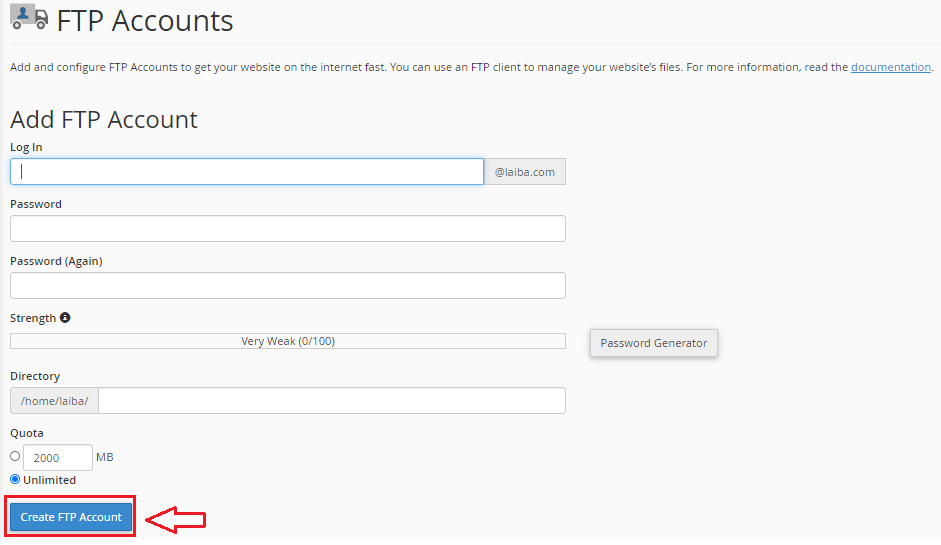
Congratulations, you have built an FTP account. Isn’t it simple, In this way, an FTP account in cPanel can be created by following such simple steps.
We hope that you now have a good understanding of How Do You Set up An FTP account in cPanel. If you continue to have problems with the protocol outlined above, please contact the bodHOST Team for constructive assistance 24×7.

Explore more hosting insights, tips and industry updates.
In this article, we have explained how to store backups on a remote server via…
In this article, we will demonstrate how to use Softaculous to install WordPress in a cPanel…
In this post, you will learn the standard instructions for updating Nameservers. Nameservers are the…