Gen 2 VMs – What Exactly You Should Know About Them?
Tech geeks are always in a new search for smothering their life and this time…

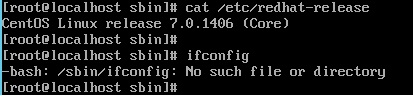
As we all know that recently CentOS released a new version “7”. This new stable version has its own share of changes, and among them, is the fact that the ifconfig control no longer present in the native system. So if you have old habits, then you may want to find this option in this newer version. And I am sure you probably not the only one trying to reinstall it on CentOS 7.
So the first question you may ask whether ifconfig is already available in the package.
To regain the use of ifconfig and related network management commands. You should find the name of the package containing the command. The command yum gives the option to search a package according to the order that is sought rather handy. You need to use the option “provides” as below:
yum provides ifconfig
You will see that there is a package called “net-tools” which will allow you to use ifconfig command:
How to install the net-tools package?
You just need to run the following command:
yum install net-tools
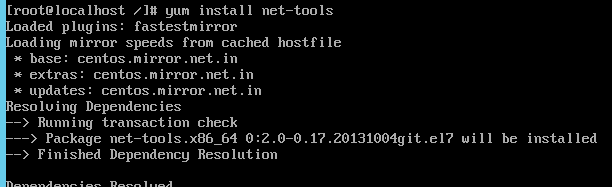
Then validate your choice due to the display of the selected repository and dependencies so you can finally reuse your order ifconfig.

Explore more hosting insights, tips and industry updates.
Tech geeks are always in a new search for smothering their life and this time…
Q. What are private name servers? A. In essence, a name server that contains the…
This tutorial will assist you in identifying the best way to see what apps installed…