
Sample Entry for sitx.anonftp
Sample sitx.anonftp Configuration AllowAll # Limit WRITE everywhere in the anonymous chrootAllowAll # An upload…

In this guide, we will look at how to check the PHP version and settings in cPanel. PHP scripts help us see what version of PHP is on our computer and what settings it has. We use a method called “phpinfo()” to show all the details about PHP’s setup.
Let us follow the steps-
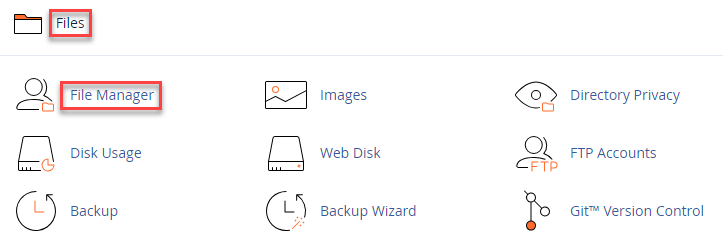
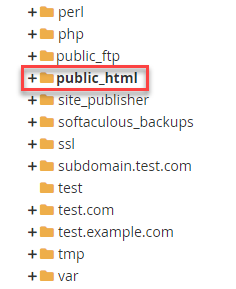
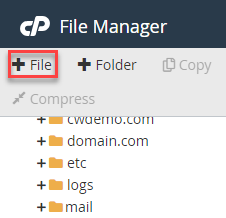
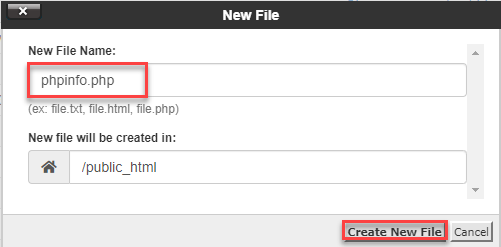
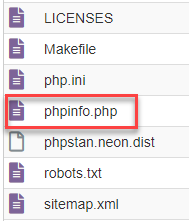

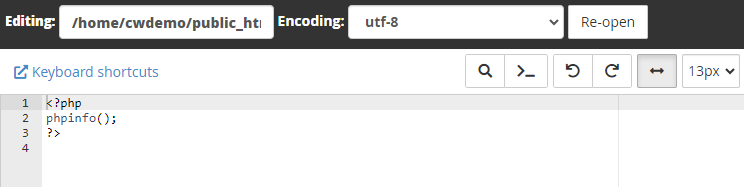

To view comprehensive PHP settings information for your account, open the link http://yourdomain.com/phpinfo.php in your browser. Remember to replace “yourdomain.com” with your primary domain name. For security purposes, make sure to delete the file after reviewing all the information.
Was not it easy? Hope you grasped everything well. For further assistance, contact our support staff at your earliest. You can also learn about How to Make a Single PHP Version Out of DirectAdmin.

Explore more hosting insights, tips and industry updates.
Sample sitx.anonftp Configuration AllowAll # Limit WRITE everywhere in the anonymous chrootAllowAll # An upload…
If you manage a Linux server and notice slow performance, high disk usage, or unexplained…
The 405 is an HTTP error that occurs when the web server is configured in…