How to Find World-Writable Files in Linux?
In Linux, a file “world writable” is a file that everyone can write. These files…

 Paul Lopez
In this article, you will explore the process of allot WHM feature list to cPanel. Feature lists can be linked with packages. To link a feature list with a cPanel account, you need to first assign the feature list to a package, and subsequently, assign the package to the cPanel account.
Follow the steps-
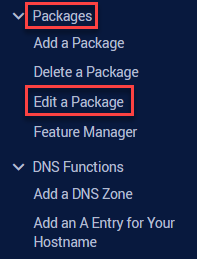
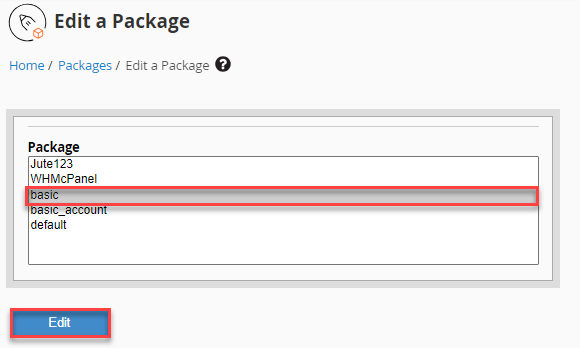
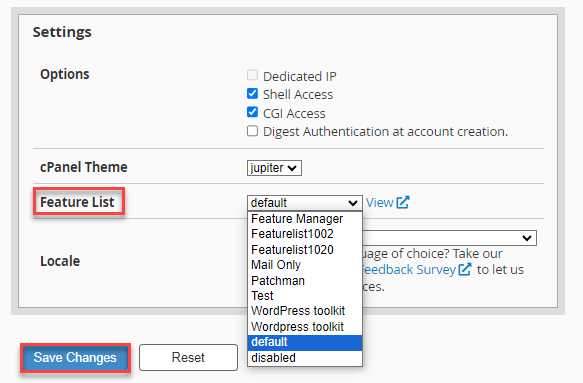
In this manner, you can allot the WHM feature list to cPanel. Never hesitate to contact the bodHOST’s technical support team for additional assistance. Also, you can read more about How to Use Link Server Nodes in WHM to Start Connections.

Explore more hosting insights, tips and industry updates.
In Linux, a file “world writable” is a file that everyone can write. These files…
If you wish to create online surveys for your business websites with complex clauses. If…
The aim of this article is to present two types of solutions offered by Microsoft…