Plesk 8.0
What Is Plesk? Plesk is a web server administration control panel. We highly recommend it…

 Vincer
In this article, we will explain how to delete a file or a folder with the help of CMD.
Follow the following steps to delete a file or folder using CMB.
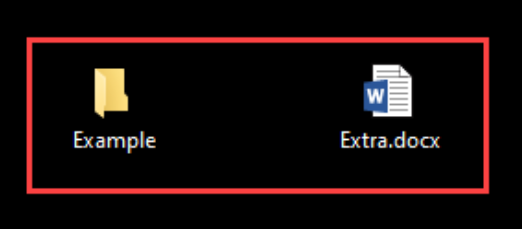
Here, we will try o delete our created file “Extra.docx” using CMD.
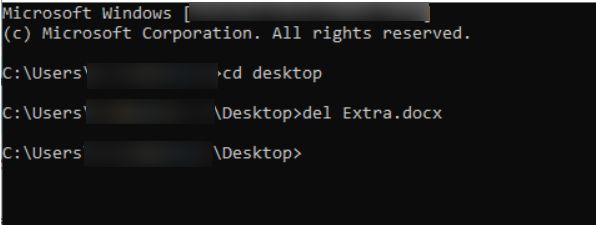
You need to change the path of the directory in the command line and set the path of the file you want to delete.
Enter the below command and press the enter key:
cd Desktop
Now, enter the name of the file you want to delete in the second line as given below:
del Extra.docx
Here, we will try to delete the folder that we have created “Example.” Using CMD
If you want to change the path of the directory in the command line and set the path of the folder you want to delete.
Enter the below command and press the enter key:
Cd desktop
Enter the name of the folder in the next line:
rmdir Example
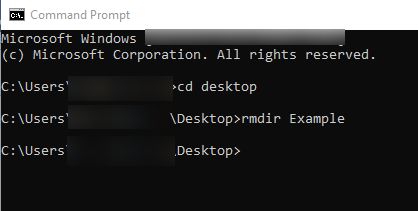
You will see the folder has deleted.
In this way, you can delete a file and folder using CMD.

Explore more hosting insights, tips and industry updates.
What Is Plesk? Plesk is a web server administration control panel. We highly recommend it…
Load balancing server is used to distribute traffic efficiently among the network servers so that…
When your visitors are submitting personal and sensitive information on your website. It is necessary…