Local HTTP DCV error 404 (not found)
This article covers scenarios that lead to AutoSSL returning a 404 (not found) error when…

 Serena
We’ll go through how to set up invisible CAPTCHA in the Imunify360 software in this post. Imunify360’s Invisible CAPTCHA is a potent tool for improving visitor and user experiences. The Invisible CAPTCHA uses Google’s Advanced Risk Analysis technology to determine if the user is a human or a computer.
Follow the below-mentioned steps:
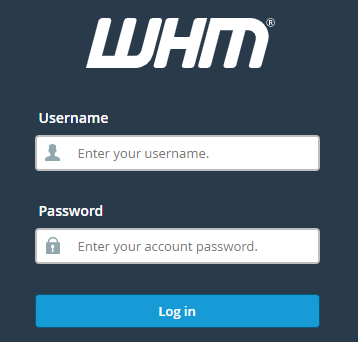
Step 1. Log in to WHM with your credentials.
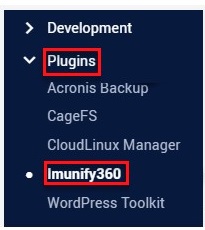
Step 2. Select Imunify360 under the Plugins menu.
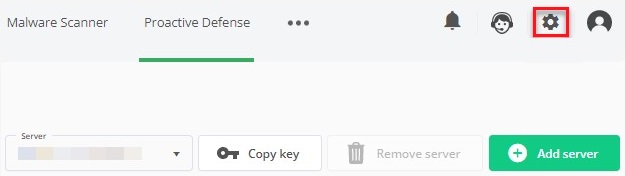
Step 3. On the right side of the screen, select the Settings icon.
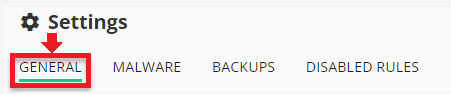
Step 4. Next, navigate to the GENERAL tab.
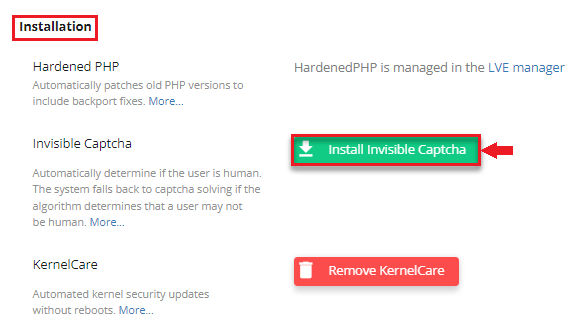
Step 5. From there select the Installation option.
Step 6. Then, find and click on the Install Invisible captcha option can be found.
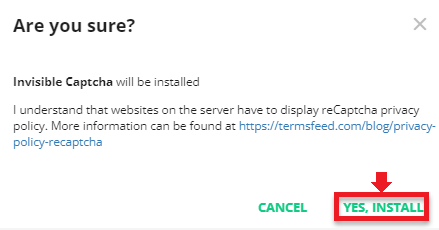
Step 7. When prompted for confirmation, select YES, INSTALL.
Installing the Invisible Captcha inside of Imunify360 will enhance the software. For more help, get in touch with our experts, who are available around the clock.

Explore more hosting insights, tips and industry updates.
This article covers scenarios that lead to AutoSSL returning a 404 (not found) error when…
We’ll go over what FTP is and how to set up an FTP account in…
What is FFmpeg? To trans code your videos locally on your server, Open Package Video…