How-Can-You-Add-a-New-Domain-in-Plesk

The process of adding a new domain to Plesk is covered in this post. After creating a domain, adding subdomains, and domain aliases is an optional step.

Let’s go through the processes, in Plesk, to add a new domain:
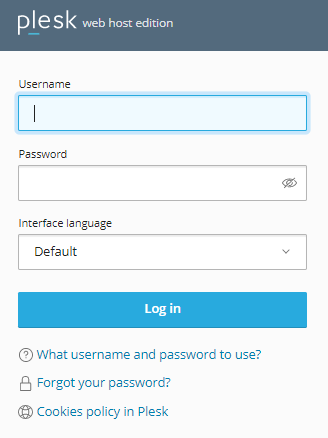
  1. Log in to Plesk.
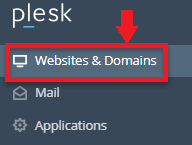
  2. Navigate to the “Websites and Domains” tab from the left corner of the screen.
  3. Within that tab, click on the “Add Domain” option.
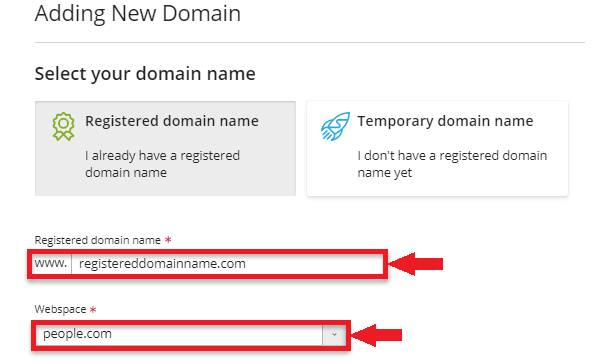
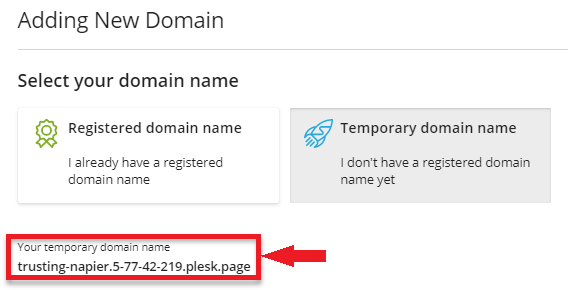
  4. Now you can choose between “Registered Domain Name” or “Temporary Domain name”.
    1. If you choose the “Registered Domain Name”, then follow the below steps-
      1. Type the “Registered Domain Name” as displayed below.
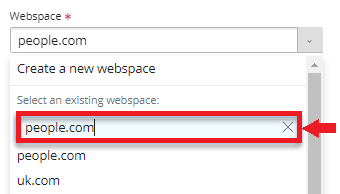
      2. Choose a “Webspace” or start a new one.
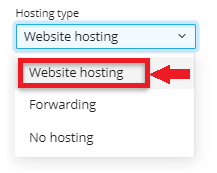
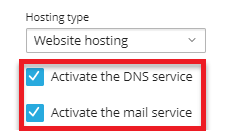
      3. Next, choose a “Hosting type”.
      4. And then select both “Activate the DNS service” and “Activate the mail service”.
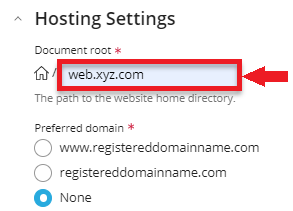
      5. Under Hosting Type, type the “Document root” and choose “preferred domain”.
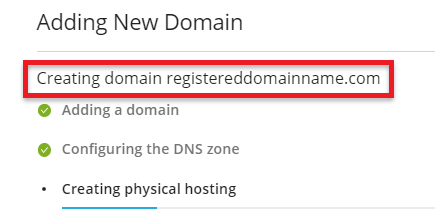
      6. As depicted below, it will begin constructing a domain.
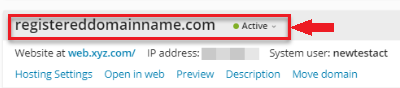
      7. The domain has now been created.

    2. You can choose the “Temporary Domain Name” if you don’t already have a registered one.

You can use this, in Plesk, to add a new domain. If you require support, kindly post a query in our web hosting forums. One of the bodHOST technical members will gladly answer your question.

Popular Posts You May Read

Explore more hosting insights, tips and industry updates.

How to Install Your Windows Update

Keeping your Windows operating system up to date is one of the simplest and most…

How to Check Your Domain’s Expiration Date

How to Check Your Domain’s Expiration Date

Every domain name comes with a fixed registration period, usually ranging from 1 to 10…

How to Fix HTTP 429 Error with Too Many Requests?

Do you keep getting the annoying “429 Too Many Requests” error message? There are too…