
4 Reasons Why You Need an Offsite Data Backup
Offsite backups are one of the best ways to keep your data safe on a…

 Paul Lopez
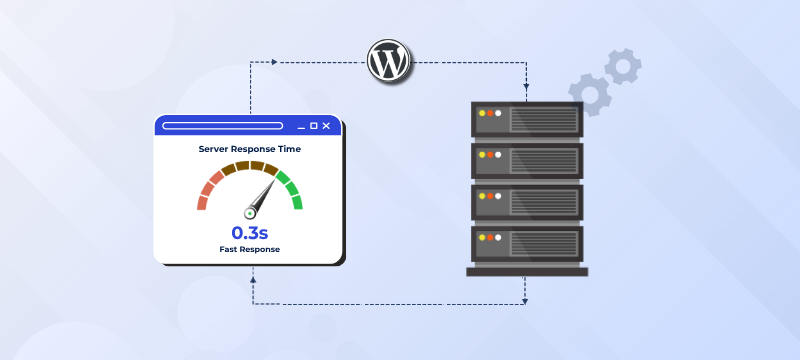
Website speed plays a significant role in delivering a positive user experience and improving search engine visibility. While many website owners focus on image optimization or reducing page size, one equally important factor is the initial server response time. This measures how quickly your web server responds after receiving a visitor’s request. If the server takes too long to respond, the entire page-loading process is delayed, regardless of how well the website is optimized.
For WordPress websites, a slow server response can result from several factors, including outdated hosting infrastructure, inefficient database queries, resource-heavy plugins, or the lack of proper caching. Fortunately, most of these issues can be addressed with the right combination of optimization techniques and reliable hosting.
In this guide, you’ll learn practical ways to improve your WordPress server response time, understand why Time to First Byte (TTFB) matters and discover tools that help measure your website’s performance.
Initial server response time is the amount of time your web server takes to begin sending data after receiving a request from a visitor’s browser. Before your website starts loading, the server must process PHP files, access the database, execute plugins and prepare the requested page.
If any of these processes are slow, visitors may experience delays before the first part of the webpage appears. Google also considers server response time when evaluating website performance, making it an important factor for both user experience and search visibility.
Time to First Byte (TTFB) measures the time between a browser requesting a webpage and receiving the first byte of information from the server. It includes network latency, server processing and the time required to generate the page.
Although TTFB isn’t the only speed metric that matters, a consistently high value often indicates underlying server or application performance issues that should be investigated.
A fast TTFB helps visitors access your content more quickly, creating a smoother browsing experience. Faster response times also support better Core Web Vitals, reduce bounce rates and contribute to improved search engine rankings.
For eCommerce websites, membership platforms and business websites that rely on user interaction, reducing server response time can positively impact customer satisfaction and conversion rates.
Caching is one of the most effective ways to reduce server response time. Instead of generating a webpage from scratch for every visitor, caching stores a ready-to-serve version of the page, allowing the server to respond much faster.
Every WordPress website relies on a database to store posts, pages, comments, user information and plugin settings. Over time, unnecessary data such as post revisions, spam comments, expired transients and unused tables can accumulate, making database queries slower and increasing server response time.
A Content Delivery Network (CDN) reduces the physical distance between your website and visitors by storing copies of your content on servers located around the world. Instead of serving every request from your primary hosting server, the CDN delivers files from the location closest to the visitor.
Not every WordPress theme or plugin is optimized for performance. Some load unnecessary scripts, issue excessive database queries, or consume significant server resources. Even a powerful hosting environment can struggle if the website itself isn’t optimized.
Your hosting environment plays a major role in server response time. If your server regularly runs out of CPU, RAM, or storage resources, performance will suffer regardless of website optimization. As traffic grows, upgrading from shared hosting to VPS, cloud, or dedicated hosting with NVMe storage, LiteSpeed, updated PHP and reliable uptime can significantly improve speed and stability.
If your website remains slow after optimization, upgrading your hosting may be the best solution. A modern hosting environment with powerful CPUs, ample RAM, NVMe storage and Object Caching can significantly improve performance. bodHOST Managed WordPress Hosting includes these technologies to help deliver faster server response times, improved speed and a smoother user experience.
An unoptimized database can gradually slow your WordPress website as content grows. Post revisions, spam comments, expired transients and orphaned data increase the size of your database and make queries less efficient. Schedule regular database optimization to remove unnecessary data and optimize database tables. Keeping your database clean reduces processing time, allowing the server to retrieve information more quickly. Before making any database changes, always create a backup to avoid accidental data loss.
Monitoring your website’s performance helps you identify bottlenecks and measure the effectiveness of your optimization efforts. Several free tools provide valuable insights into server response time and overall page speed.
A server response time below 200 milliseconds is generally considered excellent. Faster response times improve user experience, support Core Web Vitals and contribute to better search engine performance.
Time to First Byte measures how quickly the browser receives the first byte from the server. It is one of the primary indicators of initial server response performance.
Yes. Hosting infrastructure directly influences server response time. Faster processors, NVMe storage, sufficient resources and optimized server configurations help websites respond more efficiently.
A CDN improves content delivery by serving cached resources from locations closer to visitors. Combined with edge caching, it can reduce latency and improve website performance.
Optimizing the initial server response time in WordPress requires a combination of best practices rather than a single fix. Implementing caching, optimizing your database, reducing unnecessary queries, using a CDN and choosing lightweight themes can all contribute to faster website performance. Equally important is reliable hosting.
If your website still experiences slow response times, upgrading to bodHOST Managed WordPress Hosting can provide the performance, scalability and modern infrastructure needed to deliver a faster, more responsive experience for your visitors.
Learn more in our detailed article: How to Reduce TTFB to Improve Page Load Times

Explore more hosting insights, tips and industry updates.
Offsite backups are one of the best ways to keep your data safe on a…
PhpMychat is a chat room, which is based on PHP or MYSQL script. If users…
Private cloud web hosting is better than public cloud for enterprise business who would like…