Where can you find DNS logs?
This article explains what DNS is and where DNS logs can be found. What is…

You will learn how to empty the Ngnix cache in Plesk in this post. The NGINX software can operate as a cache, reverse proxy, web server, media streaming server, and load balancer, among many other tasks. It was created to be as efficient and reliable as possible as a web server.
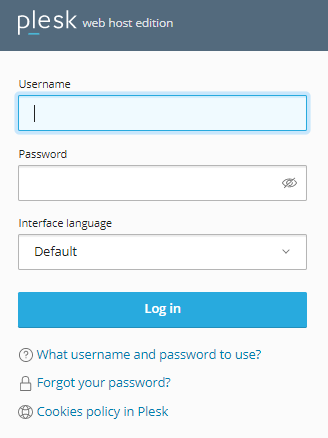
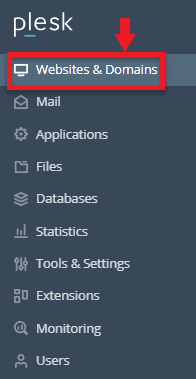
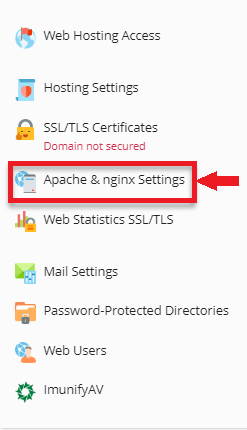
The Ngnix cache in Plesk can be cleared by the following procedure:
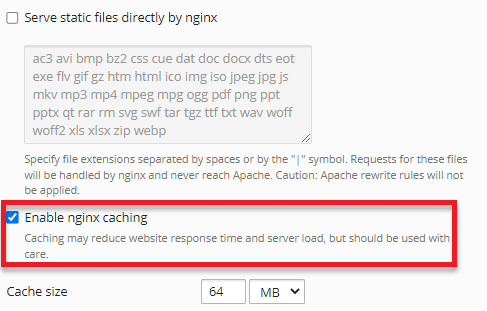
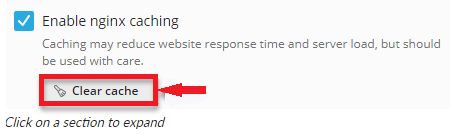
The Ngnix cache in Plesk will be automatically deleted as a result.
You’re welcome to get in touch with bodHOST support staff at any time; they’re available 24/7. You can access the most recent knowledge base articles on our website. Learn How to Remove the cPanel Cache Manager.

Explore more hosting insights, tips and industry updates.
This article explains what DNS is and where DNS logs can be found. What is…
In this article, you will see how the Easy Apache profiles generated and located on…
Whenever you browse a website or use an online application, two main components work together…