Cloud Server Hosting – An Unique Platform for Business Operations
Cloud server hosting users experience higher performance of the servers. A cluster of network servers…

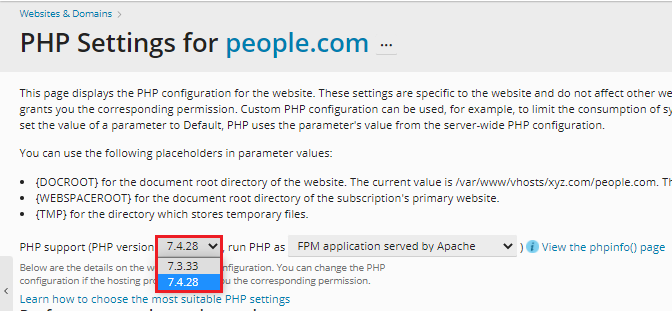
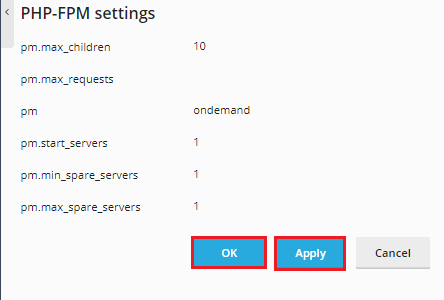
This article will explain how to update the active PHP version on an account using Plesk.
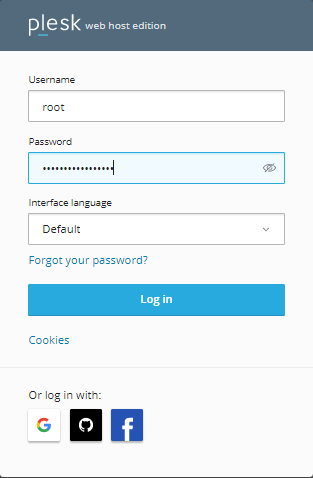
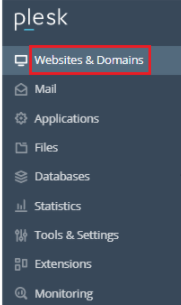
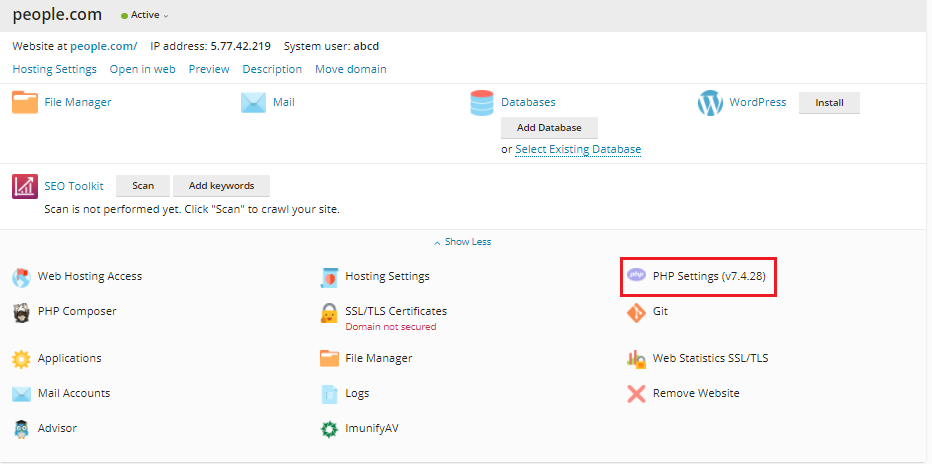
Follow the following steps to switch your PHP Version in Plesk
Conclusion
In this manner, you have now changed or updated your PHP version. Contact our support team if you need help with enabling website cache, changing your website’s PHP version, or minimizing your account’s CPU consumption.
If you continue to have problems with the protocol outlined above, please contact the bodHOST Team for constructive assistance 24×7.

Explore more hosting insights, tips and industry updates.
Cloud server hosting users experience higher performance of the servers. A cluster of network servers…
Cloud Computing as a new concept to new users creates a lot of confusion as…
This guide will illustrate how to retitle files in Linux. Retitling files in Linux can…