b2evolution: Powerful Open-Source CMS & Blog Platform Solution
b2evolution is a content management system, most likely used for multi-blog publishing and multi-user blogging…

Are you finding any difficulties to update your cPanel& WHM version 88 then here is the article for you.
While running the command “/scripts/upcp” to cPanel&WHM version 88, or via the WHM interface Home >> Home >> cPanel >> Upgrade to Latest Version is because cPanel have some tier system that allows the administrator to configure how servers are upgraded.
Some of the tiers are available here:
cPanel version 88 is on the “Current” and “Edge” tiers.
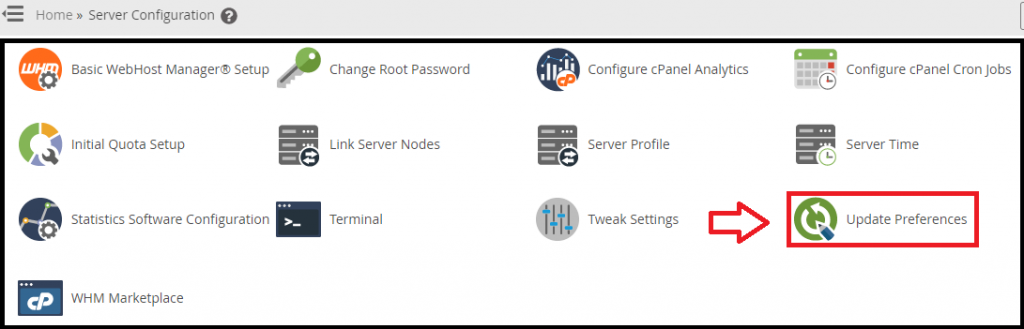
To upgrade your cPanel & WHM 88, you need to follow the following procedure and select the appropriate tier, which has the cPanel desired version and runs the upgrade process.
Conclusion
We hope that you now have a good understanding of how To Update your cPanel & WHM. If you continue to have problems with the protocol outlined above, please contact the bodHOST Team for constructive assistance.

Explore more hosting insights, tips and industry updates.
b2evolution is a content management system, most likely used for multi-blog publishing and multi-user blogging…
With 22 Core, 14 nm engraving, security, and telemetry functions strengthened, Intel Xeon E5-2600 v4…
Choosing the right CPU is one of the most important decisions when configuring a server,…