How To Update cPanel’s IP Address?
In this article, we will explain to you How to modify the primary IP of…

In this tutorial, we’ll explain how to configure Apache’s RLimits directive Form WHM Interface
You can visit the “Configure Apache RLimits” interface in WHM in this location:
Use the following procedure:
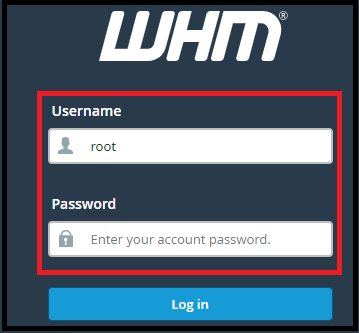
Step 1 – Log into your WHM
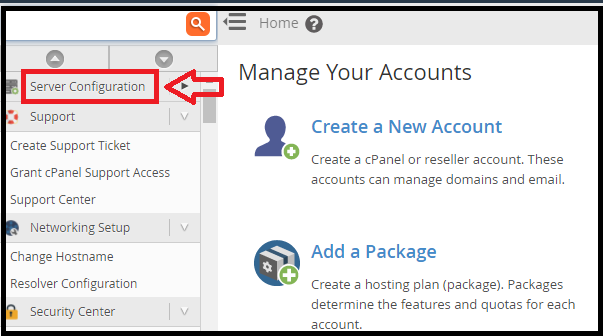
Step 2 – Now you see the Service Configuration
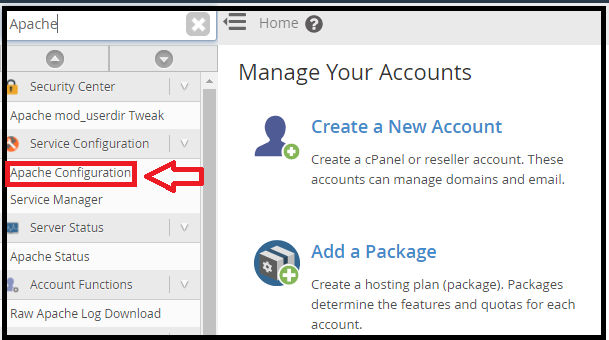
Step 3 – Now Search for the Apache Configuration
Step 4 – Click on to the Memory Usage Restrictions.

To see how to modify the directive you can visit Apache’s official documentation via this link:
https://httpd.apache.org/docs/2.4/mod/core.html#rlimitmem
We hope that you will now be able to successfully add a contact from the bodHOST client area.

Explore more hosting insights, tips and industry updates.
In this article, we will explain to you How to modify the primary IP of…
Every domain name comes with a fixed registration period, usually ranging from 1 to 10…
If you do not have the special programming knowledge, but you are willing to create…