In this article, we’ll guide you through the process of installing the ClamAV plugin in cPanel. ClamAV, a popular open-source antivirus scanner, empowers cPanel users to perform email scans and assess their home directories for potentially harmful files using this plugin.

Note: To install the ClamAV, you need to have root access to your VPS (Virtual Private Server) or dedicated server, or else, you can contact your support team for help in installing the ClamAV antivirus plugin.

Follow these steps to install ClamAV

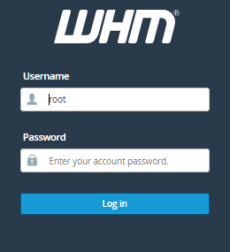
  1. Log into “WHM” as the root account.
    whm-login
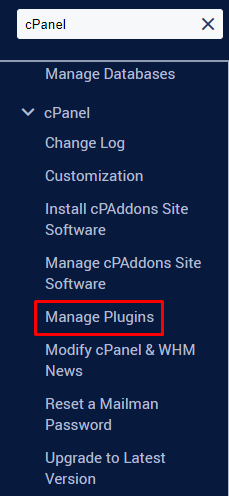
  2. Search the “Manage Plugins” tool from the “cPanel” search bar.
    manage-plugin
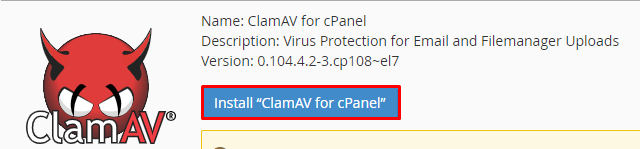
  3. Click on the “Install ClamAV for cPanel”.
    install-clam-av
    Note: The installation process may take time, possibly extending beyond 10 minutes. We kindly ask for your patience and request that you avoid closing the web browser until the installation is successfully completed. Once finished, you will see a confirmation message at the bottom of the screen, indicating the successful installation of “ClamAV for cPanel.”
  4. Now, log out from the “WHM”, and log in again.
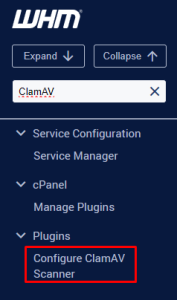
  5. Type “ClamAV” from the search tool.
    clamav
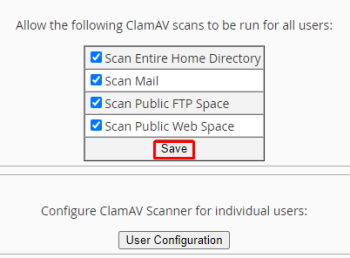
  6. Now, you have the option to configure global scan permissions according to your preferences. If you want to grant all cPanel users the ability to scan their content, simply check the boxes next to “Scan Entire Home Directory,” “Scan Mail,” “Scan Public FTP Space,” and “Scan Public Web Space,” and then click “Save.”
    scan-mail
    In this way, you follow these steps and install & configure a Virus Scanner in cPanel.

Popular Posts You May Read

Explore more hosting insights, tips and industry updates.

Reset Your Admin Password With Softaculous in cPanel

Updating your password is good for your website’s health and will protect it from hackers.…

Cloud Web Hosting – The Emerging Trend in Hosting Technology

In the strong public feeling of economic pressure, large organizations and even small companies are…

IIS 5.0 Security Checklist

The Windows section of the forum needs some work, because we operate on both Linux…