Just imagine you are launching a major product update, traffic in peaking, your ads are live, and suddenly your website disappears. You start to freak out. Earnings take a hit. The support system is overwhelmed with tickets. Can you figure out what just happened? This is the nightmare of dedicated server downtime, an issue that bothers even the most experienced system administrators and business owners.
Dedicated servers are not resistant to failure, even with the power and control they offer. The good news is that, with the right approach, the common causes of server downtime can be avoided or fixed. With this, the uptime factor comes into play; the duration for which the server is working is important for a website’s reliability and business success. High uptime, especially for dedicated servers, guarantees consistent access for users, boosts SEO rankings, and maintains user confidence. Downtime, conversely, can lead to lost revenue, negative brand perception, and decreased user satisfaction.
Today, in this 2026 guide, we will reveal the top 6 reasons your dedicated server might go down and, more importantly, 8 effective fixes to keep your business online and thriving.
What Is Dedicated Server Downtime?
Let us understand what exactly dedicated server downtime means in simple terms. It refers to any time period during which your server is unavailable, non-operational, or unable to perform its expected functions. This could involve a complete server crash, unresponsive services, or simply your website being inaccessible to visitors.
Downtime can occur for different reasons, ranging from hardware failure and software glitches to cyberattacks or even routine maintenance. Irrespective of the cause, the impact can be noteworthy.
There are two types of downtime:
- Planned downtime is scheduled for updates, upgrades, or preventive maintenance and usually happens during off-peak hours.
- Unplanned downtime is unexpected and can be caused by system errors, technical faults, or external threats.
Even a few minutes of unplanned downtime can lead to lost revenue, unsatisfied users, undesirable SEO effects, and damage to your brand reputation, particularly for businesses that depend on 24/7 availability.
7 Common Causes of Dedicated Server Downtime
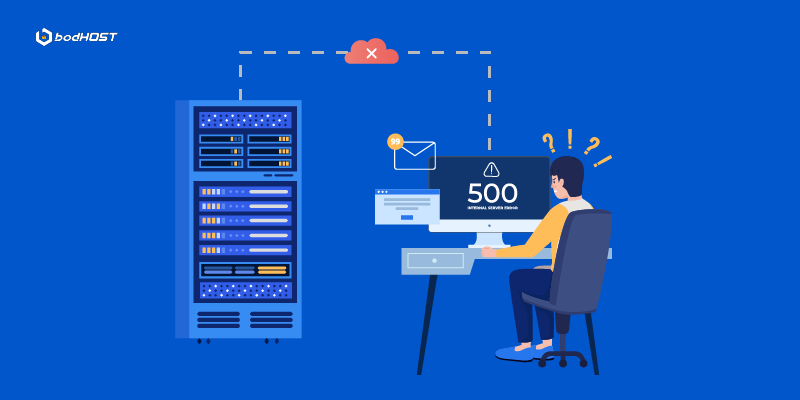
Understanding the root causes helps businesses take preventive action and avoid recurring outages.
- Hardware Failures: Dedicated servers depend on physical components like hard drives, CPUs, RAM, power supplies, and cooling systems. Over time, these parts can damage or fail unexpectedly. For example, a failed hard drive may result in data loss, while a faulty cooling fan can cause the server to overheat and shut down. Despite being enterprise-grade, no hardware is resistant to wear and tear, making this one of the main causes of unplanned downtime.
- Power Failure or Blackout: Most professional data centers have multiple layers of power backup, including Uninterruptible Power Supplies (UPS) and diesel generators. However, these backups can also fail due to technical shortcomings, maintenance mistakes, or extreme weather conditions. A sudden loss of power without proper failover can bring servers offline, leading to unforeseen downtime and possible data corruption.
- Network Glitches: Even if your server is working properly, a network issue can make it inaccessible. Problems may arise from misconfigured routers, DNS resolution failures, or issues with your Internet Service Provider (ISP). These disturbances can affect server availability and slow down response times, particularly for users in diverse regions.
- Software Issues: Obsolete software, poorly tested patches, or contradictory application updates can crash services or drastically slow performance. Operating system misconfigurations or compatibility problems with server-side applications (like web servers or databases) can cause uncertainty. Without proper testing and restoration plans, software changes can rapidly intensify into critical downtime.
- Human Error: Even experienced administrators can make errors. Required services may be disturbed by entering the wrong command, an improper server reboot, or a misconfigured firewall rule. Human mistake continues to be one of the most unforeseen but avoidable sources of downtime because of the lack of change management procedures, backups, or access controls.
- Security Breaches: Cyberattacks such as Distributed Denial of Service (DDoS) attacks, ransomware infections, or unauthorized intrusions can burden server resources or take them offline completely. Even if your server isn’t breached, an ongoing attack may force it to shut down or isolate itself to prevent further damage. The result often includes service interruptions and extended recovery times.
- Scheduled Maintenance: Routine maintenance is necessary for performance and security, but it still results in temporary downtime. If not scheduled during low-traffic hours or not correctly informed to users, it can cause confusion, trouble, and a loss of trust. Even well-planned maintenance can sometimes run over if unexpected issues arise.
Impact of Server Downtime
When a dedicated server goes offline, the results extend beyond just technical inconvenience. Here are the 4 key impacts that businesses often face during server downtime:
- Lost Revenue: Every minute of downtime can directly translate into lost sales, especially for e-commerce sites, SaaS platforms, or any business with online transactions. Customers can not complete their purchases and subscriptions, and this may result in cancellations or incomplete refunds with server downtime.
- Unsatisfied Customers: Customers expect 24/7 access to websites, applications, and services. If they encounter a slow or unreachable site, it leads to dissatisfaction. In competitive industries, even brief interruptions can drive users to competitors who offer a more reliable experience.
- Spoiled Brand Repute: Reliability is a major component of brand trust. Frequent or prolonged downtime can harm your company’s credibility, leading to negative reviews, poor word-of-mouth, and a loss of trust from both new and returning customers.
- Loss of Productivity: Server downtime doesn’t just affect customers; it also disrupts internal operations. Teams may be unable to access critical systems, collaborate on projects, or serve clients effectively. This can lead to missed deadlines, reduced employee efficacy, and lower overall performance.
How to Minimize Server Downtime (8 Fixes)
While no system is resistant to outages, proactive steps can considerably reduce the frequency and long-term server downtime impact. Here are eight effective strategies:
- Regular Maintenance: Perform scheduled dedicated server maintenance to update software, patch vulnerabilities, check hardware health, and clean up system resources. Proactive upkeep prevents unforeseen letdowns and keeps your infrastructure running efficiently.
- Redundancy Planning: Implement redundancy at every level; power supply, network connections, data storage, and even entire servers. This ensures that if one component fails, another can promptly take over without disturbing service.
- Security Actions: Many downtimes stem from cyberattacks. Deploy firewalls, DDoS protection, malware scanners, and tools like Fail2Ban to protect your server from spiteful activity. Secure configurations and regular security audits are equally significant.
- 24/7 Monitoring Tools: Use real-time server monitoring tools to sense issues before they intensify. These tools track uptime, performance, disk usage, and more. Early warnings offer quick action to avoid lengthy stoppages.
- Strong Passwords & Access Controls: Human error and illegal access are major jeopardies. Apply complex passwords, limit root access, implement two-factor authentication (2FA), and habitually review user privileges to avoid misuse or unintentional misconfigurations.
- Load Balancing: Distribute traffic evenly across multiple servers to avoid overloading a single point. Load balancers improve performance, provide failover in case of hardware failure, and guarantee service accessibility during high-traffic periods.
- Automated Data Backups: Schedule frequent automatic backups of your server data. In the event of failure, you can restore operations swiftly without data loss. Use both local and off-site/cloud backups for added protection.
- Professional Support Services: Partner with a reliable hosting provider that offers 24/7 technical support, SLAs (Service Level Agreements), and proactive server management. Expert assistance can resolve issues faster and reduce recovery time during demanding incidents.
Best Practices to Prevent Server Downtime
Preventive measures are more lucrative than fixing frequent downtime issues. By implementing a proactive approach, businesses can avoid costly disruptions, maintain customer trust, and ensure service reliability.
- Monitoring and Alerting: Implement real-time monitoring systems that track server health, network traffic, CPU usage, disk space, and other important metrics. Set up automated alerts to notify your team of unfamiliar activity or possible failures, allowing for immediate response before problems intensify.
- Capacity Planning & Optimization: Assess your server’s performance trends and anticipate future growth. Ensure your organization has enough resources (CPU, RAM, bandwidth, storage) to handle peak traffic without stress. Over-provisioning or using scalable solutions like cloud infrastructure can help avoid overloads.
- Maintenance and Security: Frequently update your server’s operating system, software, and plugins to patch known vulnerabilities. Plan routine maintenance during low-traffic periods, and conduct security audits to find and reduce risks before they lead to downtime.
FAQs
Q1. What does a dedicated server mean in DST?
In Don’t Starve Together (DST), a dedicated server is a continuously running game server that operates independently of any player, allowing others to join and play at any time.
Q2. How can I avoid server downtime?
Use reliable hosting, update regularly, monitor performance, and secure the server.
Q3. Is server downtime common?
Server downtime is not common if well-managed, but it can happen due to many issues.
Q4. What should I do if my dedicated server goes down?
Check logs, restart server, verify network, update game/mods, restore backup.
Q5. What causes most server downtime?
Hardware failure, software bugs, network issues, human error, or maintenance.
Conclusion
From the above article, we can conclude that downtime isn’t just an inconvenience; it’s a direct hazard to your business. But with the right tools, planning, and awareness, you can considerably reduce the risk and recover faster when issues arise. Whether you are managing a single server or a fleet of them, let this 2026 guide serve as your checklist for keeping your organization strong, fast, and most importantly, online.
With reliable Dedicated Server hosting from bodHOST, you get the performance, security, and uptime your business deserves.
Learn more in our detailed article: How Dedicated Server Hosting Supports AI and ML Applications


 Paul Lopez