
Digital Transformation: Understanding the Need for Fast SSDs
There is a constant push in the digital world to take on new advances in…

 Paul Lopez
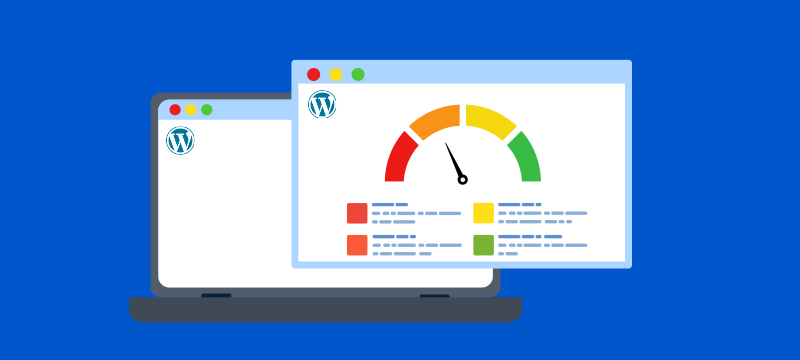
Are you facing slow website issues? Is your WordPress site taking time to load? Rest assured, you are not alone, and the solution to your problem is at your fingertips. Just scroll down and fix your issue. For business owners, bloggers, and eCommerce site executives, sluggish site performance can go beyond simple frustration; it may lead to reduced traffic, search engine rankings, and revenue. Just imagine how many visitors you will get? Maybe not many.
Whether you are running a content-rich blog or an online store, site speed can make or break your success. In this guide, we will uncover the reasons behind a slow WordPress site and walk you through 9 proven strategies to fix slow WordPress site performance and boost your site’s speed efficiently.
Even a 1-second delay in page load time may result in lost revenue, decreased page views and clicks, and poor search rankings. Here’s how such sluggish websites negatively impact your WordPress sites:
Slow WordPress sites can make it harder to rank on search engines, turn visitors away, and reduce sales. But before you can fix the issue, you need to know what’s triggering it. WordPress performance issues often shoot from a mix of technical and hosting-related problems. Below are some of the common reasons slowing down your site, and what you can do about them.
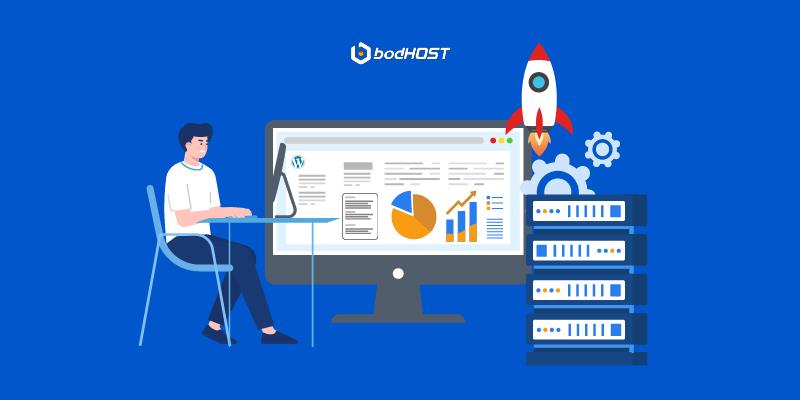
Want to fix your slow WordPress site? These nine actionable strategies offer a comprehensive approach to WordPress speed optimization, perfect for those seeking full-service WordPress website solutions. Learn how to speed up WordPress by improving load time, reducing server strain, and enhancing the user experience.
Running outdated WordPress core files, themes, or plugins can significantly slow down your website and expose it to security threats. Always update to the latest stable version of WordPress and guarantee your hosting environment supports the most recent version of PHP. Latest PHP versions are faster and more efficient, often providing visible performance improvements with no code changes.
Large, uncompressed images are one of the most common culprits behind slow-loading pages. WordPress image optimization is essential to compress and resize images without sacrificing quality. Use reliable optimization tools or plugins and consider serving images in next-gen formats like WebP for better performance. Properly optimized images reduce page weight, resulting in faster load times and a smoother user experience.
Lazy loading delays the loading of non-critical resources like images, videos, or JavaScript until they’re needed, boosting initial page speed and saving server resources, particularly on media-rich pages.
Key Resources to Lazy Load:
• Videos – Load only when the user clicks play.
• Iframes – Delay loading third-party embeds like YouTube or Google Maps.
• Scripts – Load JavaScript after the main content.
• CSS – Use only the most important CSS up front.
• Fonts – Load custom fonts asynchronously.
• Background Images – Lazy load through inline styles or JavaScript.
• HTML Content (Infinite Scrolling) – Load more as the user scrolls.
• Dynamic Components – Load based on user interaction or visibility.
Too many plugins or poorly coded ones can increase server load and cause performance lags. Audit your plugins regularly and deactivate or delete those you no longer use. Choose lightweight, well-maintained plugins and avoid using multiple plugins that serve the same purpose. Fewer plugins mean fewer HTTP requests and faster page loads.
Caching plugins generate static HTML versions of your pages, reducing server load and speeding up load times for recurring visitors.
Benefits of Caching:
1. Reduces server load: Limits repeated server requests by serving pre-generated content.
2. Speeds up page load times: Delivers faster browsing experiences for users.
3. Enhances user experience: Keeps users engaged by reducing waiting times.
4. Improves SEO: Search engines reward faster websites with higher rankings.
5. Handles traffic spikes: Prevents crashes during sudden surges in visitors.
6. Optimizes resource usage: Frees up resources for critical site functions.
A CDN improves your website’s performance by caching static resources like images, CSS, and JavaScript on globally distributed edge servers. When users access your site, their request is routed to the nearest server, confirming faster content delivery and reduced latency. If the content isn’t already cached, the CDN recovers it from your origin server. This setup not only improves load speeds and user experience but also reduces the load on your main server, making your site faster and more reliable.
Benefits of Using a CDN:
• Improved Website Performance: Faster load times for global visitors.
• Increased Reliability: Redundant systems reduce downtime.
• Enhanced Security: DDoS protection and SSL support.
• Reduced Bandwidth Costs: Unburdens traffic from your main server.
• Improved Scalability: Handles spikes in traffic efficiently.
Themes with unnecessary features, heavy scripts, or bloated design elements can slow down your site. Choose a clean, minimal, and performance-optimized theme that meets your requirements. Look for themes coded with speed in mind, supporting mobile responsiveness and negligible dependencies.
Minifying your site’s CSS, JavaScript, and HTML decreases file size by removing needless elements such as whitespace, line breaks, comments, and unused code. This process streamlines the delivery of resources to users’ browsers, speeding up page load times and improving overall performance. By removing excess code, minification helps optimize your WordPress site for faster rendering without affecting functionality, making it a simple yet effective way to boost site speed.
Not all hosting is equal. Your host’s infrastructure plays a major role in your site’s performance. Upgrading to a better host can instantly improve site speed.
Several hosting factors directly impact your WordPress site’s speed. A strong server infrastructure with SSD storage, HTTP/2 support, and the latest PHP versions guarantees faster processing. Server-level caching made into your hosting environment can significantly reduce load times. Also, the physical location of data centers matters; the closer they are to your users, the quicker the content delivery. Sufficient bandwidth and resource allocation are also essential to handle traffic smoothly. Choosing managed WordPress hosting offers built-in performance and security optimizations customized specifically for WordPress sites.
We can conclude that website speed isn’t just a technical aspect; it directly affects how users interact with your site and how well it performs in search results. By applying these proven optimization strategies from image compression to better hosting, you can fix a sluggish WordPress site, reduce bounce rates, and lift user satisfaction. A faster site means better engagement, higher rankings, and more conversions. Now’s the time to speed things up with reliable WordPress Web Hosting from bodHOST, designed to deliver speed, security, and performance tailored for your WordPress website.
Learn more in our detailed article: 10 Essential Tools to Determine If a Website Is Down

Explore more hosting insights, tips and industry updates.
There is a constant push in the digital world to take on new advances in…
As Cloud computing continues to transform the digital landscape, the role of hypervisors has become…
Creating an online website can sometimes feel time-consuming. This is particularly true for those seeking…