Magento Hosting on Cloud Server Hosting
An open source bases e-commerce application which can be integrated with the latest technology of…

 Paul Lopez
Data is one of the most valuable assets for any business today. From customer information to operational files, losing data can disrupt workflows and impact business continuity. However, data loss can happen at any time due to hardware failure, cyberattacks, accidental deletion, or system crashes.
Many businesses rely only on local backups, which may not be enough to protect against serious risks. This is where remote backup becomes important. By storing data in a secure off-site location, remote backup ensures that critical information remains safe and accessible even during unexpected situations.
This article explains why remote backup is essential and how it plays a key role in strengthening data security.
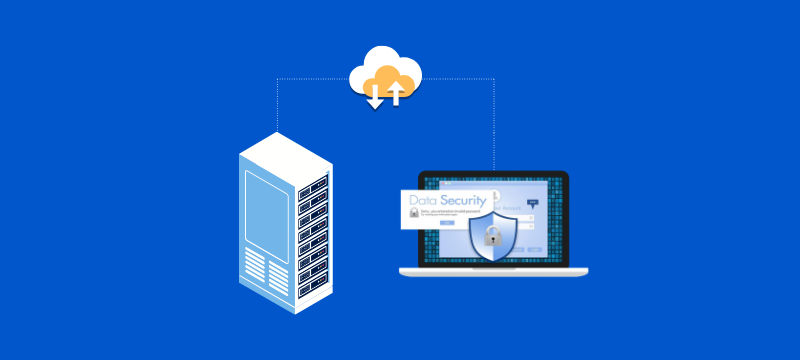
Remote backup is a method of storing copies of your data on a secure external server, typically accessed through the internet. Instead of saving backups on a local device or server, the data is transferred and stored in a remote location.
The process usually runs automatically based on a schedule. Files are copied, encrypted, and stored securely without requiring manual intervention. In case of data loss, users can quickly restore their data from the remote server.
This approach ensures that even if your local system fails, your data remains protected in a separate location.
Data security is not only about preventing unauthorized access but also about ensuring data availability. Without a reliable backup strategy, recovering lost data can be difficult or even impossible.
Local backups have limitations. They are stored on physical devices that can fail, get damaged, or be affected by environmental issues such as fire or theft. In addition, local backups may not always keep up with growing data needs.
A strong backup strategy includes off-site storage, automation, and easy recovery options. Remote backup addresses these needs by providing a more secure and flexible solution.
Remote backup provides several advantages that support business operations and data management. Improved business continuity ensures that operations can resume quickly after data loss or system failure. This minimizes downtime and reduces the impact on productivity.
Enhanced data security protects sensitive business information through encryption and secure storage practices. Simplified IT management reduces the need for constant monitoring and manual backup processes. Automated systems handle most of the work, allowing teams to focus on core tasks.
Both remote and local backups serve the purpose of data protection, but they differ in how they store and manage data.
| Feature | Remote Backup | Local Backup |
| Storage Location | Offsite servers | On-premise devices |
| Accessibility | Accessible from anywhere | Limited to the local system |
| Security | Encrypted and monitored | Depends on local setup |
| Disaster Recovery | Strong protection | Limited protection |
Remote backup offers better flexibility and protection, especially for businesses handling critical data.
Businesses should consider remote backup when they start facing challenges related to data management and security. Growing data volumes often require more reliable storage solutions. Frequent system failures or data loss incidents indicate the need for better backup protection.
Handling sensitive customer or business data also increases the importance of secure storage. Additionally, businesses with remote teams need accessible backup solutions to support distributed work environments.
Choosing the right backup solution requires careful evaluation of several factors. A reliable provider like bodHOST can help ensure your data remains secure and accessible. Security should always be a top priority, so it is important to select a solution that offers strong encryption and secure data transfer to protect sensitive information.
Backup automation is equally important, as scheduled backups help maintain updated data copies without requiring manual effort. Scalability is another key factor, allowing businesses to expand storage as their data grows and ensuring the backup system remains effective over time.
In addition, reliable recovery options are essential so that data can be restored quickly and easily when needed. Technical support is also important, as it helps resolve issues and maintain smooth operation.
To get the most out of remote backup, businesses should follow a few practical steps. Regularly scheduling backups ensures that data remains up to date. Testing recovery processes helps confirm that backups can be restored successfully.
Using encryption adds an extra layer of security for sensitive information. Maintaining multiple backup copies further reduces the risk of data loss. Monitoring backup performance helps identify issues early and ensures that the system is functioning correctly.
Remote backup plays a critical role in modern data security strategies. It protects data from loss, supports disaster recovery, and ensures that information remains accessible when needed. By combining automation, scalability, and secure storage, remote backup provides a reliable solution for businesses of all sizes. It reduces risks, improves operational stability, and allows organizations to focus on growth without worrying about data loss.
Learn more in our detailed article: Key VPS Backup Strategies to Safeguard Your Business

Explore more hosting insights, tips and industry updates.
An open source bases e-commerce application which can be integrated with the latest technology of…
The Federal Communications Commission (FCC) announced during its eighth annual broadband progress report on the…
If you’re planning to build a website in 2026, there’s a good chance PHP is…